
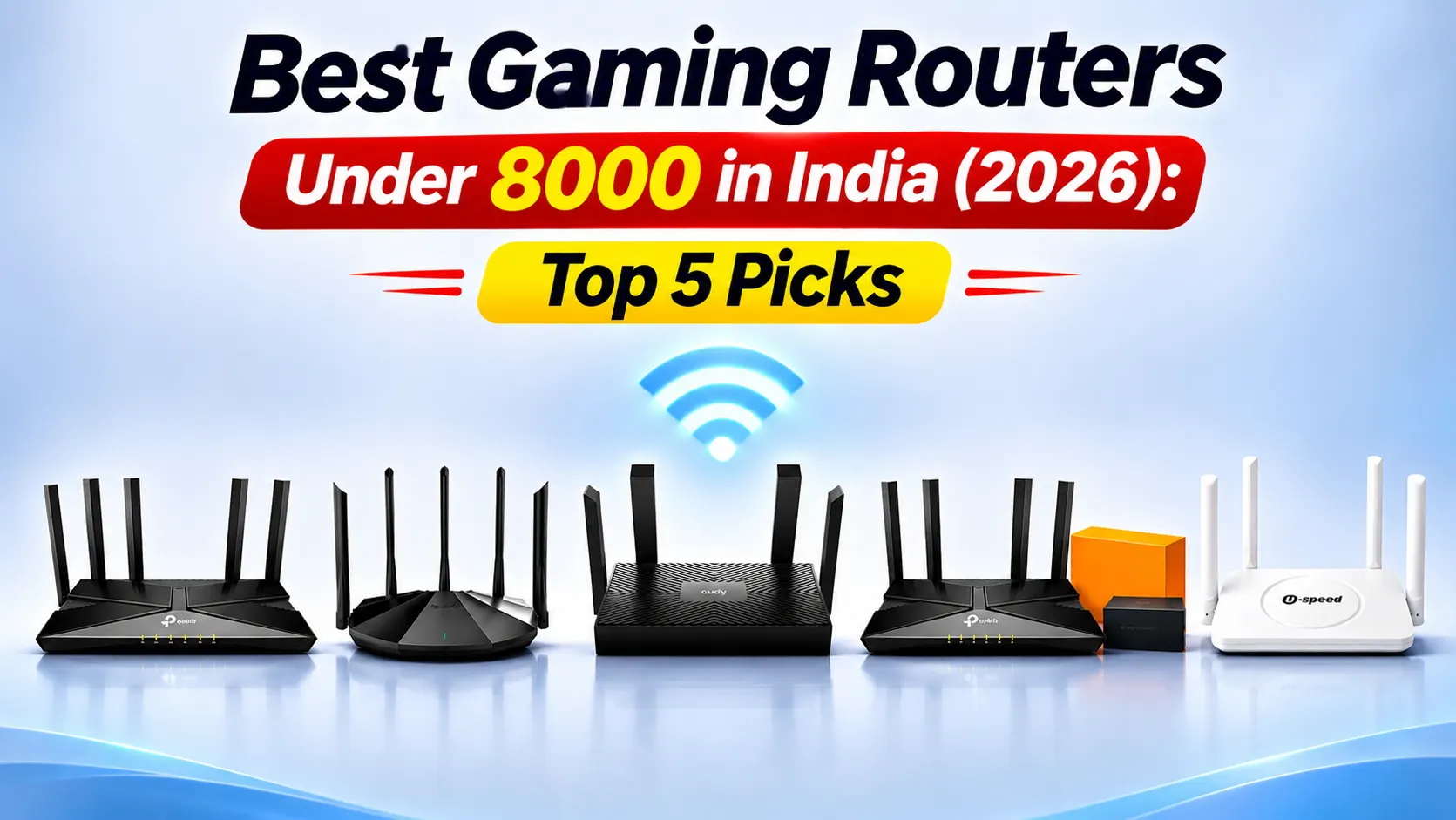

Choosing the Best Gaming Routers Under 8000 is essential for smooth online gaming, competitive multiplayer matches and uninterrupted streaming. A good gaming router reduces network congestion, improves connection stability and delivers consistent performance. Features such as Wi-Fi 6, dual-band connectivity, Gigabit Ethernet, OFDMA, MU-MIMO, Beamforming and QoS help optimise your home network. Upgrading from a basic ISP-provided router can also improve coverage and device management. In this guide, we have selected five gaming routers under 8000, including TP-Link Archer AX56, Archer AX53, Tenda TX2 Pro, Cudy WR1500 and U-SPEED AC1200, to suit different budgets and gaming requirements in 2026.
Table of Contents
1: Top 5 Best Gaming Routers Under 8000 in India
1.1: TP-Link Archer AX56 AX3000 Wi-Fi 6 Router
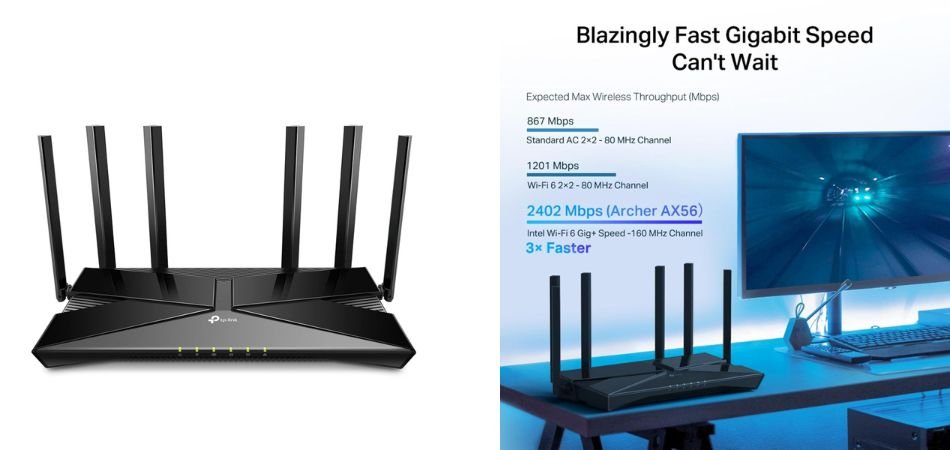
The TP-Link Archer AX56 is a dual-band Wi-Fi 6 router offering speeds up to 3000 Mbps. With OFDMA, Beamforming, four external antennas, HomeShield security and EasyMesh support, it is suitable for gaming, 4K streaming and smart homes.
Key Specifications
| Specification | Details |
|---|---|
| Wi-Fi Standard | Wi-Fi 6 |
| Total Speed | AX3000 |
| 5GHz Speed | 2402 Mbps |
| 2.4GHz Speed | 574 Mbps |
| Antennas | 4 External |
| Features | OFDMA, Beamforming |
| Security | HomeShield |
| Mesh Support | EasyMesh |
Pros and Cons
✓ Pros
- Fast AX3000 Wi-Fi 6 speeds.
- OFDMA technology.
- Beamforming support.
- Four external antennas.
- HomeShield security.
- EasyMesh compatibility.
× Cons
- No 6GHz band.
- Coverage depends on home layout.
- Advanced settings require configuration.
Best For
1.2: TP-Link Archer AX53 AX3000 Wi-Fi 6 Router with Resonate RouterUPS Pro
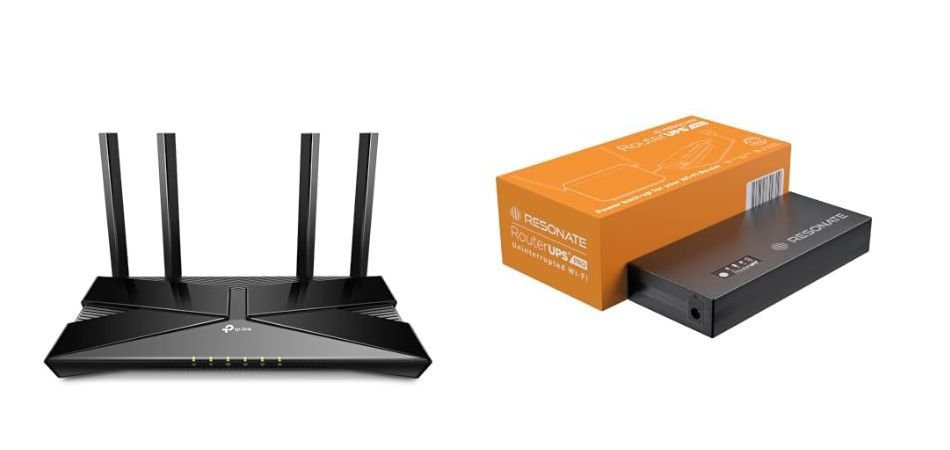
The TP-Link Archer AX53 AX3000 comes bundled with Resonate RouterUPS Pro, combining fast Wi-Fi 6 connectivity with backup power for uninterrupted internet during power cuts. It is suitable for gaming, streaming and everyday home networking.
Key Specifications
| Specification | Details |
|---|---|
| Router | TP-Link Archer AX53 |
| Wi-Fi Standard | Wi-Fi 6 |
| Total Speed | AX3000 |
| 5GHz Speed | 2402 Mbps |
| 2.4GHz Speed | 574 Mbps |
| Antennas | 4 External |
| Features | OFDMA, Beamforming |
| UPS | Resonate RouterUPS Pro |
Pros and Cons
✓ Pros
- Fast AX3000 Wi-Fi 6 speeds.
- OFDMA technology.
- Beamforming support.
- Four external antennas.
- Includes backup UPS.
- Helps maintain internet during power cuts.
× Cons
- No 6GHz band.
- UPS backup time varies.
- Requires additional space.
Best For
1.3: Tenda TX2 Pro Wi-Fi 6 AX1500 Smart Router
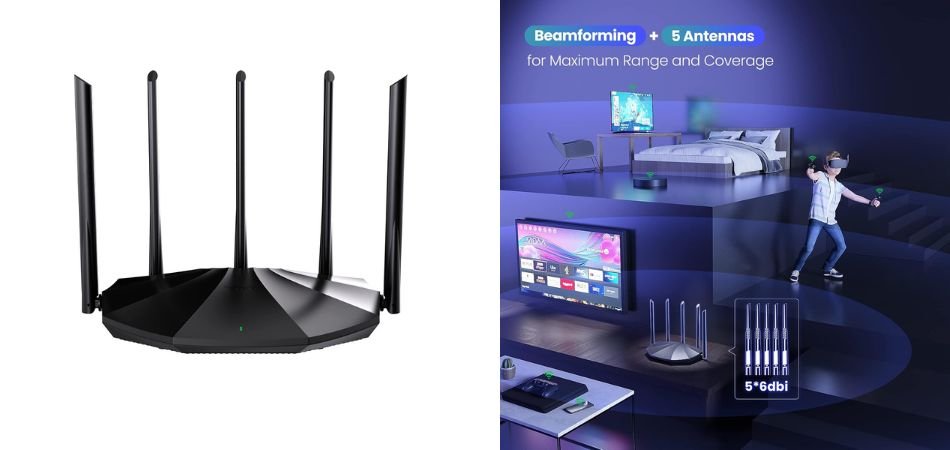
The Tenda TX2 Pro is a dual-band Wi-Fi 6 router offering AX1500 speeds, five 6dBi high-gain antennas and Gigabit Ethernet ports. With WPA3 security, OFDMA and MU-MIMO, it is suitable for everyday gaming, streaming and home networking.
Key Specifications
| Specification | Details |
|---|---|
| Wi-Fi Standard | Wi-Fi 6 |
| Total Speed | AX1500 |
| 5GHz Speed | 1201 Mbps |
| 2.4GHz Speed | 300 Mbps |
| Antennas | 5 × 6dBi |
| Ethernet Ports | 3 Gigabit LAN |
| Technology | OFDMA, MU-MIMO |
| Security | WPA3 |
| Colour | Black |
Pros and Cons
✓ Pros
- Wi-Fi 6 connectivity.
- Five high-gain antennas.
- WPA3 security support.
- OFDMA and MU-MIMO technology.
- Three Gigabit LAN ports.
- Suitable for streaming and everyday gaming.
× Cons
- No 6GHz Wi-Fi band.
- AX1500 speeds are relatively modest.
- Limited advanced networking features.
Best For
1.4: Cudy WR1500 AX1500 Mesh Wi-Fi 6 Router
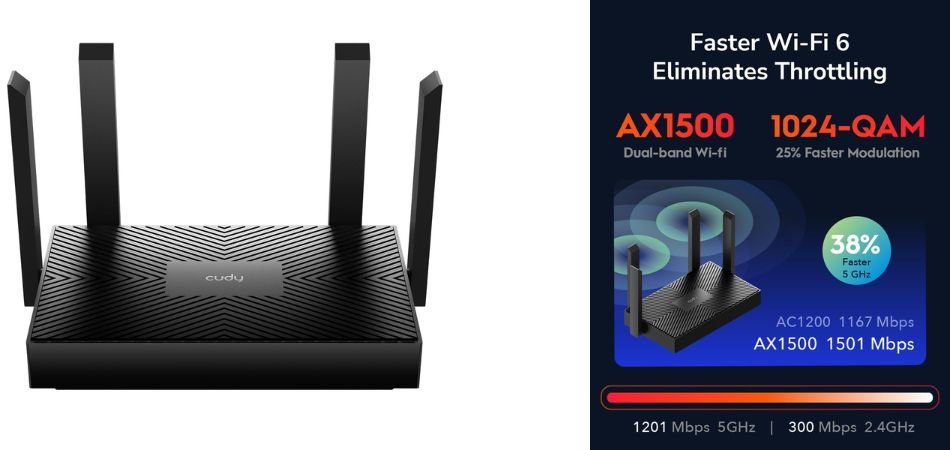
The Cudy WR1500 is an affordable dual-band Wi-Fi 6 router offering speeds up to 1500 Mbps. With MU-MIMO, Beamforming, Mesh support and four Gigabit Ethernet ports, it is suitable for online gaming, HD streaming and everyday home networking.
Key Specifications
| Specification | Details |
|---|---|
| Wi-Fi Standard | Wi-Fi 6 (802.11ax) |
| Total Speed | AX1500 |
| 5GHz Speed | 1201 Mbps |
| 2.4GHz Speed | 300 Mbps |
| Antennas | 4 External |
| Ethernet Ports | 4 Gigabit |
| Technology | MU-MIMO, Beamforming |
| Mesh Support | Yes |
| Wireless Bands | Dual-Band |
Pros and Cons
✓ Pros
- Affordable Wi-Fi 6 router.
- Fast AX1500 wireless speeds.
- Four Gigabit Ethernet ports.
- MU-MIMO technology.
- Beamforming support.
- Mesh networking compatibility.
× Cons
- No 6GHz Wi-Fi band.
- Limited advanced networking features.
- Actual speeds depend on network conditions.
Best For
1.5: U-SPEED AC1200 Dual-Band Wi-Fi Router
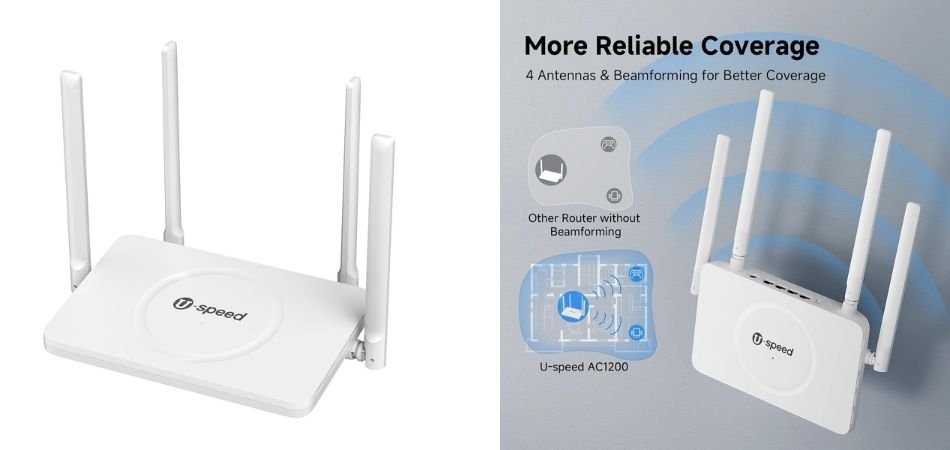
The U-SPEED AC1200 is a dual-band wireless router designed for everyday home networking. It offers combined speeds up to 1200 Mbps, external antennas and Gigabit Ethernet connectivity, making it suitable for HD streaming, browsing and light online gaming.
Key Specifications
| Specification | Details |
|---|---|
| Wi-Fi Standard | Wi-Fi 5 (802.11ac) |
| Total Speed | AC1200 |
| 5GHz Speed | Up to 867 Mbps |
| 2.4GHz Speed | Up to 300 Mbps |
| Antennas | 4 External |
| Connectivity | Dual-Band |
| Ethernet | Gigabit |
| Usage | Home, Streaming & Gaming |
Pros and Cons
✓ Pros
- Affordable AC1200 router.
- Dual-band connectivity.
- Up to 1200 Mbps combined speed.
- External antennas for better coverage.
- Gigabit Ethernet connectivity.
- Suitable for everyday streaming.
× Cons
- No Wi-Fi 6 support.
- No 6GHz band.
- Not ideal for heavy gaming.
Best For
2: Comparison Table
| Router Model | Wi-Fi Standard | Speed Class | Key Features |
|---|---|---|---|
| TP-Link Archer AX56 | Wi-Fi 6 | AX3000 | OFDMA, Beamforming, HomeShield, EasyMesh |
| TP-Link Archer AX53 + RouterUPS Pro | Wi-Fi 6 | AX3000 | OFDMA, Beamforming, Gigabit ports, UPS backup |
| Tenda TX2 Pro | Wi-Fi 6 | AX1500 | 5 × 6dBi antennas, WPA3, MU-MIMO |
| Cudy WR1500 | Wi-Fi 6 | AX1500 | Mesh support, MU-MIMO, Beamforming, 4 Gigabit ports |
| U-SPEED AC1200 | Wi-Fi 5 | AC1200 | Dual-band connectivity, external antennas, Gigabit Ethernet |
4: Which Gaming Router Under 8000 Should You Buy?
- Best Overall: TP-Link Archer AX56
- Best Budget Wi-Fi 6: Tenda TX2 Pro
- Best Mesh Support: Cudy WR1500
- Best with Power Backup: TP-Link Archer AX53 + RouterUPS Pro
- Best for Basic Gaming: U-SPEED AC1200
3: Wired vs Wireless Gaming
| Factor | Wired Ethernet | 5GHz Wi-Fi |
|---|---|---|
| Latency | Lower | Slightly higher |
| Stability | Excellent | Depends on signal |
| Speed | Consistent | Fast |
| Interference | Minimal | More susceptible |
| Convenience | Requires cable | Wireless freedom |
| Best For | Competitive gaming | Casual gaming |
5: How to Reduce Ping and Lag While Gaming
Follow these simple tips to improve gaming performance and reduce network lag:
- Router Placement: Keep your router central and elevated.
- Use Ethernet: Connect your PC or console through a LAN cable.
- 5GHz Wi-Fi: Use 5GHz for faster nearby wireless connections.
- Enable QoS: Prioritise gaming devices.
- Stop Downloads: Avoid background downloads while gaming.
- Update Firmware: Keep your router updated.
- Choose Nearby Servers: Select the closest game server.
- Avoid Interference: Keep routers away from microwaves and thick walls.
6: Frequently Asked Questions (FAQs)
Q1: Which is the best gaming router under 8000 in India?
The TP-Link Archer AX56 is our best overall pick, offering AX3000 Wi-Fi 6 speeds, OFDMA, Beamforming and EasyMesh support.
Q2: Is Wi-Fi 6 better than Wi-Fi 5 for gaming?
Yes. Wi-Fi 6 offers better network efficiency, lower congestion and improved performance when multiple devices are connected.
Q3: Does a gaming router reduce ping?
A good gaming router can improve network stability and reduce local congestion. However, ping also depends on your ISP, server distance and network conditions.
Q4: Is TP-Link Archer AX56 good for gaming?
Yes. Its AX3000 speeds, Wi-Fi 6 technology and QoS support make it a good choice for online gaming, streaming and multiplayer sessions.
Q5: Is AX3000 better than AX1500?
Generally, yes. AX3000 offers higher theoretical combined wireless speeds than AX1500, making it better suited to demanding networks.
Q6: How much internet speed do I need for online gaming?
Around 25–50 Mbps is generally sufficient for smooth online gaming. However, stable latency, low packet loss and a reliable connection matter more than raw download speed.
7: Conclusion
Choosing the Best Gaming Routers Under 8000 depends on your budget, gaming requirements and network coverage. Wi-Fi 6 routers are generally preferable for modern gaming setups because they offer better network efficiency, reduced congestion and improved performance with multiple connected devices. The TP-Link Archer AX56 stands out as the leading overall choice with its AX3000 specifications, while the Tenda TX2 Pro and Cudy WR1500 are affordable alternatives for Wi-Fi 6 connectivity.
The TP-Link Archer AX53 bundled with Resonate RouterUPS Pro is useful for homes experiencing frequent power cuts, helping maintain internet connectivity during outages. Meanwhile, the U-SPEED AC1200 is suitable for basic browsing, streaming and casual gaming rather than demanding gaming workloads. Overall, choose the router that best matches your performance expectations, coverage needs and budget in 2026.