


Choosing the Best Gaming PC Cases Under 5000 is important because the case directly affects airflow, cooling, component compatibility, and overall build quality. A well-designed cabinet helps maintain stable temperatures while providing enough space for your GPU, motherboard, CPU cooler, power supply, and cables.
Even with a 5000 budget, gamers can find attractive cases featuring tempered-glass panels, ARGB fans, modern connectivity, and multiple cooling options. In this guide, we compare five options: MSI MAG Forge 120A Airflow, Ant Esports Crystal X7, Aqua 360 4F, Titan FE ARGB, and Titan FE.
When choosing a gaming PC case under 5000, prioritize airflow, motherboard support, GPU clearance, fan or radiator compatibility, cable-management space, and upgrade potential over aesthetics alone.
Table of Contents
1: Best Gaming PC Cases Under 5000 in India
1.1: MSI MAG Forge 120A Airflow Premium Gaming PC Case
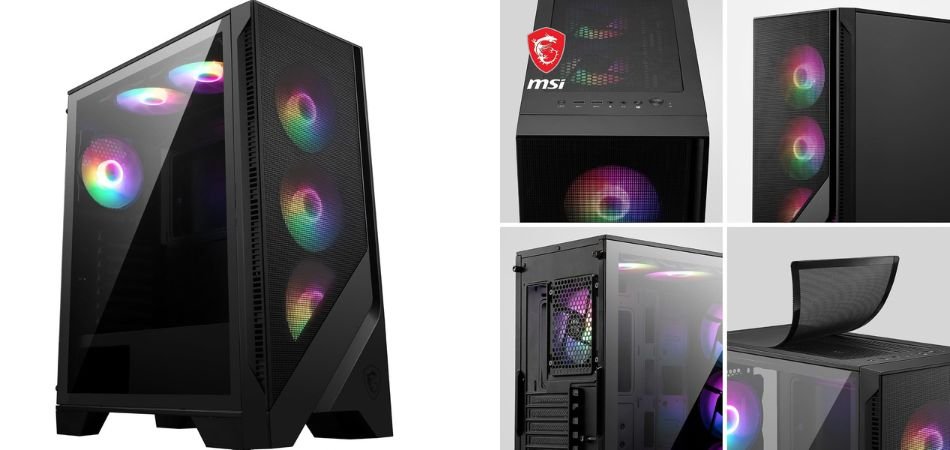
The MSI MAG Forge 120A Airflow is a stylish ATX gaming case designed for strong airflow and modern builds. Its tempered-glass side panel, RGB fans, and spacious interior give gaming PCs a premium appearance while supporting effective cooling.
Key Specifications
| Specification | Details |
|---|---|
| Form Factor | ATX / Micro-ATX / Mini-ITX |
| Side Panel | 4mm Tempered Glass |
| Cooling | Up to 8 Fans |
| Radiator Support | Up to 360mm |
| GPU Support | Vertical GPU Bracket |
| Lighting | Auto RGB Fans |
Gaming Performance
The airflow-focused design helps maintain stable temperatures during extended gaming sessions, while multiple fan and radiator options provide flexibility for performance-oriented builds.
Pros and Cons
✓ Pros
- Excellent airflow design
- 4mm tempered glass
- RGB fans included
- Supports 360mm radiator
- Vertical GPU support
- Spacious gaming interior
× Cons
- Can be bulky
- RGB control may be basic
- Cable management needs planning
Best For
1.2: Ant Esports Crystal X7 ATX Computer Case/Gaming Cabinet
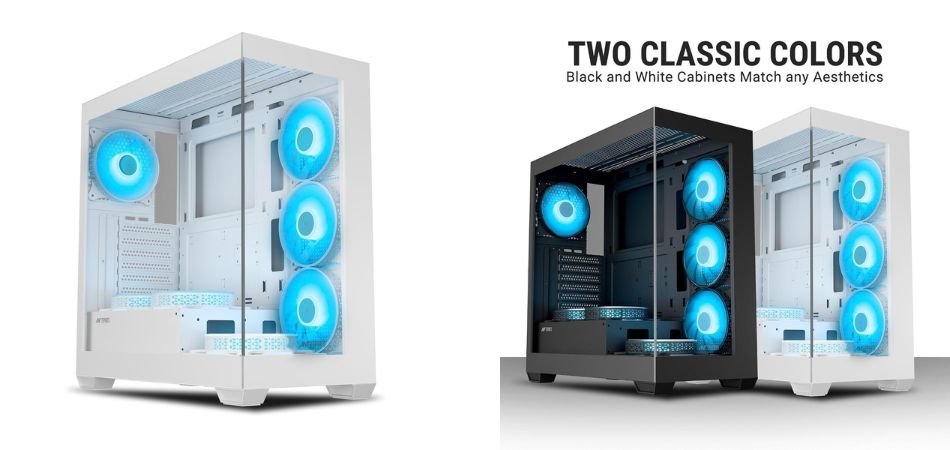
The Ant Esports Crystal X7 is a feature-rich white gaming cabinet built for airflow-focused PC setups. It supports ATX, Micro-ATX, and Mini-ITX motherboards and includes seven pre-installed fans, making it an attractive option for budget-conscious gamers seeking strong cooling and a clean showcase design.
Key Specifications
| Specification | Details |
|---|---|
| Motherboard Support | ATX, Micro-ATX, Mini-ITX |
| Pre-Installed Fans | 7 |
| Fan Configuration | 3 M/B Plate, 2 PSU Shroud, 1 Bottom, 1 Rear |
| Front I/O | USB Type-C |
| Color | White |
| Design | Gaming Cabinet with Showcase Styling |
Gaming Performance
The seven-fan configuration provides substantial airflow for gaming components, helping manage heat during extended workloads. Multiple intake and exhaust positions also support balanced cooling for performance-oriented builds.
Pros and Cons
✓ Pros
- Seven pre-installed fans
- Excellent airflow potential
- ATX motherboard support
- USB Type-C connectivity
- Attractive white design
- Supports compact motherboard formats
× Cons
- Fan noise may vary
- Large fan count can complicate cable management
- Limited upgrade flexibility depending on component size
Best For
1.3: Ant Esports Aqua 360 4F Mid-Tower Computer Case/Gaming Cabinet
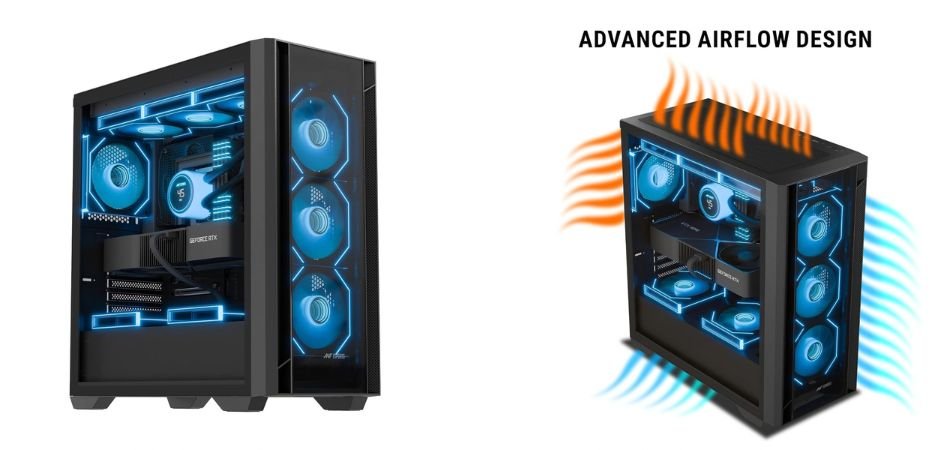
The Ant Esports Aqua 360 4F is a stylish black mid-tower gaming cabinet designed for airflow, cooling, and modern gaming builds. Its showcase-style design and four pre-installed ARGB fans provide an attractive setup while maintaining effective ventilation.
Key Specifications
| Specification | Details |
|---|---|
| Case Type | Mid-Tower |
| Color | Black |
| Pre-Installed Fans | 4 ARGB Fans |
| Motherboard Support | ATX / Micro-ATX / Mini-ITX |
| Lighting | ARGB |
| Design | Tempered-Glass Gaming Cabinet |
Gaming Performance
With four pre-installed ARGB fans, the Aqua 360 4F provides balanced airflow for gaming components. The ventilated chassis helps manage temperatures during extended gaming sessions while keeping the build visually appealing.
Pros and Cons
✓ Pros
- Four pre-installed ARGB fans
- Attractive gaming design
- Good airflow
- Supports multiple motherboard sizes
- Premium showcase appearance
- Suitable for gaming builds
× Cons
- ARGB setup may need controller management
- Cable routing requires planning
- Larger components may reduce internal space
Best For
1.4: Ant Esports Titan FE Mid-Tower Computer Case/Gaming Cabinet
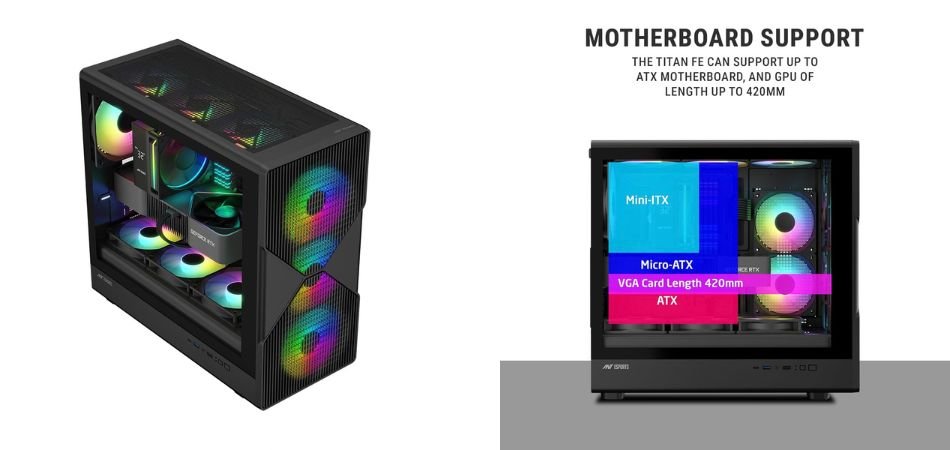
The Ant Esports Titan FE is a stylish black mid-tower gaming cabinet designed for modern gaming PC builds. With support for ATX, Micro-ATX, and Mini-ITX motherboards, it combines broad compatibility with a tempered-glass showcase design and four pre-installed ARGB fans.
Key Specifications
| Specification | Details |
|---|---|
| Case Type | Mid-Tower |
| Motherboard Support | ATX, M-ATX, Mini-ITX |
| Pre-Installed Fans | 4 ARGB Fans |
| Lighting | ARGB |
| Side Panel | Tempered Glass |
| Color | Black |
Gaming Performance
The four pre-installed ARGB fans provide useful airflow for gaming components, helping maintain stable temperatures during extended sessions. Its open interior also makes component installation and cooling management practical.
Pros and Cons
✓ Pros
- Four pre-installed ARGB fans
- Supports ATX motherboards
- Tempered-glass showcase design
- Supports M-ATX and Mini-ITX
- Attractive gaming aesthetics
- Good airflow potential
× Cons
- ARGB control may require setup
- Cable management needs planning
- Limited room for very large components
Best For
1.5: Ant Esports Titan FE Mid-Tower Computer Case/Gaming Cabinet
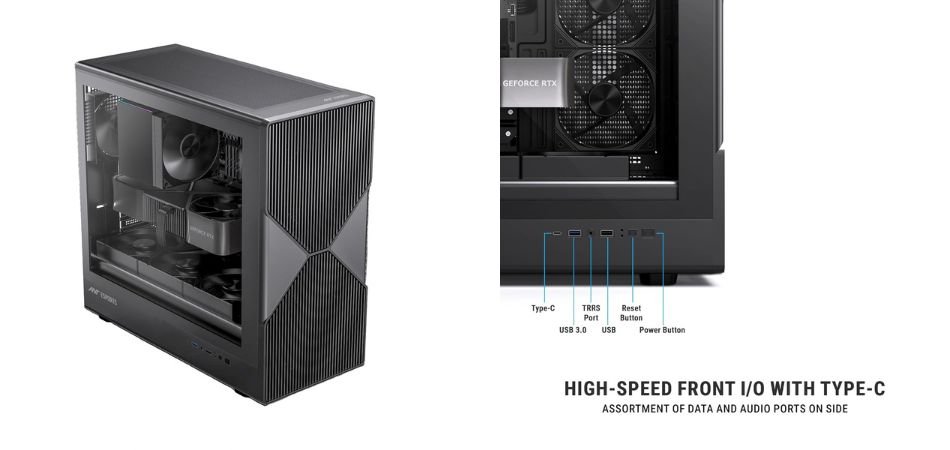
The Ant Esports Titan FE is a practical black mid-tower gaming cabinet built for clean, airflow-focused PC configurations. It supports ATX, Micro-ATX, and Mini-ITX motherboards and comes with four pre-installed black fans, offering dependable cooling without the added complexity of RGB lighting.
Key Specifications
| Specification | Details |
|---|---|
| Case Type | Mid-Tower |
| Motherboard Support | ATX, M-ATX, Mini-ITX |
| Pre-Installed Fans | 4 Black Fans |
| Lighting | Non-RGB |
| Design | Gaming Cabinet |
| Color | Black |
Gaming Performance
The four pre-installed fans provide a useful airflow foundation for gaming hardware, helping move warm air away from the CPU and GPU during longer gaming sessions. The non-RGB setup also keeps the build simple and understated.
Pros and Cons
✓ Pros
- Four pre-installed fans
- Supports ATX motherboards
- Compatible with M-ATX and Mini-ITX
- Good airflow potential
- Clean black appearance
- No unnecessary RGB complexity
× Cons
- No RGB lighting
- Cable management requires planning
- Large components may limit available space
Best For
2: Comparison Table
| PC Case | Form Factor | Pre-Installed Fans | Best For |
|---|---|---|---|
| MSI MAG Forge 120A Airflow | ATX, Micro-ATX, Mini-ITX | 3 ARGB Fans | Airflow-focused gaming PCs and high-performance builds |
| Ant Esports Crystal X7 | ATX, Micro-ATX, Mini-ITX | 7 Fans | Maximum airflow and RGB-focused gaming setups |
| Ant Esports Aqua 360 4F | ATX, Micro-ATX, Mini-ITX | 4 ARGB Fans | Stylish gaming builds with balanced cooling |
| Ant Esports Titan FE ARGB | ATX, Micro-ATX, Mini-ITX | 4 ARGB Fans | Budget RGB gaming PCs |
| Ant Esports Titan FE | ATX, Micro-ATX, Mini-ITX | 4 Black Fans | Simple, non-RGB gaming builds |
3: How to Choose the Best Gaming PC Case Under 5000
- Maximum Airflow: Choose mesh panels and multiple fan mounts for better cooling.
- RGB Builds: Look for pre-installed ARGB fans and tempered glass.
- White PCs: The Ant Esports Crystal X7 is a good choice for white-themed builds.
- ATX Builds: Check ATX support and GPU clearance before buying.
- Minimalist Builds: Choose a simple black case with standard fans.
- Future Upgrades: Verify GPU, CPU cooler, radiator, storage, and PSU clearance.
4: Frequently Asked Questions (FAQs)
Q1: What is the best gaming PC case under 5000 in India?
The MSI MAG Forge 120A Airflow is a strong overall choice, offering good airflow, RGB fans, tempered glass, and broad motherboard support.
Q2: Is a 5000 PC case good for gaming?
Yes. A good gaming PC case under 5000 can provide sufficient airflow, fan support, and component space for a capable gaming build.
Q3: How many fans should a gaming PC case have?
A gaming case should ideally have at least 3 to 4 fans for balanced intake and exhaust airflow. More fans can be beneficial for high-performance builds.
Q4: Is airflow more important than RGB in a PC case?
Yes. Airflow should be prioritized over RGB because effective ventilation helps maintain CPU and GPU temperatures during demanding gaming sessions.
Q5: Can I fit an ATX motherboard in a gaming case under 5000?
Yes. Many budget gaming cases support full-size ATX motherboards. Always verify motherboard compatibility before purchasing.
Q6: What should I check before buying a gaming PC case?
Check motherboard support, GPU clearance, CPU cooler height, fan and radiator support, PSU space, storage options, airflow, and cable-management room.
5: Conclusion
Choosing the Best Gaming PC Cases Under 5000 depends on your cooling requirements, motherboard compatibility, available space, and preferred design. The MSI MAG Forge 120A Airflow is a strong option for airflow-focused builds, while the Ant Esports Crystal X7 suits gamers who want more fans and an attractive showcase design. The Aqua 360 4F and Titan FE models are practical budget choices with pre-installed fans.
Before buying, check GPU clearance, CPU cooler height, PSU space, airflow, cable management, and fan or radiator support. A well-designed gaming PC case under 5000 can deliver an excellent balance of cooling, compatibility, aesthetics, and value without requiring a premium budget.