
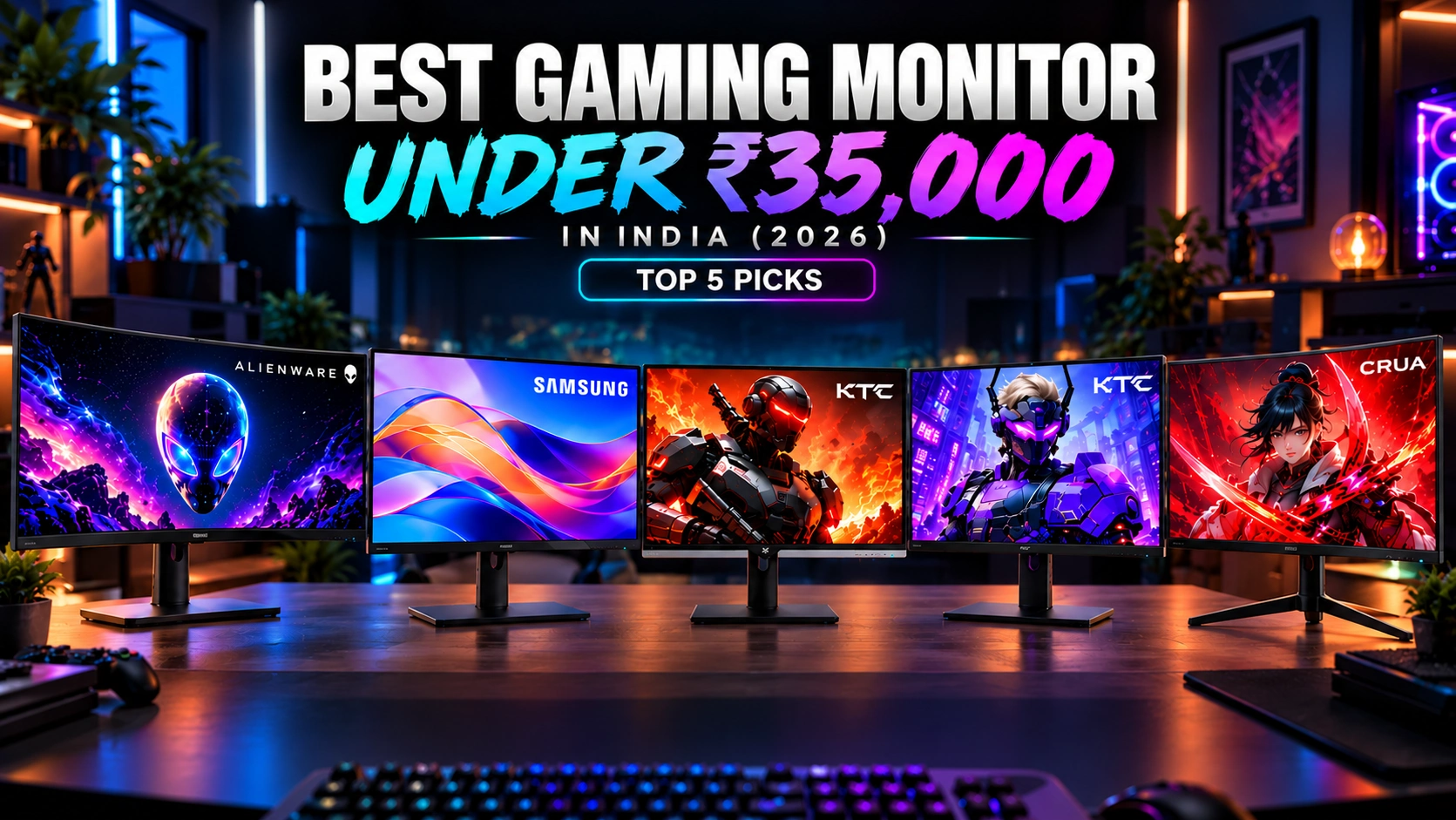

Finding the Best Gaming Monitor Under 35000 is easier in 2026, with options offering excellent performance for competitive, AAA, and casual gaming. At this price, you can choose between fast FHD monitors with 180Hz–240Hz refresh rates or higher-resolution and ultrawide displays for sharper, more immersive visuals. Refresh rate, resolution, response time, panel technology, adaptive sync, HDR, colour coverage, screen size, and ergonomics all matter when choosing the right monitor.
This guide compares the Alienware AW3426DWM, Samsung ViewFinity S8, KTC H25T7, KTC H24F8, and CRUA 24-inch 240Hz. The Alienware is ideal for immersive ultrawide gaming, while the Samsung suits 4K gaming and productivity. The KTC and CRUA models focus on smooth, high-FPS competitive gaming.
Table of Contents
1:Top 5 Best Gaming Monitor Under 35000 in India (2026)
1.1:Alienware AW3426DWM 34″ WQHD Curved Gaming Monitor
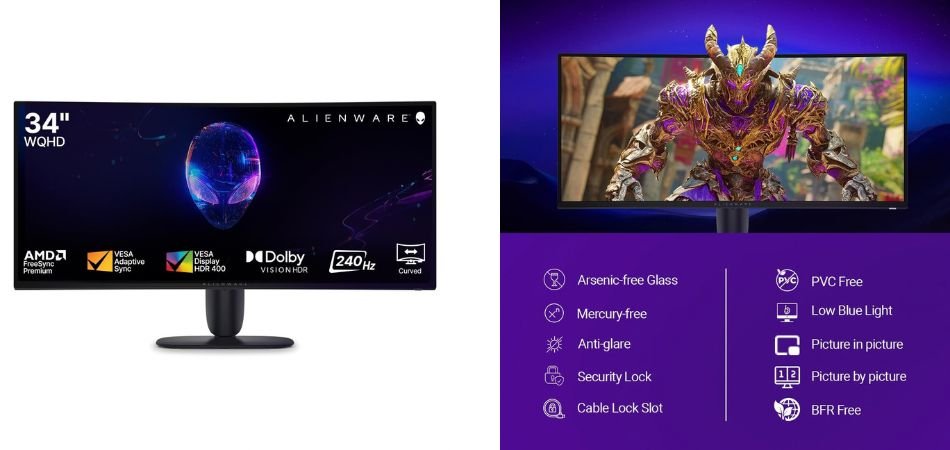
The Alienware AW3426DWM combines a 34-inch WQHD ultrawide display with a fast 240Hz refresh rate, 1ms response time, and 95% DCI-P3 colour coverage, making it ideal for immersive and competitive gaming.
Key Specifications
| Specification | Details |
|---|---|
| Display | 34″ WQHD Curved |
| Resolution | 3440 × 1440 |
| Refresh Rate | 240Hz |
| Response Time | 1ms |
| Brightness | 400 nits |
| Contrast | 3000:1 |
| Color | 95% DCI-P3 |
| Sync | FreeSync Premium, AdaptiveSync |
Gaming Performance
Its 240Hz refresh rate and 1ms response time deliver smooth, responsive gameplay, while the ultrawide WQHD panel provides an immersive field of view.
Pros and Cons
✓ Pros
- 240Hz refresh rate
- WQHD ultrawide resolution
- 1ms response time
- 95% DCI-P3
- Strong 3000:1 contrast
- Adjustable stand
× Cons
- Large desk footprint
- HDR brightness is limited
- Ultrawide format may not suit everyone
Best For
1.2:KTC 24.5-Inch H25T7 Gaming Monitor
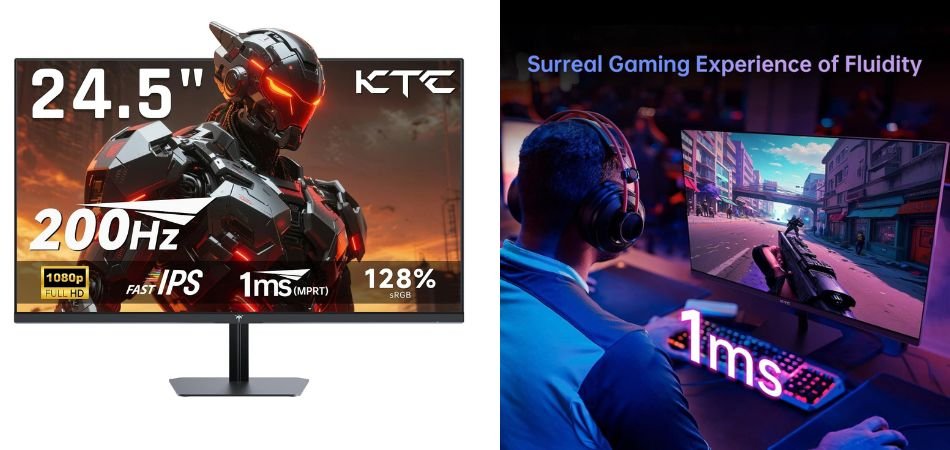
The KTC H25T7 is a budget-friendly gaming monitor featuring a 24.5-inch Full HD Fast IPS display with a 180Hz refresh rate that can be overclocked to 200Hz. Its 1ms response time and 128% sRGB coverage make it a strong option for fast-paced gaming and everyday use.
Key Specifications
| Specification | Details |
|---|---|
| Display | 24.5-inch Fast IPS |
| Resolution | 1920 × 1080 |
| Refresh Rate | 180Hz, 200Hz OC |
| Response Time | 1ms |
| Color | 128% sRGB |
| Adaptive Sync | FreeSync |
| HDR | HDR Support |
| Stand | Adjustable |
Gaming Performance
The 180Hz refresh rate, 200Hz overclocking, and 1ms response time deliver smooth motion with reduced blur, making the KTC H25T7 particularly suitable for competitive FPS and esports gaming.
Pros and Cons
✓ Pros
- 200Hz overclocked refresh rate
- Fast IPS panel
- 1ms response time
- 128% sRGB coverage
- FreeSync support
- Adjustable stand
× Cons
- Full HD resolution only
- HDR performance is limited
- Smaller screen than ultrawide options
Best For
1.3:KTC H24F8 24-Inch 180Hz/190Hz Gaming Monitor
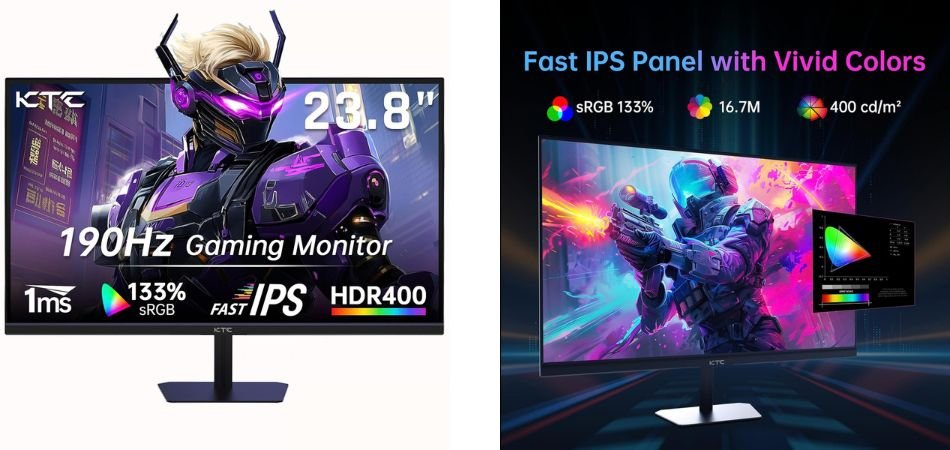
The KTC H24F8 is a compact Full HD gaming monitor featuring a Fast IPS panel, up to 190Hz refresh rate, HDR400, and 133% sRGB coverage. It offers a strong balance of speed, colour, and connectivity for its class.
Key Specifications
| Specification | Details |
|---|---|
| Display | 24-inch Fast IPS |
| Resolution | 1920 × 1080 |
| Refresh Rate | 180Hz/190Hz |
| HDR | HDR400 |
| Color | 133% sRGB |
| Ports | 2× HDMI, 1× DisplayPort |
| Sync | FreeSync Compatible |
| Mounting | Wall Mountable |
Gaming Performance
With its high refresh rate, Fast IPS panel, and FreeSync compatibility, the H24F8 delivers smooth motion and responsive gameplay, making it well-suited to competitive FPS and esports titles.
Pros and Cons
✓ Pros
- Up to 190Hz refresh rate
- Fast IPS panel
- HDR400 support
- 133% sRGB coverage
- FreeSync compatibility
- Wall-mountable design
× Cons
- Full HD resolution
- HDR impact is limited
- No USB-C connectivity
Best For
1.4:Samsung 32″ ViewFinity S8 4K Monitor
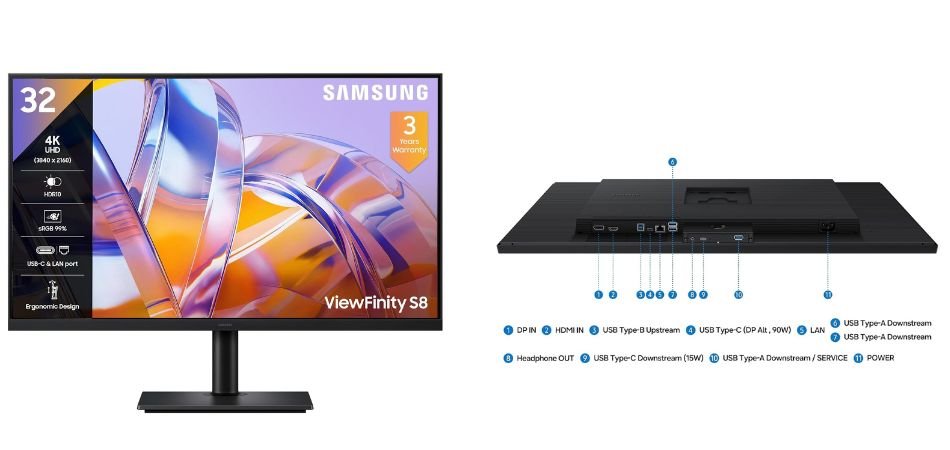
The Samsung ViewFinity S8 is a 32-inch 4K monitor designed for sharp visuals, productive workflows, and everyday entertainment. Its 3840 × 2160 resolution, 350-nit brightness, HDR10, and 99% sRGB coverage deliver detailed and vibrant images.
Key Specifications
| Specification | Details |
|---|---|
| Display | 32-inch 4K |
| Resolution | 3840 × 2160 |
| Brightness | 350 nits |
| Color | 1.07B, 99% sRGB |
| HDR | HDR10 |
| Ports | HDMI, DisplayPort, USB |
| Features | PIP, PBP, Eye Care |
Gaming Performance
The 4K resolution provides excellent image clarity for gaming, although its productivity-focused design is better suited to casual gaming than competitive high-refresh gameplay.
Pros and Cons
✓ Pros
- Sharp 4K resolution
- Large 32-inch display
- HDR10 support
- 99% sRGB coverage
- PIP and PBP
- Multiple connectivity options
× Cons
- Not designed for high-refresh gaming
- 350-nit brightness
- Large desk footprint
Best For
1.5:CRUA 24-Inch 240Hz FHD Curved Gaming Monitor
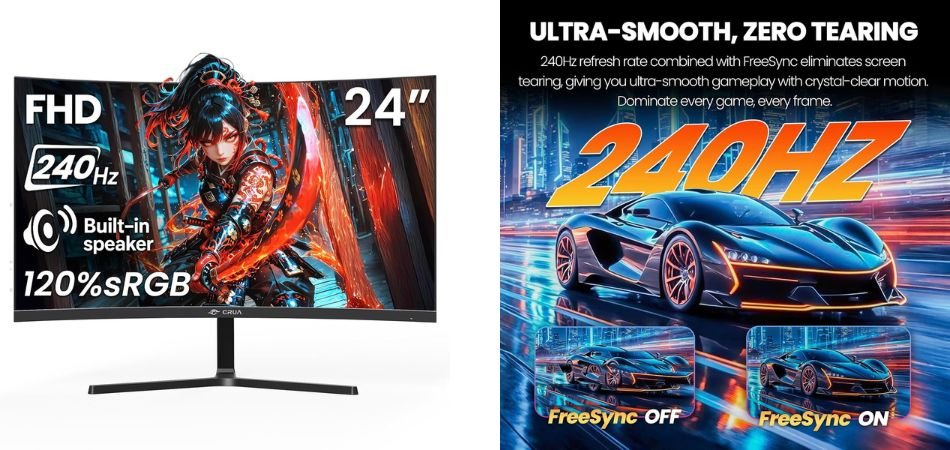
The CRUA 24-inch curved gaming monitor combines a 1920 × 1080 Full HD display with a fast 240Hz refresh rate, 120% sRGB coverage, and AMD FreeSync. It is built for smooth gameplay while keeping the price competitive.
Key Specifications
| Specification | Details |
|---|---|
| Display | 24-inch Curved |
| Resolution | 1920 × 1080 |
| Refresh Rate | 240Hz |
| Color | 120% sRGB |
| Sync | AMD FreeSync |
| Features | Low Motion Blur |
| Mounting | Wall Mount Support |
Gaming Performance
The 240Hz refresh rate and FreeSync deliver fluid motion and reduced screen tearing, making this CRUA monitor particularly suitable for competitive FPS, racing, and esports gaming.
Pros and Cons
✓ Pros
- 240Hz refresh rate
- Curved immersive display
- Full HD resolution
- 120% sRGB coverage
- AMD FreeSync support
- Low Motion Blur
× Cons
- 1080p resolution
- Limited HDR capabilities
- 24-inch screen may feel small for productivity
Best For
2: Comparison Table
| Monitor | Size | Resolution | Refresh Rate | Panel | Best For |
|---|---|---|---|---|---|
| Alienware AW3426DWM | 34″ | 3440 × 1440 WQHD | 240Hz | Curved VA | Premium ultrawide gaming |
| Samsung ViewFinity S8 | 32″ | 3840 × 2160 4K | 60Hz | IPS | 4K gaming & productivity |
| KTC H25T7 | 24.5″ | 1920 × 1080 FHD | 180Hz / 200Hz OC | Fast IPS | Competitive gaming |
| KTC H24F8 | 24″ | 1920 × 1080 FHD | 180Hz / 190Hz | Fast IPS | Budget esports gaming |
| CRUA 24″ 240Hz | 24″ | 1920 × 1080 FHD | 240Hz | Curved | High-refresh competitive gaming |
3: Which Gaming Monitor Under 35000 Should You Buy?
Choosing the best gaming monitor under 35000 depends on your preferred gaming style, resolution, refresh rate, and overall usage. For the best overall experience, the Alienware AW3426DWM is an excellent choice for gamers who prioritise an immersive ultrawide experience, thanks to its 34-inch WQHD curved display and 240Hz refresh rate.
If 4K clarity and productivity are more important, the Samsung ViewFinity S8 is better suited, offering a 32-inch 4K display with useful multitasking features. For competitive gaming, the KTC H25T7 stands out with its Fast IPS panel and up to a 200Hz refresh rate, delivering smooth and responsive gameplay. Gamers who specifically want a 240Hz display at 1080p should consider the CRUA 24-inch 240Hz, while the KTC H24F8 is the best-value option, combining Fast IPS technology, up to 190Hz refresh rate, HDR400, and wide colour coverage.
4: Frequently Asked Questions (FAQs)
Q1. Which is the best gaming monitor under 35000?
The Alienware AW3426DWM is the best overall choice for gamers seeking an immersive ultrawide experience, a 240Hz refresh rate, and WQHD resolution. However, competitive gamers may prefer the KTC H25T7 or CRUA 24-inch 240Hz.
Q2. Is 240Hz better than 180Hz for gaming?
Yes, 240Hz can provide smoother motion and lower frame-to-frame latency than 180Hz, especially in competitive games. However, you need a PC capable of consistently producing high frame rates to benefit fully.
Q3. Should I buy a 4K or 1080p gaming monitor under 35000?
Choose 4K for sharper visuals, AAA gaming, and productivity. A 1080p high-refresh-rate monitor is generally better for competitive gaming because it is easier for a gaming PC to drive at very high frame rates.
Q4. Is an IPS monitor better than a VA monitor for gaming?
IPS monitors generally offer faster pixel response and more consistent viewing angles, making them excellent for competitive gaming. VA panels can provide deeper blacks and stronger contrast, making them attractive for immersive games and entertainment.
Q5. What refresh rate is best for competitive gaming?
For competitive gaming, 180Hz to 240Hz is an excellent range. A 240Hz monitor can provide an additional smoothness advantage, but factors such as response time, input latency, GPU performance, and panel quality also matter.
Q6. Which gaming monitor under 35000 is best for PS5 and Xbox?
For PS5 and Xbox gaming, prioritise 4K resolution, HDMI connectivity, HDR support, and compatibility with 120Hz gaming. Among these options, the Samsung ViewFinity S8 is attractive for 4K visuals, while high-refresh-rate models are better suited to PC esports gaming.
5: Conclusion
The five monitors in this best gaming monitor under 35000 guide target different types of gamers. The Alienware AW3426DWM is the standout option for immersive premium gaming, thanks to its ultrawide WQHD display and 240Hz refresh rate. The Samsung ViewFinity S8 is better suited to users who want sharp 4K visuals and strong productivity capabilities. For high-FPS competitive gaming, the KTC H25T7, KTC H24F8, and CRUA 24-inch 240Hz focus more on fast refresh rates, responsive panels, and smooth 1080p gameplay.
Ultimately, the right gaming monitor depends on your GPU performance, favourite games, resolution preference, and intended use. Before purchasing, compare the latest prices, availability, specifications, and warranty details to make sure you are getting the best value for your budget.