
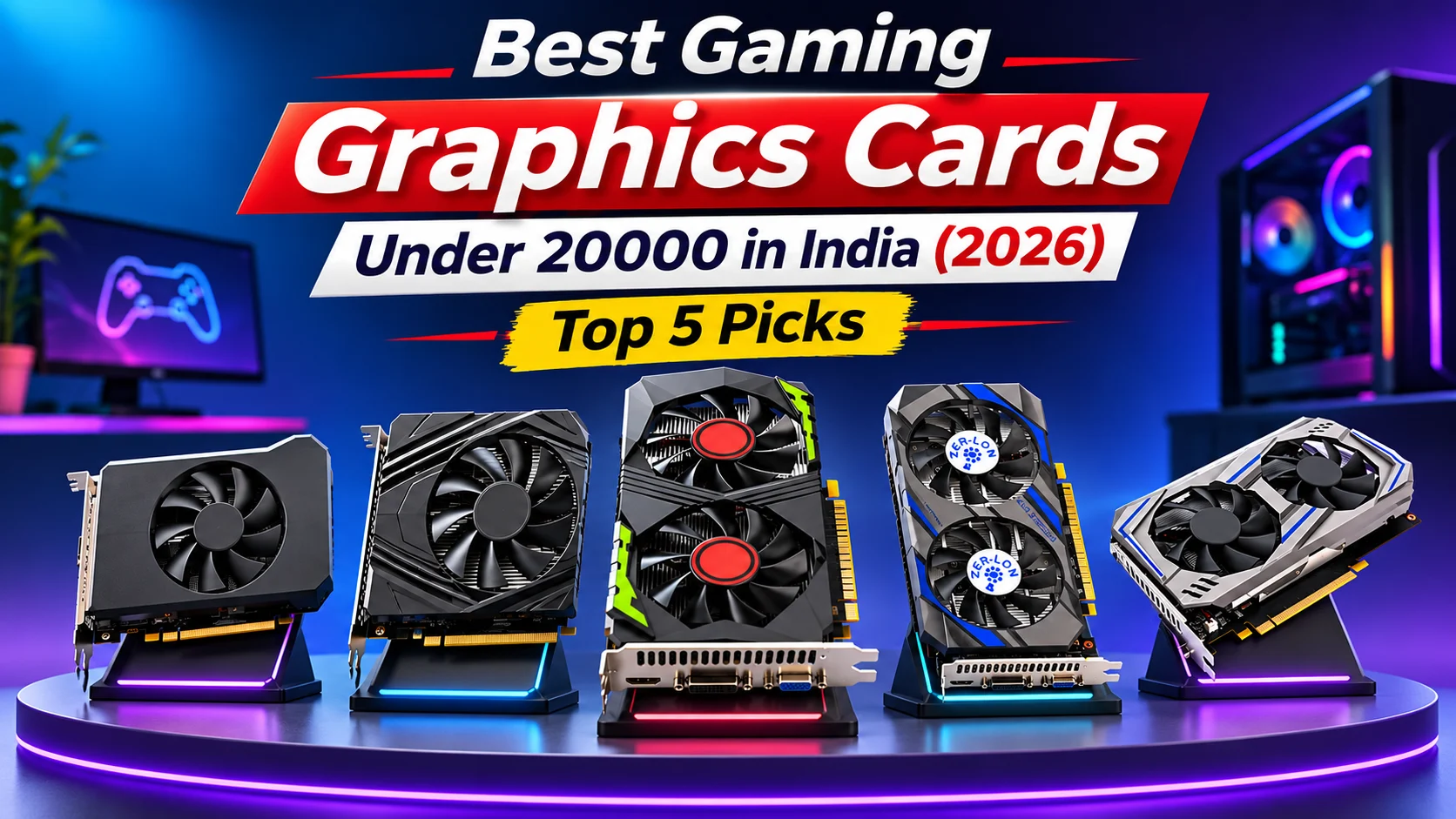

Before choosing a graphics card under 20000, buyers should understand that not every GPU advertised with 8GB VRAM delivers modern gaming performance. Several budget listings use older GPU architectures, and some may be refurbished or feature unverified specifications. Therefore, this guide focuses on GPU authenticity, practical gaming suitability, memory configuration, power requirements, and purchase risks rather than advertised specifications alone.
In this guide, we explore the Best Gaming Graphics Cards Under 20000 in India for 2026, featuring affordable options from AMD Radeon and NVIDIA GeForce. From the RX 580 and RX 470 to the GTX 1050 Ti, these GPUs offer different performance levels.
Before buying, compare gaming benchmarks, actual VRAM, power requirements, compatibility, warranty, and seller reliability to make an informed investment.
Table of Contents
1: Top 5 Best Gaming Graphics Cards Under 20000 in India
1.1: RX580 8GB DDR5 Gaming Graphics Card
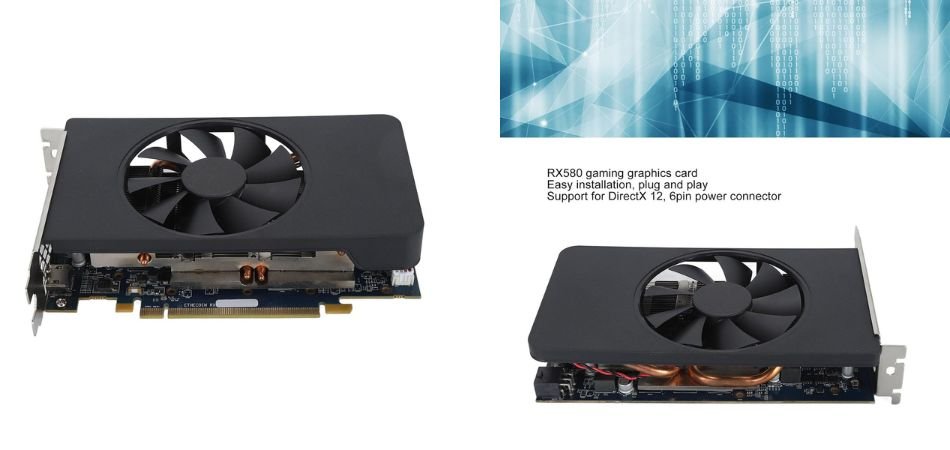
The RX580 8GB DDR5 Graphics Card is a budget-friendly GPU featuring 8GB GDDR5 memory and a 256-bit interface. It is suitable for entry-level 1080p gaming, basic video editing, and everyday graphics tasks.
Key Specifications
| Specification | Details |
|---|---|
| GPU | AMD Radeon RX 580 |
| VRAM | 8GB GDDR5 |
| Memory Interface | 256-bit |
| Interface | PCIe 3.0 |
| Maximum Resolution | 7680 × 4320 |
| Cooling | Single Fan |
| Usage | Gaming and Editing |
Pros and Cons
✓ Pros
- 8GB dedicated VRAM.
- 256-bit memory interface.
- Budget-friendly GPU option.
- Supports 1080p gaming.
- PCIe 3.0 connectivity.
- Supports high-resolution displays.
× Cons
- Older GPU architecture.
- Limited ray-tracing support.
- Performance varies by manufacturer.
Best For
1.2: RX 470 8GB GDDR5 High-Performance Gaming Graphics Card
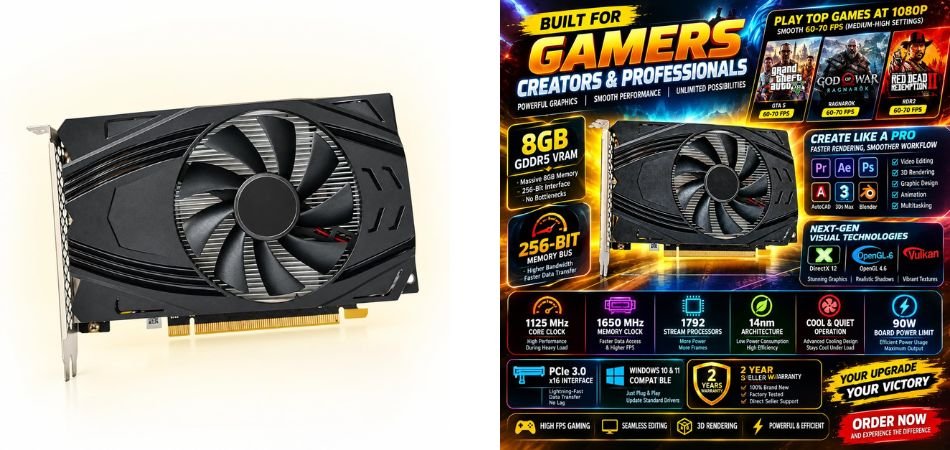
The RX 470 8GB GDDR5 Graphics Card is a budget-friendly GPU featuring 8GB VRAM, a 256-bit memory interface, and PCIe 3.0 connectivity. Its dual-fan cooling design makes it suitable for entry-level 1080p gaming, video editing, and basic 3D rendering.
Key Specifications
| Specification | Details |
|---|---|
| GPU | AMD Radeon RX 470 |
| VRAM | 8GB GDDR5 |
| Memory Interface | 256-bit |
| Interface | PCIe 3.0 |
| DirectX | DirectX 12 |
| Cooling | Dual Fan |
| Resolution | Up to 7680 × 4320 |
| Warranty | 2-Year Seller Warranty |
Pros and Cons
✓ Pros
- 8GB dedicated GDDR5 memory.
- 256-bit memory interface.
- Dual-fan cooling design.
- PCIe 3.0 connectivity.
- DirectX 12 support.
- Suitable for budget gaming and editing.
× Cons
- Older GPU architecture.
- Limited modern gaming performance.
- Actual performance depends on card quality.
Best For
1.3: GeForce GTX 1050 Ti 4GB GDDR5 Gaming Graphics Card
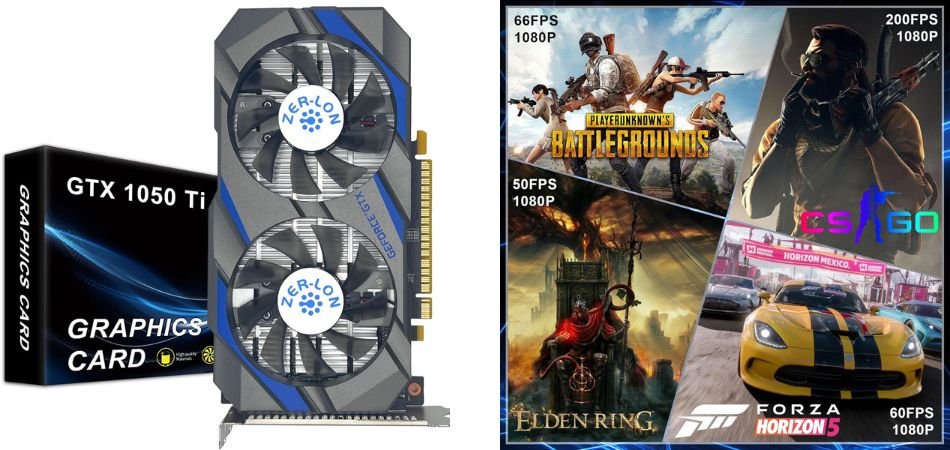
The GeForce GTX 1050 Ti 4GB is an entry-level graphics card featuring 4GB GDDR5 memory, a 128-bit interface, and dual-fan cooling. It is suitable for casual 1080p gaming, office work, multimedia, and basic graphics editing.
Key Specifications
| Specification | Details |
|---|---|
| GPU | NVIDIA GeForce GTX 1050 Ti |
| VRAM | 4GB GDDR5 |
| Memory Interface | 128-bit |
| Core Clock | 1291 MHz |
| Interface | PCIe 3.0 |
| Cooling | Dual Fan |
| Connectivity | HDMI, DisplayPort, DVI |
| Maximum Resolution | Up to 4K |
Pros and Cons
✓ Pros
- 4GB dedicated GDDR5 memory.
- Dual-fan cooling design.
- 128-bit memory interface.
- HDMI, DP and DVI connectivity.
- PCIe 3.0 compatibility.
- Suitable for casual 1080p gaming.
× Cons
- Limited 4GB VRAM capacity.
- Older GPU architecture.
- Not ideal for demanding modern games.
Best For
1.4: Zunate 4GB GDDR5 Gaming Graphics Card, 128-Bit
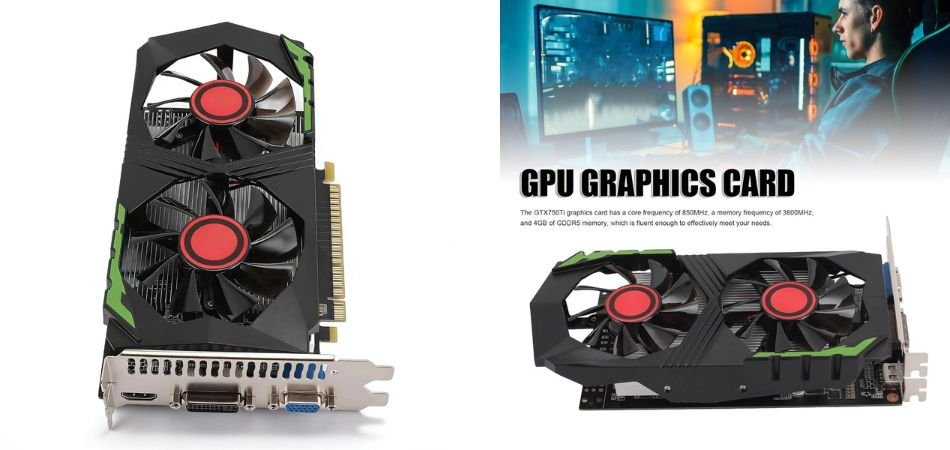
The Zunate 4GB GDDR5 Graphics Card is an affordable option for basic PC gaming, multimedia, and everyday computing. It features 4GB GDDR5 memory, a 128-bit interface, and dual-fan cooling, with HDMI, DVI, and VGA connectivity.
Key Specifications
| Specification | Details |
|---|---|
| Brand | Zunate |
| VRAM | 4GB GDDR5 |
| Memory Interface | 128-bit |
| Cooling | Dual Fan |
| Connectivity | HDMI, DVI, VGA |
| GPU Type | Dedicated Graphics Card |
| Usage | Basic Gaming, Multimedia |
| Display Support | Multiple Display Outputs |
Pros and Cons
✓ Pros
- 4GB GDDR5 dedicated memory.
- 128-bit memory interface.
- Dual-fan cooling system.
- HDMI connectivity.
- DVI and VGA ports.
- Suitable for basic PC graphics tasks.
× Cons
- Limited modern gaming performance.
- Less suitable for demanding applications.
- GPU specifications require seller verification.
Best For
1.5: VBESTLIFE GTX550Ti 8GB GDDR5 Graphics Card
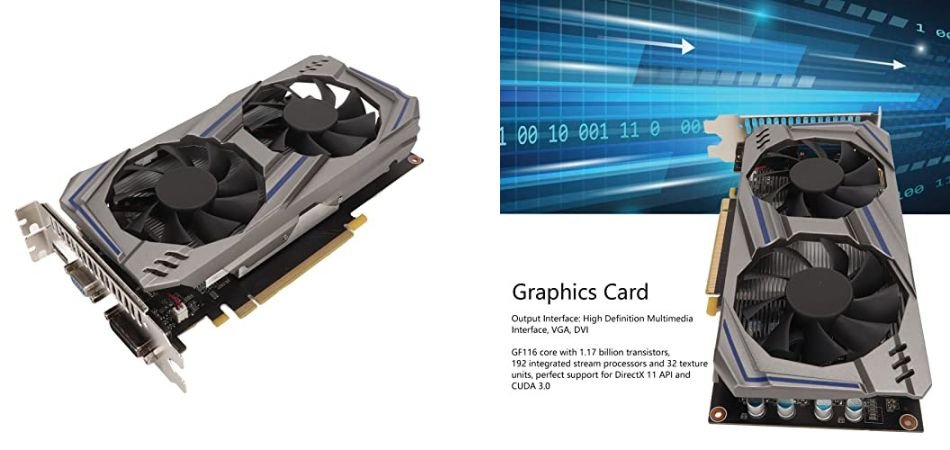
The VBESTLIFE GTX550Ti 8GB Graphics Card is a budget-oriented GPU featuring GDDR5 memory, a 128-bit interface, and dual-fan cooling. It offers HDMI, VGA, and DVI connectivity, making it suitable for basic computing, multimedia, and older PC gaming setups.
Key Specifications
| Specification | Details |
|---|---|
| Brand | VBESTLIFE |
| GPU | NVIDIA GeForce GTX 550 Ti |
| VRAM | 8GB GDDR5 (Advertised) |
| Memory Interface | 128-bit |
| Core Clock | 800 MHz |
| Memory Clock | 3400 MHz |
| Interface | PCIe 2.0 |
| Cooling | Dual Fan |
| Connectivity | HDMI, VGA, DVI |
| Maximum Resolution | 2560 × 1600 |
Pros and Cons
✓ Pros
- Advertised 8GB GDDR5 memory.
- 128-bit memory interface.
- Dual-fan cooling design.
- HDMI connectivity.
- VGA and DVI outputs.
- Suitable for basic multimedia tasks.
× Cons
- Very old GPU architecture.
- Limited modern gaming performance.
- Advertised specifications require verification.
Best For
2: Comparison Table
| Graphics Card | VRAM | Memory Interface | Memory Type | Best For |
|---|---|---|---|---|
| RX 580 Gaming Graphics Card | 8GB | 256-bit | GDDR5 | 1080p Gaming |
| RX 470 Gaming Graphics Card | 8GB | 256-bit | GDDR5 | Budget Gaming |
| GeForce GTX 1050 Ti | 4GB | 128-bit | GDDR5 | Casual Gaming |
| Zunate Graphics Card | 4GB | 128-bit | GDDR5 | Basic Gaming |
| VBESTLIFE GTX 550 Ti | 8GB* | 128-bit | GDDR5 | Basic Display Tasks |
3: Are Budget Graphics Cards Under 20000 Worth Buying in 2026?
Budget graphics cards under 20000 can be worthwhile in 2026 for casual gaming, basic video editing, and affordable PC builds. Older GPUs like the RX 580, RX 470, and GTX 1050 Ti offer reasonable performance in lightweight games without requiring a premium investment.
However, older GPU architectures have limitations, including higher power consumption, reduced efficiency, and limited support for modern gaming technologies. When purchasing used, refurbished, or seller-branded graphics cards, carefully verify GPU authenticity, cooling performance, warranty coverage, and overall condition. Driver support and compatibility with upcoming games are equally important considerations.
If you primarily play older games or esports titles, a budget GPU may be sufficient. However, serious gamers should consider saving for a newer graphics card offering better performance, efficiency, and long-term driver support.
4: AMD Radeon vs NVIDIA GeForce: Which Is Better for Budget Gaming?
Choosing between AMD Radeon and NVIDIA GeForce depends on your gaming needs and budget. The AMD Radeon RX 580 vs RX 470 comparison favours the RX 580 for generally stronger gaming performance, while both offer 8GB GDDR5 memory. NVIDIA’s GTX 1050 Ti is suitable for lighter 1080p gaming, but its 4GB VRAM limits demanding titles.
| Category | Better Option |
|---|---|
| Gaming Performance | RX 580 |
| Budget Gaming | RX 470 |
| Basic Editing | RX 580 |
| Power Efficiency | GTX 1050 Ti |
| VRAM Capacity | RX 580 / RX 470 |
5: How to Choose the Best Gaming Graphics Card Under 20000?
Choosing the right GPU requires more than comparing prices and advertised VRAM. Before purchasing the Best Gaming Graphics Card Under 20000, consider these important factors:
Check the Actual GPU Chipset
Verify the exact GPU model using GPU-Z. Avoid listings with misleading or unverified chipset information.
Verify VRAM Using GPU-Z
Check whether the advertised 4GB or 8GB VRAM is genuine and usable.
Check GPU Memory Type and Bus Width
Compare GDDR5/GDDR6 memory and 128-bit or 256-bit interfaces.
Understand Power Supply Requirements
Check GPU power consumption, connector requirements, and PSU quality.
Check PCIe Compatibility
Ensure your motherboard supports the graphics card’s PCIe interface.
Inspect Cooling and Fan Condition
Look for damaged fans, excessive noise, and overheating.
Verify Warranty and Return Policy
Prefer sellers offering genuine warranty coverage and a clear return policy.
Compare Used vs Refurbished GPUs
Compare condition, testing results, pricing, and warranty before deciding. Always prioritise verified performance and reliability over attractive specifications.
6: Frequently Asked Questions (FAQs)
Q1: Is a refurbished RX 580 worth buying in India?
Yes, a refurbished RX 580 8GB can offer affordable gaming performance. However, check its condition, temperatures, benchmark results, warranty, and seller reputation before purchasing.
Q2: How can I check whether an RX 580 is genuine?
Install GPU-Z to verify the GPU model, chipset, memory type, VRAM, and specifications. Compare the results with official AMD specifications and run a gaming stress test.
Q3: Can an RX 580 work with a 450W PSU?
It depends on PSU quality and the complete PC configuration. A quality 450W PSU may work in some builds, but a reliable 500W or higher PSU is generally a safer choice.
Q4: How do I verify the actual VRAM of a graphics card?
Use GPU-Z, Windows Task Manager, or trusted GPU benchmarking tools. Run a VRAM stress test to identify memory errors and suspicious advertised capacities.
Q5: Is an 8GB GTX 550 Ti genuine?
Be extremely cautious. The original GTX 550 Ti typically came with 1GB GDDR5 memory. An advertised 8GB version is highly suspicious and requires independent verification.
Q6: Should I buy a used RX 470 or a newer entry-level GPU?
A used RX 470 8GB may offer attractive gaming performance, but a newer entry-level GPU generally provides better efficiency, warranty coverage, and longer-term compatibility.
7: Conclusion
Choosing the Best Gaming Graphics Cards Under 20000 depends on your gaming requirements and budget. The RX 580 8GB is our preferred option for gaming performance, provided its actual GPU chipset and condition are verified. The RX 470 8GB is another potential budget alternative, while the GTX 1050 Ti 4GB suits entry-level NVIDIA builds. The Zunate 4GB and VBESTLIFE GTX 550 Ti listings require extra caution because their advertised specifications should be independently verified.
Before purchasing, compare actual gaming performance, VRAM, power requirements, warranty coverage, and seller reputation. Prioritise a genuine, tested graphics card over impressive advertised specifications to get better value and reliability in 2026.