


A gaming controller can make supported games more comfortable and intuitive than keyboard-and-mouse controls, especially for racing, sports, action, and platform titles. Wireless gaming controllers also reduce cable clutter and provide greater freedom while playing from a desk, TV, or couch.
The Best Wireless Gaming Controllers Under 1000 in India offer an affordable entry point for budget-conscious gamers. Depending on the model, useful features include wireless connectivity, dual vibration, responsive analog sticks, sensitive triggers, ergonomic designs, and rechargeable or replaceable batteries. Compatibility can extend across PC, Android, Smart TVs, and consoles.
This guide covers options such as the Cosmic Byte Nexus, Ant Esports GP130, NITHO CLUTCH, GAMENOPHOBIAA V8, and Game Switch wireless controller to help you compare features and choose according to your gaming setup.
Table of Contents
1: Best Wireless Gaming Controllers Under 1000 in India
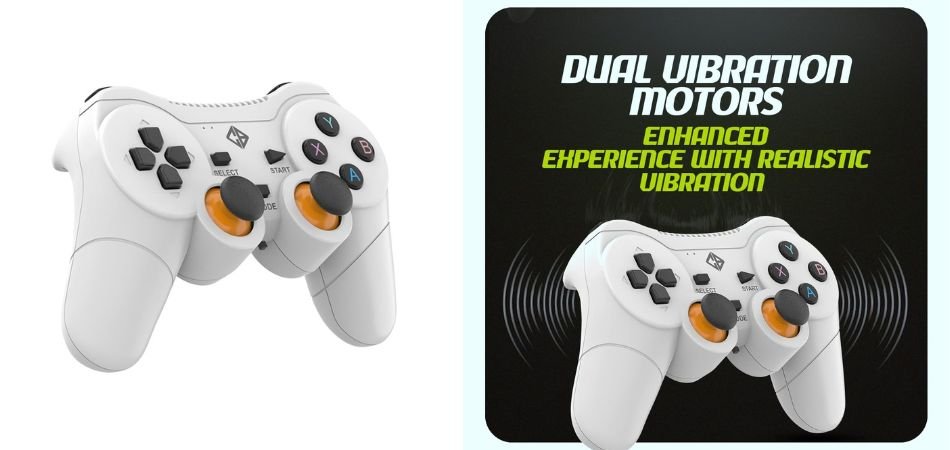
1.1: Cosmic Byte Nexus Wireless Controller for PC
The Cosmic Byte Nexus Wireless Controller is a budget-friendly gamepad designed for PC and Android gaming. It features wireless connectivity, dual vibration motors, sensitive triggers, and a familiar dual-analog layout. The controller runs on two AAA batteries and offers up to 8 meters of wireless range, making it suitable for comfortable couch gaming.
Key Specifications
| Specification | Details |
|---|---|
| Connectivity | Wireless |
| Wireless Range | Up to 8 meters |
| Vibration | Dual vibration motors |
| Power | 2 × AAA batteries |
| Trigger Type | Sensitive triggers |
| Input Support | X-Input / D-Input |
| Compatibility | PC, Android and compatible devices |
| Color | White |
Gaming Performance
The Nexus delivers responsive controls with tactile buttons, sensitive triggers, and dual vibration feedback. Its wireless design keeps the setup clutter-free, while the 8-meter range provides useful flexibility during casual gaming.
Best For
It is best suited for PC gamers seeking an affordable wireless controller for racing, action, sports, and casual games without spending heavily on premium gamepads.
1.2: Ant Esports GP130 Wired Gamepad for PC & Laptop
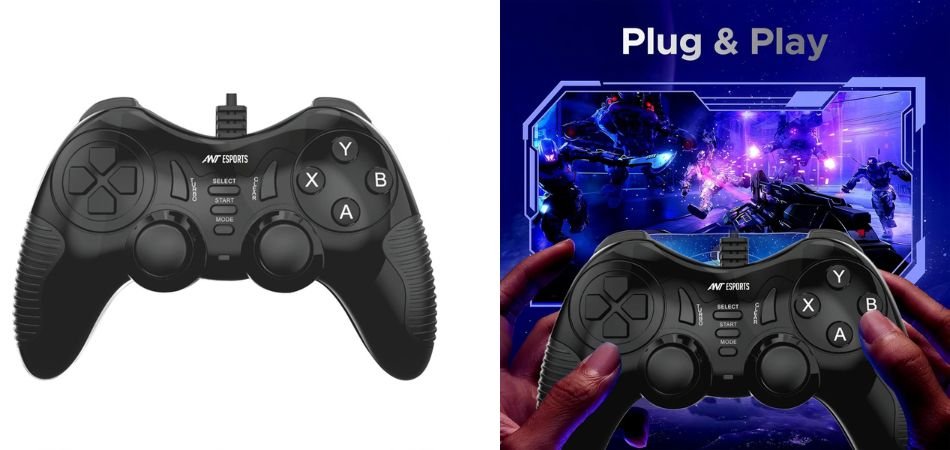
The Ant Esports GP130 is a budget wired gamepad built for PC, PS3, Android TV, and laptop gaming. Its plug-and-play USB connection, ergonomic shape, 14-button layout, Turbo mode, and dual vibration make it practical for everyday gaming.
Key Specifications
| Specification | Details |
|---|---|
| Connectivity | USB wired |
| Buttons | 14 |
| Vibration | Dual vibration |
| Turbo Mode | Yes |
| Compatibility | Windows, Steam, PS3, Android TV |
| Design | Ergonomic |
| Setup | Plug and play |
Gaming Performance
The GP130 provides responsive inputs and useful vibration feedback for racing, sports, action, and arcade titles. Turbo mode can simplify repeated inputs, while the wired connection avoids battery concerns.
Best For
Best suited for budget-conscious gamers wanting a versatile wired controller.
1.3: NITHO CLUTCH Wired Gaming Controller for PC & Laptops
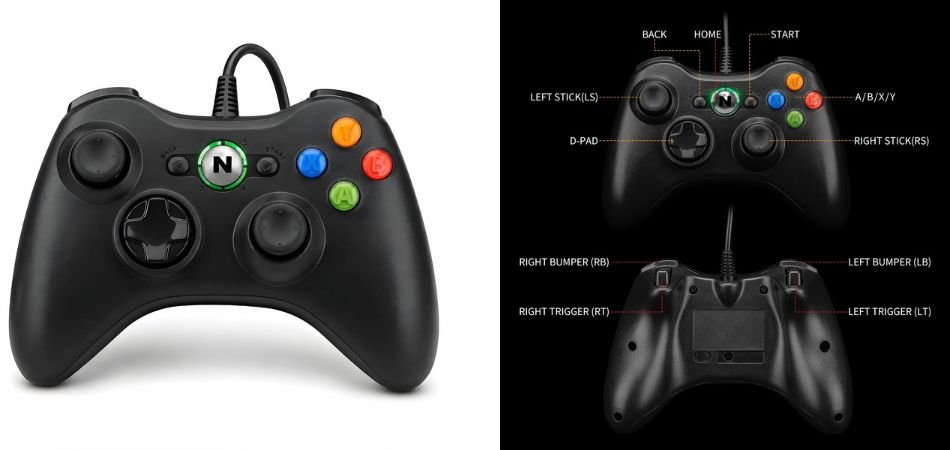
The NITHO CLUTCH is a versatile wired gaming controller featuring analog sticks, analog triggers, vibration feedback, LED indicators, and a 1.8-meter USB cable. Its plug-and-play design supports Windows PCs, PS3, and compatible Android devices, making it a practical choice for affordable gaming setups.
Key Specifications
| Specification | Details |
|---|---|
| Connectivity | USB Wired |
| Cable Length | 1.8 meters |
| Vibration | Yes |
| Triggers | Analog |
| Sticks | Dual Analog |
| Indicators | LED |
| Compatibility | Windows, PS3, Android |
| Design | Ergonomic |
| Setup | Plug and Play |
Gaming Performance
The NITHO CLUTCH provides responsive analog controls and vibration feedback for racing, action, sports, and arcade games. Its longer cable offers useful freedom of movement, while the ergonomic design supports comfortable extended sessions.
Best For
It is best for budget-conscious PC and console gamers who want a reliable wired controller with analog triggers, vibration feedback, and broad device compatibility without investing in a premium gamepad.
1.4: GAMENOPHOBIAA V8 Wireless Gamepad Controller
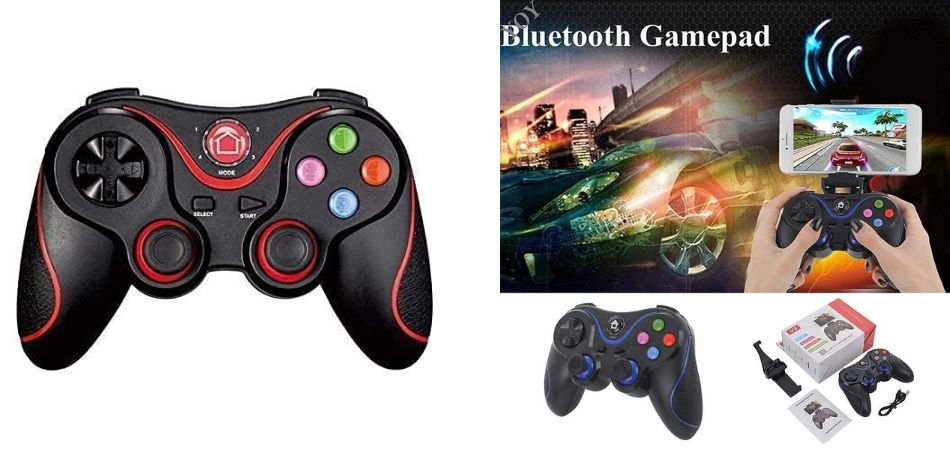
The GAMENOPHOBIAA V8 is a budget-friendly wireless gamepad designed for Android, Smart TV, TV Box, laptops, and smartphones. Its dual Bluetooth connectivity, ergonomic joystick layout, and rechargeable battery make it convenient for casual gaming without cable clutter.
Key Specifications
| Specification | Details |
|---|---|
| Connectivity | Bluetooth Wireless |
| Battery | Rechargeable |
| Compatibility | Android, Smart TV, TV Box, Laptop, Smartphone |
| Controls | Dual Analog Joysticks |
| Design | Ergonomic |
| Controller Type | Wireless Gamepad |
| Color | Black |
Gaming Performance
The V8 offers comfortable controls and responsive joystick movement for racing, arcade, sports, and casual games. Bluetooth connectivity provides convenient wireless gameplay, while the rechargeable battery eliminates the need for disposable batteries.
Best For
This controller suits budget-conscious gamers who want a versatile wireless gamepad for Android devices, smart TVs, laptops, and casual gaming sessions.
1.5: Game Switch Wireless Gaming Controller
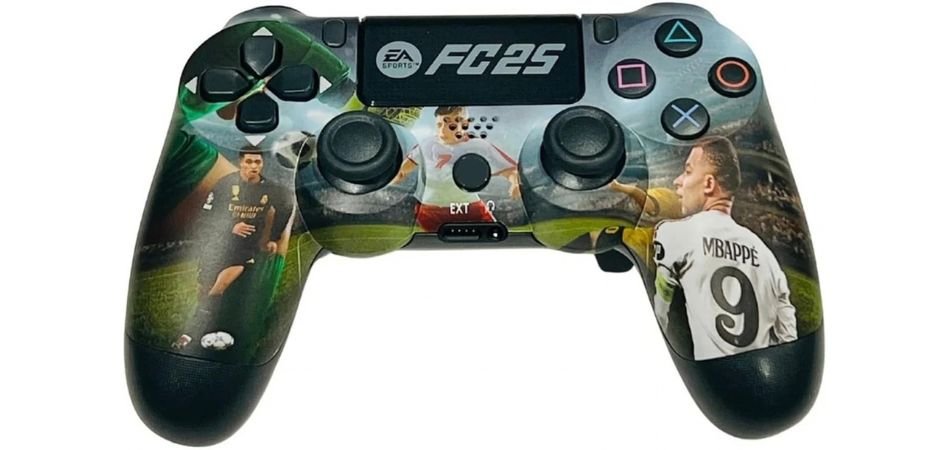
The Game Switch Wireless Gaming Controller is a PS4-compatible gamepad featuring dual vibration, a touchpad, and a built-in audio jack. Its FC25-inspired printed design gives the controller a distinctive, gaming-focused look, while wireless operation keeps the setup cleaner.
Key Specifications
| Specification | Details |
|---|---|
| Compatibility | PS4, PS4 Pro, PS4 Slim |
| Connectivity | Wireless |
| Vibration | Dual vibration |
| Touchpad | Yes |
| Audio Jack | 3.5mm |
| Design | FC25 Printed Edition |
| Controller Type | Wireless Gamepad |
Gaming Performance
Dual vibration adds tactile feedback during gameplay, while the touchpad provides convenient access to supported PS4 controls. The familiar dual-stick layout is suitable for sports, racing, action, and adventure titles.
Best For
This controller is best suited to PS4 gamers looking for an affordable wireless gamepad with a distinctive FC25-style design, vibration feedback, touch controls, and headset connectivity.
2: Comparison Table
| Controller | Connectivity | Compatibility | Key Feature |
|---|---|---|---|
| Cosmic Byte Nexus | Wireless | PC, Android | Dual vibration |
| Ant Esports GP130 | Wired USB | PC, PS3, Android TV | Turbo mode |
| NITHO CLUTCH | Wired USB | PC, PS3, Android | Analog triggers |
| GAMENOPHOBIAA V8 | Bluetooth | Android, Smart TV, Laptop | Rechargeable battery |
| Game Switch FC25 | Wireless | PS4/PS4 Pro/Slim | Touchpad & vibration |
3: Wireless vs Wired Gaming Controllers Under 1000
Wireless Controllers
Wireless gaming controllers offer freedom of movement, less cable clutter, and convenient TV or couch gaming. However, they require batteries or charging, and wireless connectivity can vary depending on the device and distance.
Wired Controllers
Wired controllers provide plug-and-play convenience with no battery management. Their consistent USB connection makes them particularly practical for PC gaming, although the cable can limit movement and create some desk clutter.
Which Type Should You Choose?
Choose a wireless controller if you prioritize flexibility and comfortable couch or TV gaming. Choose a wired controller if you mainly play on PC and want simple setup, uninterrupted connectivity, and no charging concerns.
4: How to Choose the Best Gaming Controller Under 1000
Connectivity: Check whether you need 2.4GHz wireless, Bluetooth, or a USB wired connection based on your device and gaming setup.
Compatibility: Confirm support for Windows PC, Steam, Android, Smart TV, PS3, or PS4/PS4 Pro/Slim before buying.
Battery & Power: Consider AAA batteries versus rechargeable models, along with battery life and charging convenience.
Controls & Feedback: Look for precise analog sticks, sensitive triggers, and dual vibration for racing, shooting, sports, and action games.
Ergonomics: A comfortable grip, well-positioned buttons, suitable weight, and fatigue-free design matter during long sessions.
Extra Features: Turbo modes, touchpads, audio jacks, LED indicators, and programmable buttons can add useful functionality depending on your games.
5: Frequently Asked Questions (FAQs)
Q1. Which wireless gaming controller is best under 1000 in India?
The best option depends on compatibility, comfort, wireless stability, button quality, and supported gaming platforms. Choose a controller that matches your PC, Android device, or console requirements.
Q2. Can I use a wireless gaming controller with a PC?
Yes. Many budget wireless controllers support Windows PCs through a USB receiver, Bluetooth, or both. Always check compatibility before buying.
Q3. Are gaming controllers under 1000 good for casual gaming?
Yes. They are suitable for racing, sports, fighting, platformer, and casual PC games, although premium controllers usually offer better precision and durability.
Q4. Is Bluetooth better than a 2.4GHz wireless controller?
Bluetooth offers convenient connectivity, while 2.4GHz controllers can provide a stable, low-latency connection through a dedicated USB receiver.
Q5. What should I check before buying a wireless gaming controller?
Check device compatibility, connectivity type, battery life, vibration support, joystick accuracy, button layout, ergonomics, warranty, and customer reviews.
Q6. Do wireless gaming controllers work with Android phones?
Many models support Android smartphones and tablets, but compatibility varies. Check whether the controller supports Android, Bluetooth, OTG, or a dedicated wireless receiver before purchasing.
6: Conclusion
Finding the Best Wireless Gaming Controllers Under 1000 in India is about matching the controller to your gaming setup rather than choosing purely by price. Affordable models can work well for PC, Android, and compatible console gaming, but always verify platform compatibility first.
Wireless controllers provide greater freedom and less cable clutter, while wired options offer simple plug-and-play connectivity without battery concerns. Before buying, consider battery type, vibration feedback, ergonomics, wireless or USB connectivity, and button quality.
Ultimately, the right controller depends on your platform, games, and personal preferences. Check compatibility carefully, then choose the features that best fit your gaming requirements and playing style.