
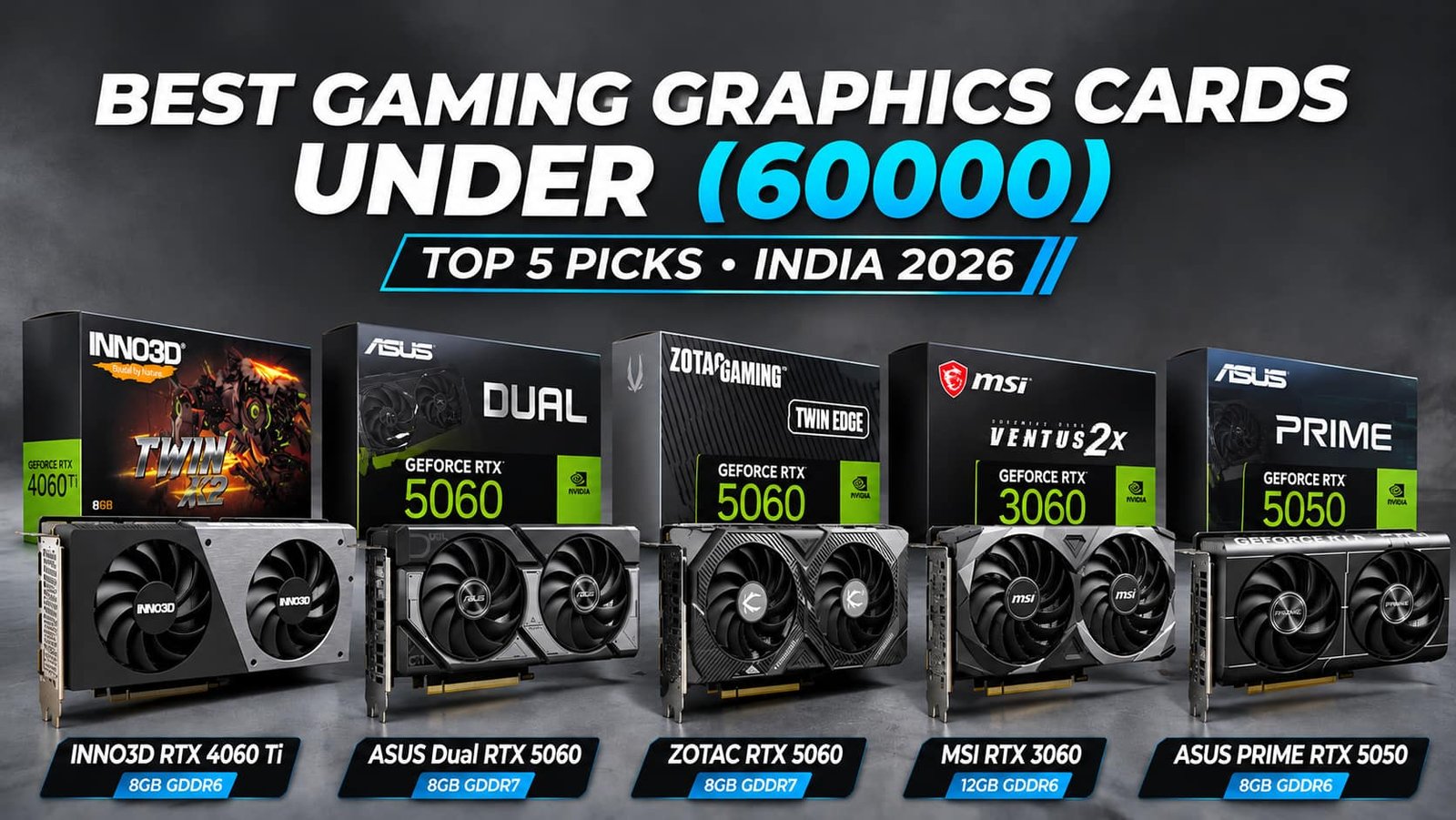

Choosing the right graphics card is essential for building a powerful gaming PC, as it directly affects FPS, visual quality, and overall gaming performance. Factors such as GPU architecture, VRAM, memory bandwidth, clock speeds, CUDA cores, and ray tracing capabilities determine how efficiently a graphics card handles modern games. NVIDIA technologies like DLSS, ray tracing, and Frame Generation further improve supported gaming experiences by enhancing visuals and boosting frame rates.
In this guide to the Best Gaming Graphics Cards Under 60000 in India (2026), we explore five options: INNO3D GeForce RTX 4060 Ti Twin X2, ASUS Dual GeForce RTX 5060 OC, ZOTAC Gaming RTX 5060 Twin Edge, MSI GeForce RTX 3060 Ventus 2X 12G OC, and ASUS PRIME GeForce RTX 5050 OC. We compare their key specifications, gaming capabilities, memory configurations, and features to help you choose the right graphics card for your gaming setup and budget.
Table of Contents
1: Top 5 Best Gaming Graphics Cards Under 60000 in India
1.1: INNO3D GeForce RTX 4060 Ti 8GB Twin X2 Graphics Card
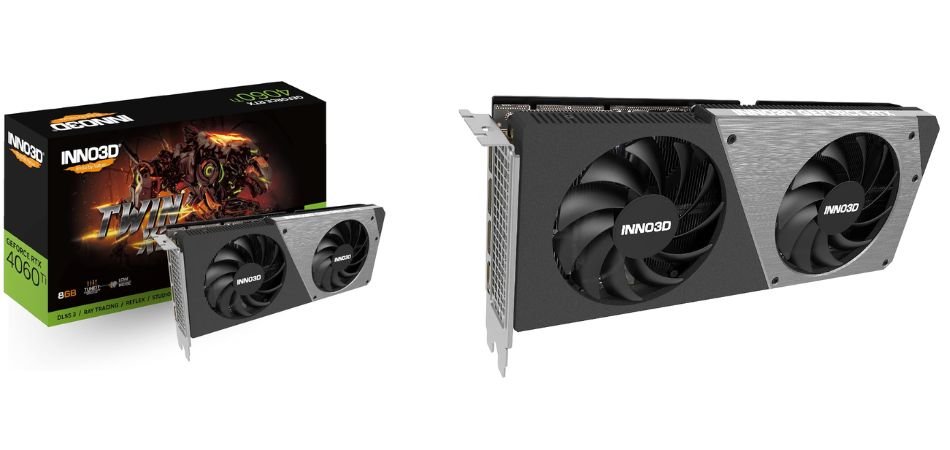
The INNO3D GeForce RTX 4060 Ti Twin X2 is a capable mid-range gaming graphics card featuring NVIDIA Ada Lovelace architecture, 8GB GDDR6 memory, and DLSS 3 support. Its dual-fan cooling design offers a compact solution for gaming PC builds, delivering strong 1080p gaming capabilities and decent 1440p performance.
Key Specifications
| Specification | Details |
|---|---|
| Graphics Processor | NVIDIA GeForce RTX 4060 Ti |
| Architecture | Ada Lovelace |
| CUDA Cores | 4,352 |
| VRAM | 8GB GDDR6 |
| Memory Interface | 128-bit |
| Memory Speed | 18 Gbps |
| Memory Bandwidth | 288 GB/s |
| Interface | PCIe 4.0 x8 |
| Cooling | Dual-fan Twin X2 |
| Ray Tracing | Yes |
| DLSS Support | DLSS 3 |
| DirectX Support | DirectX 12 Ultimate |
Gaming Performance
The RTX 4060 Ti delivers excellent 1080p gaming performance and handles many games at 1440p with suitable settings. DLSS 3 Frame Generation and ray tracing enhance supported gaming experiences, although its 8GB VRAM can limit performance in demanding modern titles.
Pros and Cons
✓ Pros
- Excellent 1080p gaming performance.
- Efficient Ada Lovelace architecture.
- Supports DLSS 3 Frame Generation.
- Dedicated ray tracing cores.
- Compact dual-fan cooling design.
- Supports modern DirectX 12 Ultimate features.
× Cons
- Limited 8GB VRAM capacity.
- Narrow 128-bit memory interface.
- PCIe 4.0 x8 connectivity.
Best For
1.2: ASUS Dual GeForce RTX 5060 8GB GDDR7 OC Edition Graphics Card
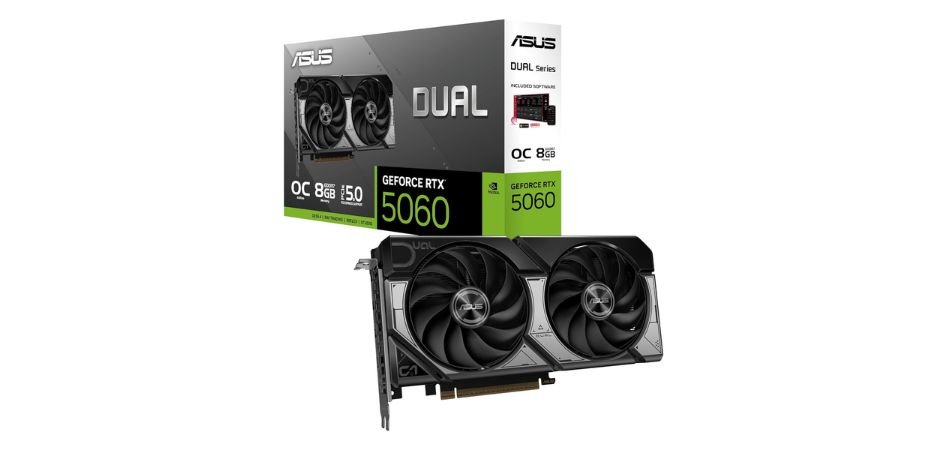
The ASUS Dual GeForce RTX 5060 OC Edition is a modern mid-range graphics card powered by NVIDIA Blackwell architecture. Featuring 8GB GDDR7 memory, DLSS 4, and a dual-fan cooling system, it delivers efficient 1080p gaming performance with advanced AI-powered graphics features.
Key Specifications
| Specification | Details |
|---|---|
| GPU | NVIDIA GeForce RTX 5060 |
| Architecture | Blackwell |
| CUDA Cores | 3,840 |
| VRAM | 8GB GDDR7 |
| Memory Interface | 128-bit |
| Memory Speed | 28 Gbps |
| Memory Bandwidth | 448 GB/s |
| Interface | PCIe 5.0 x8 |
| OC Boost Clock | Up to 2535 MHz |
| Cooling | Dual-fan |
| Ray Tracing | 4th Generation RT Cores |
| DLSS | DLSS 4 |
| AI Features | NVIDIA Reflex, Frame Generation |
| Recommended PSU | 550W |
Gaming Performance
The RTX 5060 delivers smooth 1080p gaming across modern titles. DLSS 4 Multi Frame Generation improves supported gaming experiences, while ray tracing enhances visual quality. Its 8GB VRAM may limit demanding 1440p gaming.
Pros and Cons
✓ Pros
- Excellent 1080p gaming performance.
- Fast GDDR7 memory.
- Advanced DLSS 4 support.
- Improved ray tracing capabilities.
- Efficient dual-fan cooling.
- Compact ASUS Dual design.
× Cons
- Limited 8GB VRAM.
- 128-bit memory interface.
- PCIe 5.0 x8 connectivity.
Best For
1.3: ZOTAC Gaming GeForce RTX 5060 Twin Edge 8GB Graphics Card
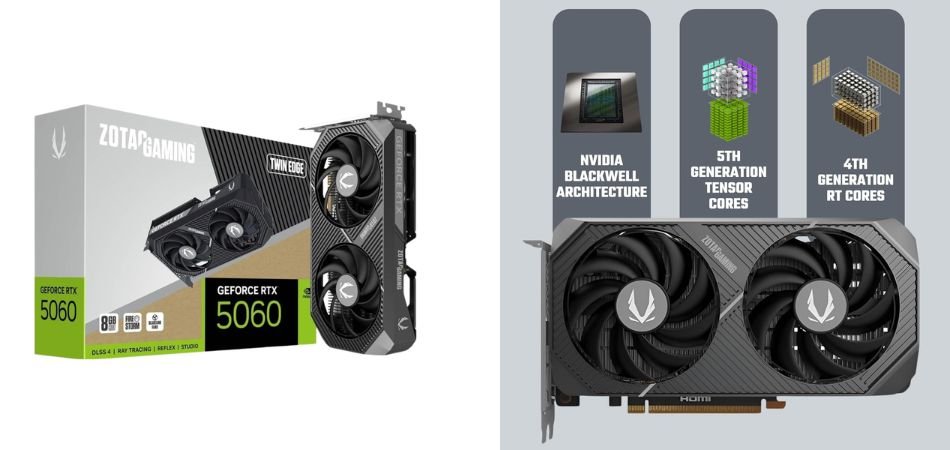
The ZOTAC Gaming GeForce RTX 5060 Twin Edge is a compact graphics card powered by NVIDIA Blackwell architecture. With 8GB GDDR7 memory, 3,840 CUDA cores, DLSS 4, and a dual-fan cooling system, it offers modern gaming features in an SFF-ready design.
Key Specifications
| Specification | Details |
|---|---|
| GPU | NVIDIA GeForce RTX 5060 |
| Architecture | Blackwell |
| CUDA Cores | 3,840 |
| VRAM | 8GB GDDR7 |
| Memory Interface | 128-bit |
| Memory Speed | 28 Gbps |
| Memory Bandwidth | 448 GB/s |
| Interface | PCIe 5.0 x8 |
| Cooling | Dual-fan Twin Edge |
| Ray Tracing | 4th Generation RT Cores |
| DLSS | DLSS 4 |
| Form Factor | SFF Ready |
| Model Number | ZT-B50600E-10M |
Gaming Performance
The RTX 5060 Twin Edge delivers capable 1080p gaming performance, with DLSS 4 and ray tracing enhancing supported titles. Its 8GB VRAM is suitable for mainstream gaming, although demanding 1440p settings may require compromises.
Pros and Cons
✓ Pros
- Strong 1080p gaming capabilities.
- Fast GDDR7 memory.
- Advanced DLSS 4 support.
- Improved ray tracing features.
- Compact SFF-ready design.
- Efficient dual-fan cooling system.
× Cons
- Limited 8GB VRAM.
- 128-bit memory interface.
- PCIe 5.0 x8 connectivity.
Best For
1.4: MSI GeForce RTX 3060 Ventus 2X 12G OC Graphics Card
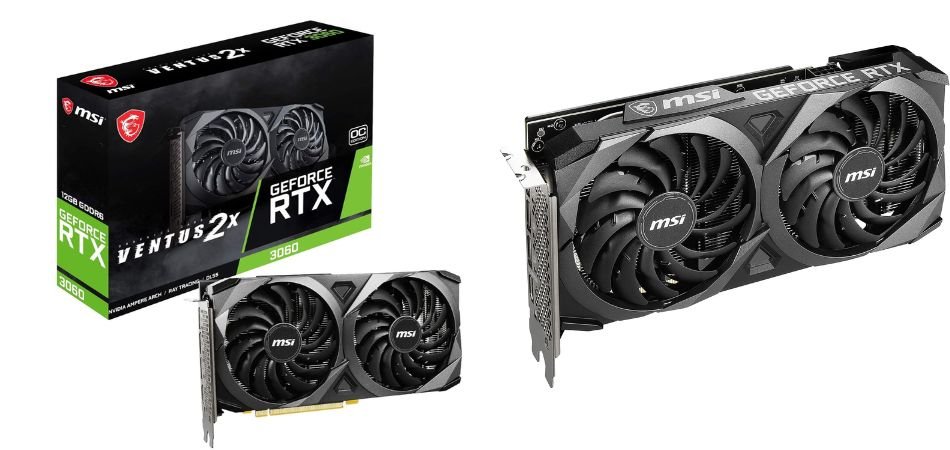
The MSI GeForce RTX 3060 Ventus 2X 12G OC is a reliable mid-range graphics card featuring NVIDIA Ampere architecture, 12GB GDDR6 memory, and dual-fan cooling. Its generous VRAM makes it suitable for 1080p gaming, creative workloads, and selected 1440p gaming applications.
Key Specifications
| Specification | Details |
|---|---|
| GPU | NVIDIA GeForce RTX 3060 |
| Architecture | Ampere |
| CUDA Cores | 3,584 |
| VRAM | 12GB GDDR6 |
| Memory Interface | 192-bit |
| Memory Speed | 15 Gbps |
| Memory Bandwidth | 360 GB/s |
| Boost Clock | 1807 MHz |
| Interface | PCIe 4.0 x16 |
| Cooling | MSI Ventus 2X Dual Fan |
| Ray Tracing | 2nd Generation RT Cores |
| DLSS | DLSS Super Resolution |
| Power Consumption | 170W |
| Recommended PSU | 550W |
Gaming Performance
The RTX 3060 12GB delivers smooth 1080p gaming and respectable 1440p performance with adjusted settings. DLSS improves supported games, while 12GB VRAM helps with demanding textures and creative applications.
Pros and Cons
✓ Pros
- Generous 12GB GDDR6 VRAM.
- Strong 1080p gaming performance.
- 192-bit memory interface.
- Supports ray tracing and DLSS.
- Efficient dual-fan cooling.
- Suitable for gaming and content creation.
× Cons
- Older Ampere architecture.
- Higher ray-tracing settings can reduce FPS.
- No DLSS Frame Generation support.
Best For
1.5: ASUS PRIME GeForce RTX 5050 8GB GDDR6 OC Edition Graphics Card
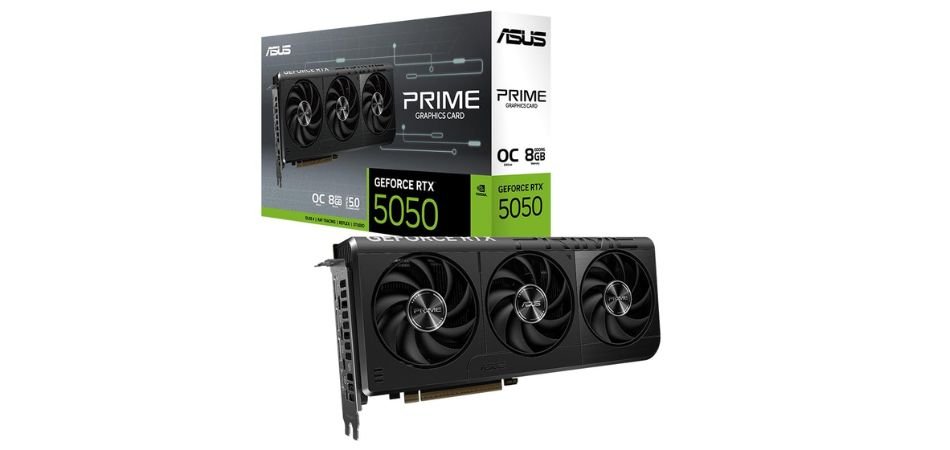
The ASUS PRIME GeForce RTX 5050 OC Edition is a modern entry-level gaming graphics card powered by NVIDIA Blackwell architecture. Featuring 8GB GDDR6 memory, DLSS 4, and advanced ray tracing, it offers efficient 1080p gaming performance with AI-powered graphics features and ASUS PRIME cooling technology.
Key Specifications
| Specification | Details |
|---|---|
| GPU | NVIDIA GeForce RTX 5050 |
| Architecture | Blackwell |
| CUDA Cores | 2,560 |
| VRAM | 8GB GDDR6 |
| Memory Interface | 128-bit |
| Memory Speed | 20 Gbps |
| Memory Bandwidth | 320 GB/s |
| OC Mode Clock | 2707 MHz |
| Default Boost Clock | 2677 MHz |
| Interface | PCIe 5.0 x8 |
| Ray Tracing | 4th Generation RT Cores |
| AI Cores | 5th Generation Tensor Cores |
| DLSS | DLSS 4 |
| Video Outputs | 3× DisplayPort 2.1b, 1× HDMI 2.1b |
| Cooling | ASUS Axial-tech Triple-Fan |
| Power Connector | 1× 8-pin |
| Recommended PSU | 550W |
| Dimensions | 268.3 × 120 × 50 mm |
Gaming Performance
The RTX 5050 delivers smooth 1080p gaming in supported titles, with DLSS 4 Multi Frame Generation enhancing frame rates. Its 8GB VRAM supports mainstream gaming, although demanding 1440p settings may require compromises.
Pros and Cons
✓ Pros
- Modern NVIDIA Blackwell architecture.
- Fast 20 Gbps GDDR6 memory.
- Supports DLSS 4 Multi Frame Generation.
- Advanced ray tracing capabilities.
- Triple-fan Axial-tech cooling.
- Supports modern DisplayPort 2.1b connectivity.
× Cons
- Limited 8GB VRAM capacity.
- 128-bit memory interface.
- Not ideal for demanding 4K gaming.
Best For
2: Comparison Table
| Graphics Card | VRAM | Memory Type | Memory Bus |
|---|---|---|---|
| INNO3D RTX 4060 Ti Twin X2 | 8GB | GDDR6 | 128-bit |
| ASUS Dual RTX 5060 OC | 8GB | GDDR7 | 128-bit |
| ZOTAC RTX 5060 Twin Edge | 8GB | GDDR7 | 128-bit |
| MSI RTX 3060 Ventus 2X OC | 12GB | GDDR6 | 192-bit |
| ASUS PRIME RTX 5050 OC | 8GB | GDDR6 | 128-bit |
3: Which Gaming Graphics Card Should You Choose?
| Category | Recommended GPU | Main Highlight |
|---|---|---|
| Best Overall | ASUS Dual RTX 5060 | Blackwell, GDDR7, DLSS 4 |
| Best Compact GPU | ZOTAC RTX 5060 Twin Edge | Compact SFF-ready design |
| Best for 1440p Gaming | INNO3D RTX 4060 Ti | Strong gaming performance |
| Best 12GB VRAM Option | MSI RTX 3060 Ventus 2X | 12GB GDDR6 memory |
| Best Entry-Level GPU | ASUS PRIME RTX 5050 | Affordable 1080p gaming |
Quick Buying Recommendations
- Overall: ASUS RTX 5060
- Compact Build: ZOTAC RTX 5060
- 1440p Gaming: INNO3D RTX 4060 Ti
- More VRAM: MSI RTX 3060
- Budget Gaming: ASUS RTX 5050
Our Recommendation: The ASUS Dual RTX 5060 is a strong all-round choice for a modern 1080p gaming PC in 2026. Compare current prices and gaming benchmarks before purchasing.
4: RTX 5060 vs RTX 4060 Ti vs RTX 5050 vs RTX 3060
| Key Details | RTX 5060 | RTX 4060 Ti | RTX 5050 | RTX 3060 |
|---|---|---|---|---|
| Architecture | Blackwell | Ada Lovelace | Blackwell | Ampere |
| VRAM | 8GB | 8GB | 8GB | 12GB |
| Memory | GDDR7 | GDDR6 | GDDR6 | GDDR6 |
| Memory Bus | 128-bit | 128-bit | 128-bit | 192-bit |
| Bandwidth | 448 GB/s | 288 GB/s | 320 GB/s | 360 GB/s |
| DLSS | DLSS 4 | DLSS 3 | DLSS 4 | DLSS Super Resolution |
| Power | 145W | 160W | 130W | 170W |
Main Differences
- Architecture: RTX 5060 and 5050 use the newer Blackwell architecture.
- Gaming: RTX 5060 and RTX 4060 Ti offer stronger gaming capabilities.
- VRAM: RTX 3060 provides the highest capacity at 12GB.
- Ray Tracing: RTX 50 Series offers newer ray-tracing hardware.
- DLSS: RTX 5060 and 5050 support DLSS 4 Multi Frame Generation.
- Power Efficiency: RTX 5050 has the lowest rated power at 130W.
Which GPU Should You Choose?
- Best Overall: RTX 5060
- Best Gaming Alternative: RTX 4060 Ti
- Best Budget Option: RTX 5050
- Best 12GB VRAM: RTX 3060
Final Recommendation: ASUS Dual RTX 5060 is a strong all-round choice for modern 1080p gaming in 2026.
5: Frequently Asked Questions (FAQs)
Q1: Which is the best gaming graphics card under 60000 in India?
The ASUS Dual GeForce RTX 5060 OC Edition is our overall choice, offering Blackwell architecture, GDDR7 memory, and DLSS 4 support.
Q2: Is RTX 5060 better than RTX 4060 Ti?
The RTX 5060 offers newer Blackwell architecture and DLSS 4, while the RTX 4060 Ti delivers strong traditional gaming performance. Actual FPS depends on the game and settings.
Q3: Is 8GB VRAM enough for gaming in 2026?
Yes, 8GB is suitable for many 1080p games. However, demanding AAA titles and 1440p gaming may benefit from 12GB or more.
Q4: Is RTX 3060 12GB still good for gaming?
Yes, the RTX 3060 remains capable of 1080p gaming. Its 12GB VRAM helps with demanding textures, although newer GPUs offer more advanced features.
Q5: Can these graphics cards handle 1440p gaming?
Yes, the RTX 4060 Ti and RTX 5060 can handle many 1440p games with optimized settings and DLSS. Performance varies by game and VRAM requirements.
6: Final Verdict
Choosing the Best Gaming Graphics Cards Under 60000 in India depends on your gaming requirements, performance expectations, and budget. The ASUS Dual GeForce RTX 5060 OC Edition is our overall recommendation, offering modern Blackwell architecture, GDDR7 memory, and DLSS 4 support for 1080p gaming. The ZOTAC RTX 5060 Twin Edge is an excellent alternative for compact gaming PC builds, while the INNO3D RTX 4060 Ti Twin X2 is worth considering for its gaming performance and competitive pricing. The MSI RTX 3060 Ventus 2X 12G OC remains a suitable option for users who prioritize 12GB VRAM.
For entry-level gaming PC builds, the ASUS PRIME GeForce RTX 5050 OC Edition offers modern NVIDIA features and efficient 1080p gaming capabilities. Before you buy, compare current prices, gaming benchmarks, VRAM needs, and power supply compatibility to find the right graphics card for your setup. Ultimately, choose a GPU that delivers the right balance of gaming performance, features, and long-term value for your budget in 2026.