
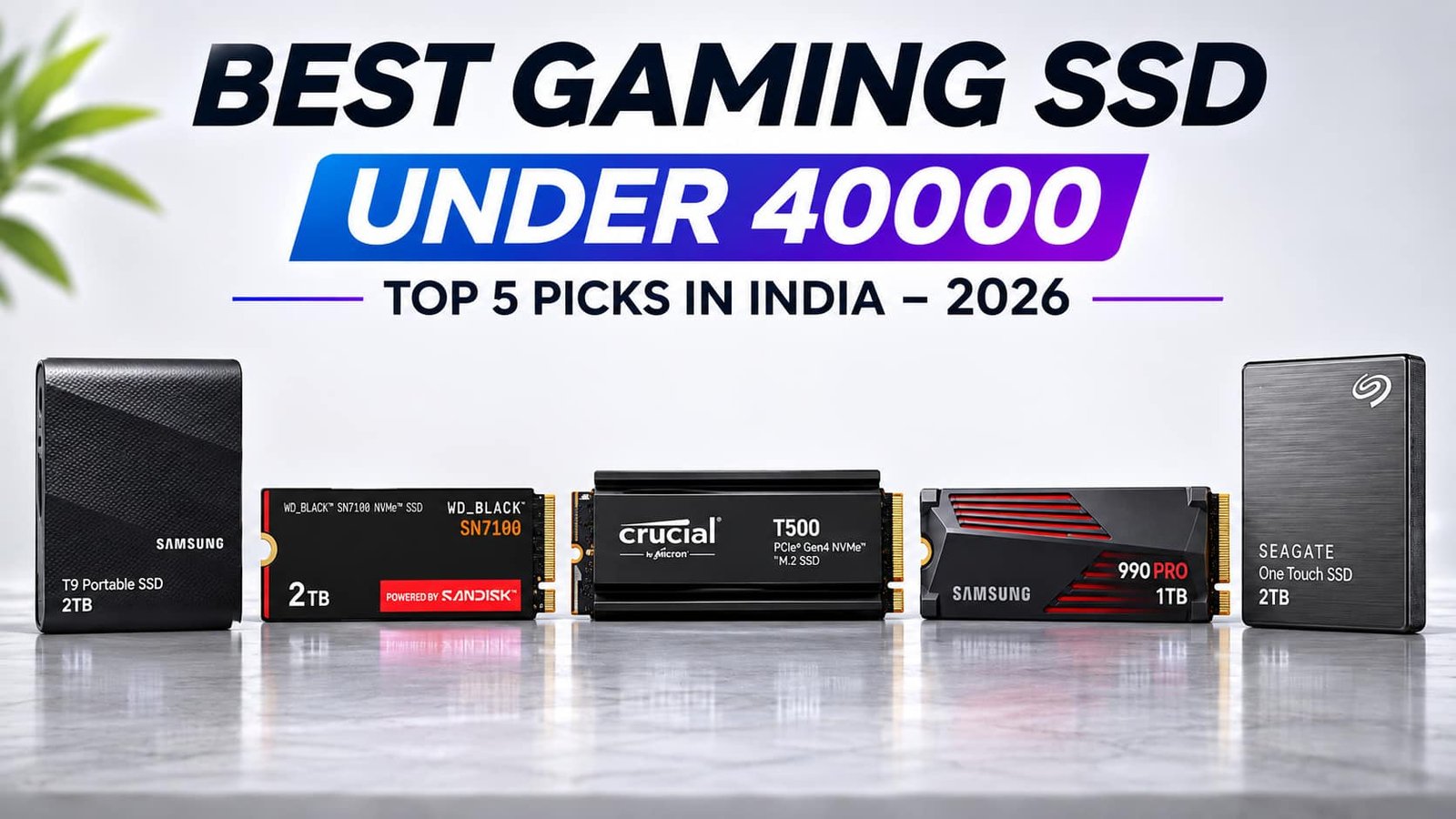

Choosing the Best Gaming SSD Under 40000 in India (2026) is important for building a high-performance gaming PC. A good SSD improves game loading times, system responsiveness, file transfers, and overall gaming experience. Modern PCIe Gen4 NVMe SSDs offer high read/write speeds, low latency, and faster data access, making them suitable for demanding AAA games and professional applications. Before purchasing, consider storage capacity, SSD endurance (TBW), heatsink support, thermal management, and manufacturer warranty to ensure reliable long-term performance.
In this guide, we have shortlisted five SSDs, including internal NVMe and portable external storage options: Crucial T500 2TB, WD_BLACK SN7100 2TB, Samsung 990 PRO 1TB, Samsung T9 2TB, and Seagate One Touch 2TB. These SSDs offer different storage capacities, speeds, and connectivity options to suit gaming PCs, laptops, content creation, and everyday backups. Whether you need fast internal storage for gaming or portable storage for transferring large files, this comparison will help you choose the right SSD according to your requirements and budget.
Table of Contents
1: Best Gaming SSD Under 40000 in India – Top 5 Picks
1.1: Crucial® T500 2TB PCIe Gen4 NVMe M.2 SSD with Heatsink
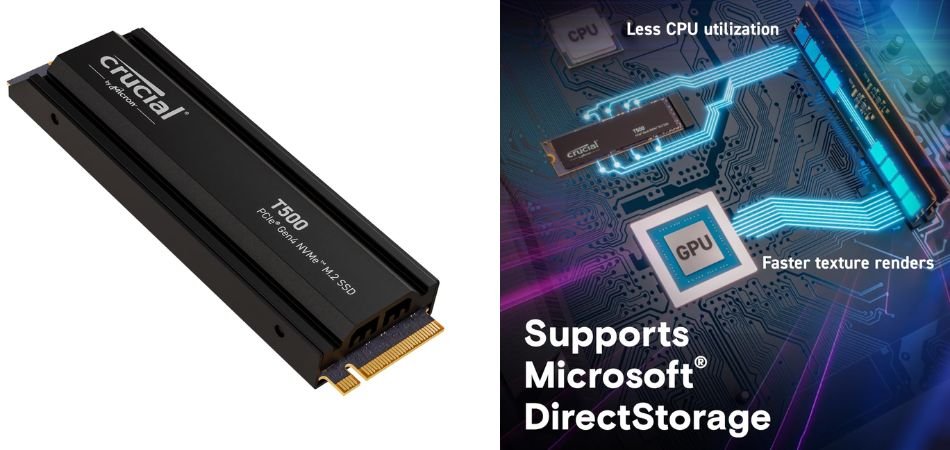
The Crucial T500 2TB is a high-performance PCIe Gen4 NVMe SSD designed for demanding gaming PCs. With impressive read/write speeds and an integrated heatsink, it delivers fast game loading, responsive storage, and reliable thermal management.
Key Specifications
| Specification | Details |
|---|---|
| Brand | Crucial |
| Model | T500 |
| Capacity | 2TB |
| Interface | PCIe Gen 4.0 x4 NVMe |
| Form Factor | M.2 2280 |
| Sequential Read | Up to 7,400 MB/s |
| Sequential Write | Up to 7,000 MB/s |
| NAND Type | 3D TLC NAND |
| Heatsink | Integrated |
| Warranty | 5 Years Limited |
Gaming Performance
The Crucial T500 2TB offers excellent gaming performance with fast loading times, quick file transfers, and smooth game installations. Its PCIe Gen4 interface makes it suitable for modern AAA games and large gaming libraries.
Pros and Cons
✓ Pros
- Excellent 7,400 MB/s read speed.
- Fast 7,000 MB/s write speed.
- Spacious 2TB storage capacity.
- Integrated heatsink for thermal management.
- Efficient 3D TLC NAND technology.
- 5-year limited warranty.
× Cons
- Premium pricing compared with budget SSDs.
- Requires an M.2 PCIe slot.
- PCIe Gen5 SSDs offer higher potential speeds.
Best For
1.2: Western Digital WD_BLACK SN7100 NVMe 2TB PCIe Gen4 SSD
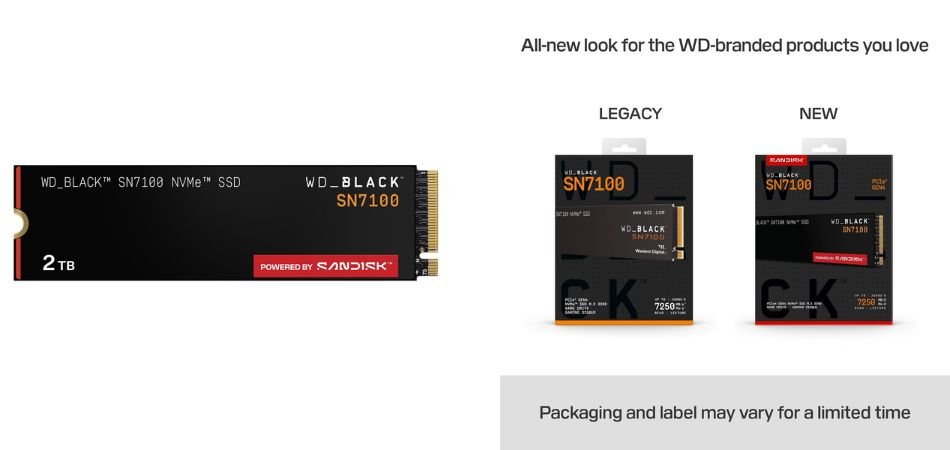
The WD_BLACK SN7100 2TB is a high-speed PCIe Gen4 NVMe SSD designed for gamers and performance-focused PC builders. It delivers impressive transfer speeds, generous storage capacity, and reliable performance for demanding gaming workloads.
Key Specifications
| Specification | Details |
|---|---|
| Brand | Western Digital |
| Series | WD_BLACK SN7100 |
| Model Number | WDS200T4X0E-00CJA0 |
| Capacity | 2TB |
| Interface | PCIe Gen 4.0 x4 NVMe |
| Form Factor | M.2 2280 |
| Sequential Read | Up to 7,250 MB/s |
| Sequential Write | Up to 6,900 MB/s |
| NAND Type | 3D TLC NAND |
| Heatsink | No |
| Warranty | 5-Year Limited |
Gaming Performance
The WD_BLACK SN7100 2TB delivers fast game loading, responsive gameplay data access, and quicker file transfers. Its high PCIe Gen4 speeds make it an excellent choice for modern AAA gaming libraries.
Pros and Cons
✓ Pros
- Excellent 7,250 MB/s read speed.
- Fast 6,900 MB/s write speed.
- Large 2TB storage capacity.
- PCIe Gen4 NVMe interface.
- Efficient power consumption.
- 5-year limited warranty.
× Cons
- No integrated heatsink.
- Requires an M.2 2280 slot.
- Premium pricing compared with entry-level SSDs.
Best For
1.3: Samsung 990 PRO 1TB PCIe 4.0 NVMe SSD with Heatsink
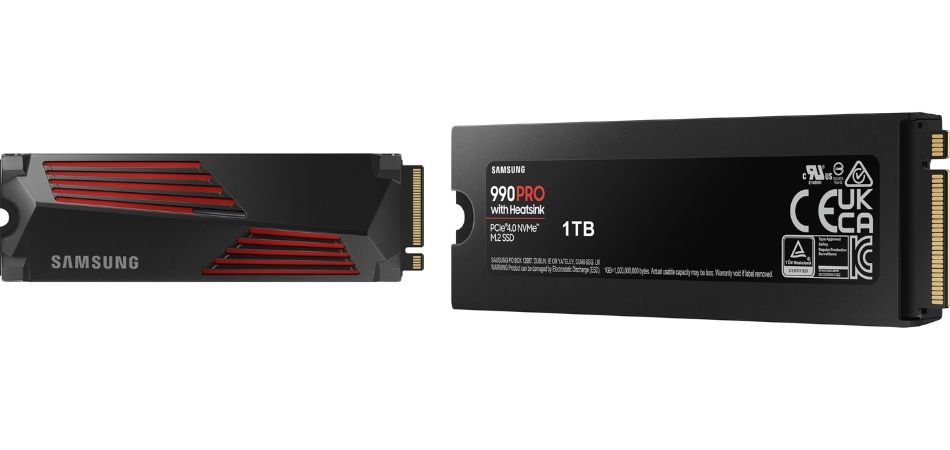
The Samsung 990 PRO 1TB with Heatsink is a premium PCIe Gen4 NVMe SSD built for high-performance gaming PCs and PlayStation 5 consoles. It combines impressive transfer speeds, advanced thermal management, and reliable Samsung V-NAND technology for demanding gaming workloads.
Key Specifications
| Specification | Details |
|---|---|
| Brand | Samsung |
| Series | 990 PRO |
| Model Number | MZ-V9P1T0CW |
| Capacity | 1TB |
| Interface | PCIe 4.0 x4 NVMe 2.0 |
| Form Factor | M.2 2280 |
| Sequential Read | Up to 7,450 MB/s |
| Sequential Write | Up to 6,900 MB/s |
| NAND Type | Samsung V-NAND TLC |
| DRAM | 1GB LPDDR4 |
| Heatsink | Integrated |
| Endurance | 600 TBW |
| Warranty | 5-year Limited |
| Compatibility | Gaming PCs and PlayStation 5 |
Gaming Performance
The Samsung 990 PRO delivers excellent gaming performance with rapid loading, responsive storage access, and efficient heat management. Its PCIe Gen4 speeds make it suitable for demanding AAA games and PS5 storage expansion.
Pros and Cons
✓ Pros
- Excellent 7,450 MB/s read speed.
- Fast 6,900 MB/s write speed.
- Integrated heatsink for cooling.
- Compatible with PlayStation 5.
- Advanced Samsung V-NAND technology.
- 5-year limited warranty.
× Cons
- Premium pricing.
- Limited 1TB storage capacity.
- Requires PCIe 4.0 compatibility for maximum speeds.
Best For
1.4: Samsung T9 Portable External SSD 2TB USB 3.2
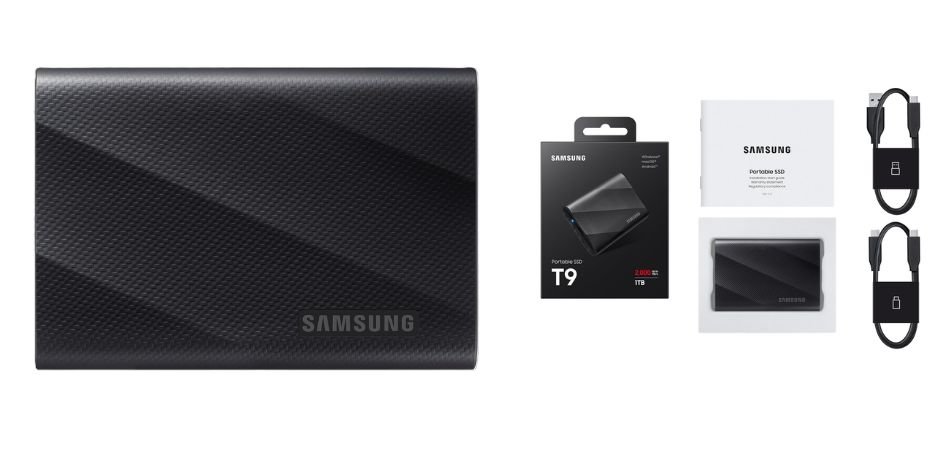
The Samsung T9 Portable External SSD 2TB is a high-speed storage solution designed for gamers, content creators, and professionals. With transfer speeds up to 2,000 MB/s, rugged construction, and Dynamic Thermal Guard technology, it offers fast, reliable, and portable storage.
Key Specifications
| Specification | Details |
|---|---|
| Brand | Samsung |
| Model | MU-PG2T0B/W |
| Capacity | 2TB |
| Interface | USB 3.2 Gen 2×2 |
| Read Speed | Up to 2,000 MB/s |
| Write Speed | Up to 2,000 MB/s |
| Connectivity | USB Type-C |
| Design | Portable External SSD |
| Colour | Black |
| Protection | Shock-resistant up to 3 metres |
| Cooling | Dynamic Thermal Guard |
| Warranty | 5 Years Limited |
Gaming Performance
The Samsung T9 2TB provides fast game transfers, backup, and storage expansion. Its USB 3.2 Gen 2×2 interface is ideal for managing large gaming libraries, although game compatibility depends on the platform.
Pros and Cons
✓ Pros
- Fast 2,000 MB/s read speeds.
- Fast 2,000 MB/s write speeds.
- Generous 2TB capacity.
- Compact and portable design.
- Shock resistance up to 3 metres.
- Five-year limited warranty.
× Cons
- Requires USB 3.2 Gen 2×2 for maximum speeds.
- More expensive than basic external drives.
- Not as fast as internal NVMe SSDs.
Best For
1.5: Seagate One Touch 2TB External SSD (STKG2000400)
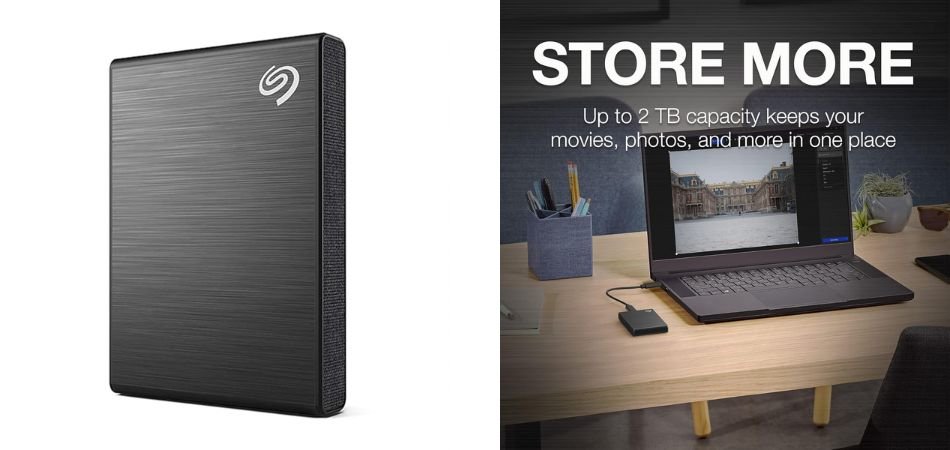
The Seagate One Touch 2TB External SSD is a compact, portable storage solution offering read speeds up to 1,030 MB/s. Designed for gamers, creators, and everyday users, it provides convenient storage expansion, cross-platform compatibility, and additional data protection services.
Key Specifications
| Specification | Details |
|---|---|
| Brand | Seagate |
| Series | One Touch |
| Model | STKG2000400 |
| Capacity | 2TB |
| Interface | USB 3.2 Gen 2 |
| Read Speed | Up to 1,030 MB/s |
| Form Factor | Portable External SSD |
| Connectivity | USB Type-C |
| Compatibility | Windows, Mac and Android |
| Colour | Black |
| Data Recovery | 3-Year Rescue Data Recovery Services |
| Software | Seagate Toolkit |
| Warranty | Check regional product terms |
Gaming Performance
The Seagate One Touch 2TB delivers convenient game storage, fast file transfers, and reliable backups. Its 1,030 MB/s read speed makes managing large gaming libraries easier, subject to device compatibility.
Pros and Cons
✓ Pros
- Spacious 2TB storage capacity.
- Read speeds up to 1,030 MB/s.
- Compact and portable design.
- Windows, Mac, and Android compatibility.
- Three-year Rescue Data Recovery Services.
- Convenient Seagate Toolkit software.
× Cons
- Slower than high-end NVMe SSDs.
- Requires a compatible USB port.
- Write speed should be verified before purchase.
Best For
2: Comparison Table
| SSD Model | Capacity | Interface | Maximum Read Speed | Best For |
|---|---|---|---|---|
| Crucial T500 with Heatsink | 2TB | PCIe Gen 4.0 x4 NVMe | 7,400 MB/s | High-performance gaming PCs |
| WD_BLACK SN7100 | 2TB | PCIe Gen 4.0 x4 NVMe | 7,250 MB/s | Gaming PCs and laptops |
| Samsung 990 PRO with Heatsink | 1TB | PCIe Gen 4.0 x4 NVMe | 7,450 MB/s | Premium gaming PCs and PS5 |
| Samsung T9 Portable SSD | 2TB | USB 3.2 Gen 2×2 | 2,000 MB/s | Portable gaming and content creation |
| Seagate One Touch External SSD | 2TB | USB 3.2 Gen 2 | 1,030 MB/s | External storage and backups |
3: Which Gaming SSD Should You Choose?
Choose the SSD based on your gaming and storage requirements.
| Category | Recommended SSD |
|---|---|
| Best Overall | Crucial T500 2TB |
| Best High-Speed Gaming | WD_BLACK SN7100 2TB |
| Best Premium 1TB SSD | Samsung 990 PRO 1TB |
| Best Portable SSD | Samsung T9 2TB |
| Best Everyday Storage | Seagate One Touch 2TB |
Our Recommendation: The Crucial T500 2TB is the best overall choice for gaming PCs, offering up to 7,400 MB/s read speeds, 2TB capacity, and an integrated heatsink.
Buying Tip: Check the latest price, SSD dimensions, motherboard compatibility, and warranty before purchasing.
4: Internal NVMe SSD vs Portable External SSD – Which Is Better for Gaming?
| Feature | Internal NVMe SSD | External SSD |
|---|---|---|
| Connection | M.2 PCIe | USB |
| Speed | Higher bandwidth | Depends on USB |
| Installation | Inside PC | Plug and play |
| Portability | Limited | Excellent |
| Best Use | OS and gaming | Backups and file transfers |
Our Recommendation: Choose an internal NVMe SSD for better gaming performance and faster loading. Choose an external SSD for portable storage and backups.
PS5 Note: PS5 games can be played directly from compatible internal M.2 SSDs. External USB SSDs can store PS5 games but cannot run PS5 titles directly.
5: Gaming SSD Buying Guide – What to Consider Before Buying
Before purchasing a gaming SSD in 2026, consider these six important factors:
1. SSD Capacity – 1TB vs 2TB
- 1TB: Suitable for moderate gaming and everyday use.
- 2TB: Better for large gaming libraries and modern AAA titles.
2. PCIe Gen 4 vs External USB SSD
- PCIe Gen4 NVMe: Faster performance and ideal for installing games.
- External USB SSD: Portable and suitable for backups and file transfers.
3. Read and Write Speeds
- Read Speed: Helps reduce game loading times.
- Write Speed: Improves file transfers and game installations.
- IOPS: Measures performance when handling multiple small files.
4. SSD Heatsink and Cooling
- Heatsinks help dissipate heat.
- Prevent thermal throttling during demanding workloads.
- Check motherboard M.2 heatsink compatibility.
5. SSD Endurance (TBW) and Warranty
- TBW indicates the total data an SSD is rated to write.
- Prefer reliable NAND technology.
- Look for a five-year manufacturer warranty.
6. Compatibility with PC, Laptop and PS5
- Check M.2 2280 slot compatibility.
- Verify PCIe generation and physical clearance.
- For PS5, choose a compatible PCIe Gen4 NVMe SSD with a suitable heatsink.
- Check USB compatibility for external SSDs.
Final Recommendation: For gaming PCs, choose a 2TB PCIe Gen4 NVMe SSD with fast read/write speeds, a heatsink, and a good warranty. Always check the latest price and compatibility before purchasing.
6: Frequently Asked Questions (FAQs)
Q1. Which is the best gaming SSD under 40000 in India?
The Crucial T500 2TB with Heatsink is our best overall choice, offering up to 7,400 MB/s read speeds, 2TB capacity, and excellent PCIe Gen4 performance.
Q2. Is a 2TB SSD enough for modern gaming?
Yes. A 2TB SSD provides sufficient storage for multiple modern AAA games, applications, Windows, and other files.
Q3. Is a PCIe Gen4 SSD better than a SATA SSD for gaming?
Yes. PCIe Gen4 NVMe SSDs offer significantly higher transfer speeds and bandwidth than SATA SSDs, making them ideal for modern gaming PCs.
Q4. Can I use an external SSD to play games on a gaming PC?
Yes. You can install and play compatible PC games from an external SSD. However, performance depends on the USB interface, connection speed, and game requirements.
Q5. Is the Samsung 990 PRO compatible with PlayStation 5?
Yes. The Samsung 990 PRO with Heatsink is compatible with PS5, provided it meets Sony’s M.2 expansion requirements. It offers fast PCIe Gen4 performance and convenient storage expansion.
7: Final Verdict
Choosing the Best Gaming SSD Under 40000 in India (2026) depends on your gaming requirements, storage capacity, and budget. After comparing all five shortlisted SSDs, the Crucial T500 2TB stands out as our best overall choice. It offers up to 7,400 MB/s read speeds, 2TB capacity, and an integrated heatsink, making it an excellent option for high-performance gaming PCs. The WD_BLACK SN7100 2TB is another strong choice for gamers seeking fast PCIe Gen4 storage, while the Samsung 990 PRO 1TB is ideal for premium gaming builds and compatible PS5 expansion.
For portable storage, the Samsung T9 2TB offers transfer speeds up to 2,000 MB/s, making it suitable for gamers and content creators. The Seagate One Touch 2TB is a practical option for everyday storage, backups, and file transfers. Both external SSDs provide flexibility when moving large files between compatible devices.
Our Final Recommendation: Choose the Crucial T500 2TB for overall gaming performance, WD_BLACK SN7100 2TB for high-speed storage, or Samsung 990 PRO for premium 1TB storage. Before purchasing, check the latest price, warranty, dimensions, and device compatibility. Actual gaming load times, file transfer speeds, and thermal performance depend on system configuration, game optimization, workload, and testing conditions.