
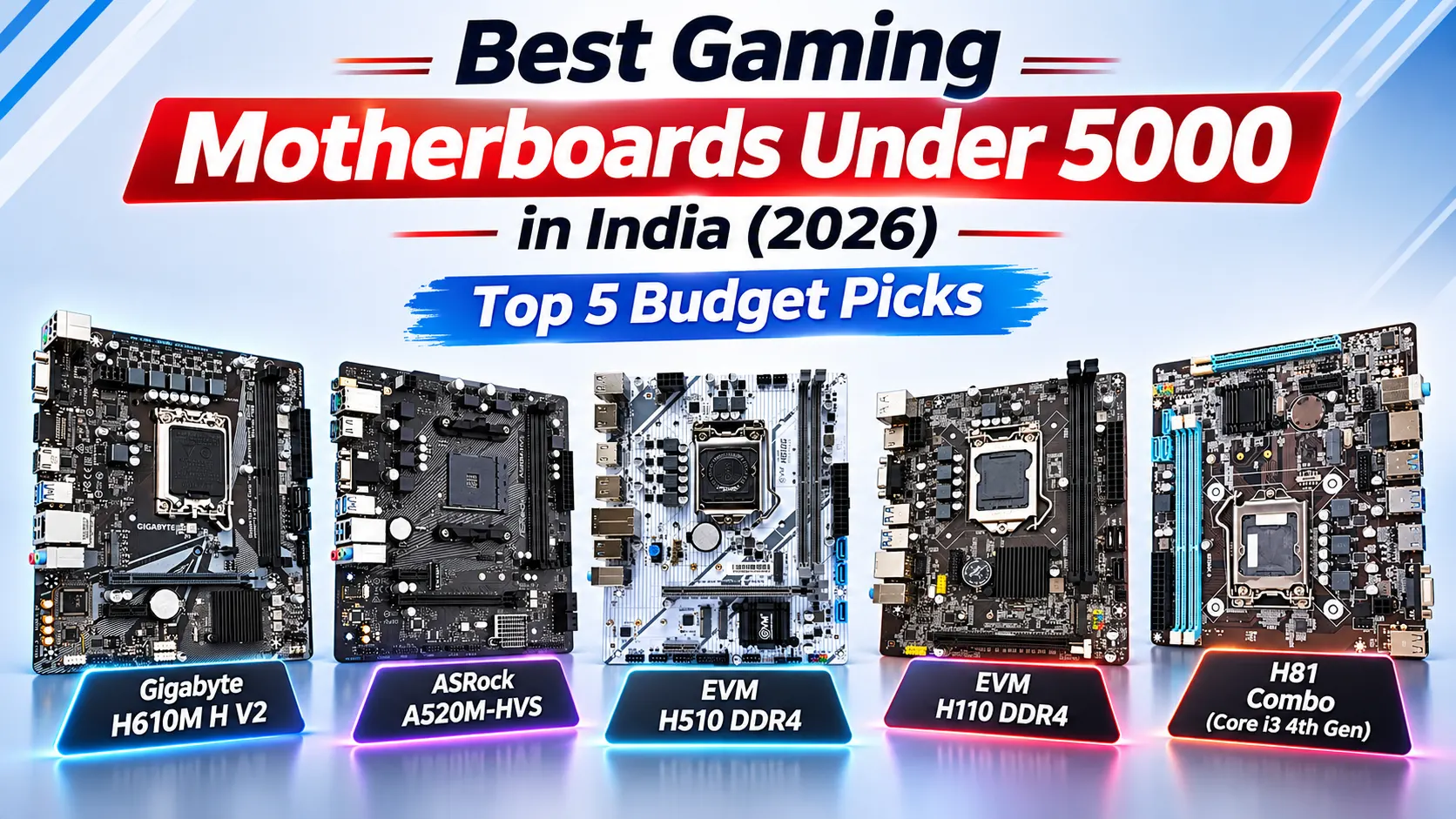

Choosing the Best Gaming Motherboards Under 5000 is an important step when building an affordable gaming PC in India. The right motherboard ensures CPU compatibility, supports suitable RAM, provides storage options, and offers essential connectivity and expansion slots without exceeding your budget. In 2026, budget motherboards can be suitable for entry-level gaming, everyday computing, and upgrading older systems. This guide covers five options: Gigabyte H610M H V2, ASRock A520M-HVS, EVM H510 DDR4, EVM H110 DDR4, and the H81 Motherboard Combo. Each targets a different processor platform and budget requirement.
However, a motherboard alone does not determine gaming performance. Your CPU, graphics card, RAM capacity, and SSD also influence frame rates and loading times. Before purchasing, check the supported processor, memory type, M.2 compatibility, expansion options, and warranty. Since prices fluctuate, verify that your chosen model is currently available under 5000 and offers the features your build needs.
Table of Contents
1:Top 5 Best Gaming Motherboards Under 5000 in India
1.1: Gigabyte H610M H V2 Motherboard
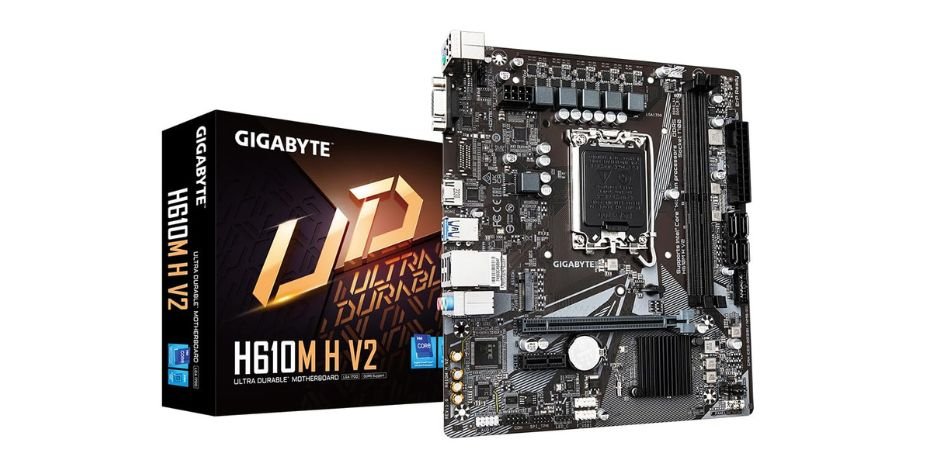
The Gigabyte H610M H V2 is a budget-friendly Micro-ATX motherboard supporting Intel 12th, 13th, and 14th Gen CPUs with DDR5 memory.
Key Specifications
| Feature | Details |
|---|---|
| Socket | LGA1700 |
| Chipset | Intel H610 |
| Memory | DDR5 up to 5600MHz |
| Storage | PCIe 3.0 M.2 |
| LAN | Gigabit Ethernet |
| Form Factor | Micro-ATX |
Pros and Cons
✓ Pros
- Intel 14th Gen support
- DDR5 compatibility
- Budget-friendly
- M.2 SSD support
- Gigabit LAN
- Compact design
× Cons
- Limited expansion
- No CPU overclocking
- Basic connectivity
Best For
1.2: ASRock A520M-HVS Motherboard
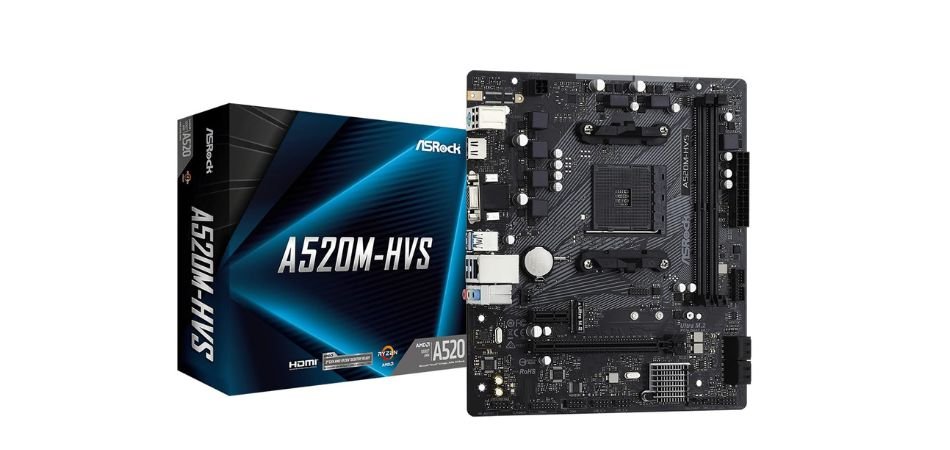
The ASRock A520M-HVS is an affordable AM4 motherboard for budget gaming PCs and everyday computing, supporting compatible AMD Ryzen processors and DDR4 memory.
Key Specifications
| Feature | Details |
|---|---|
| Chipset | AMD A520 |
| Socket | AM4 |
| Memory | DDR4, up to 4733+ MHz (OC) |
| Storage | Ultra M.2 PCIe Gen3 x4 |
| Graphics Output | HDMI 4K |
| USB | USB 3.2 Gen 1 |
| Form Factor | Micro-ATX |
Pros and Cons
✓ Pros
- Affordable motherboard
- Supports compatible Ryzen CPUs
- DDR4 memory support
- Fast M.2 SSD connectivity
- HDMI display output
- Compact Micro-ATX design
× Cons
- No CPU overclocking
- Limited expansion options
- No built-in Wi-Fi
Best For
1.3: EVM H510 DDR4 Motherboard
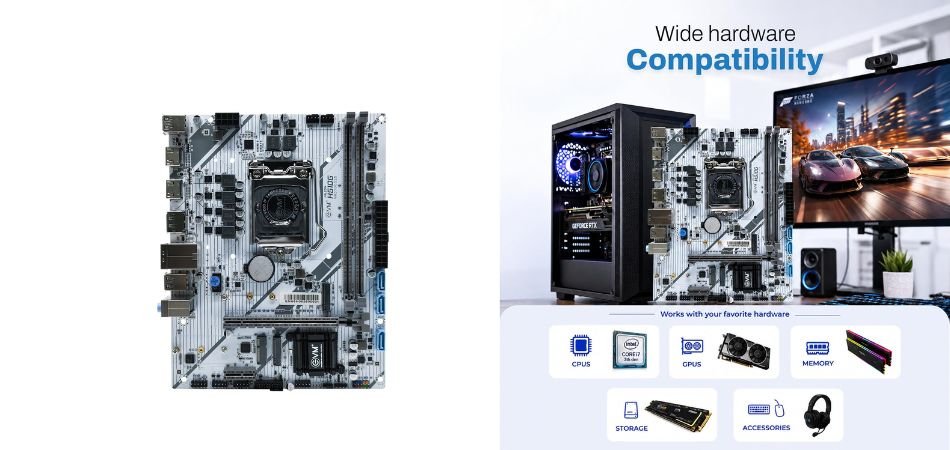
The EVM H510 DDR4 is a budget-friendly Micro-ATX motherboard supporting Intel 10th and 11th Gen processors, suitable for entry-level gaming and everyday computing.
Key Specifications
| Feature | Details |
|---|---|
| Socket | LGA1200 |
| Chipset | Intel H510 |
| Memory | DDR4 up to 3200MHz |
| Storage | M.2 NVMe, SATA |
| USB | USB 3.0 |
| Networking | Gigabit LAN, Wi-Fi ready |
| Form Factor | Micro-ATX |
| Warranty | 3 years |
Pros and Cons
✓ Pros
- Affordable pricing
- Intel 10th/11th Gen support
- DDR4 memory compatibility
- M.2 NVMe storage support
- Gigabit LAN connectivity
- Three-year warranty
× Cons
- Older processor platform
- Limited expansion options
- Wi-Fi may require an adapter
Best For
1.4: EVM H110 DDR4 Motherboard
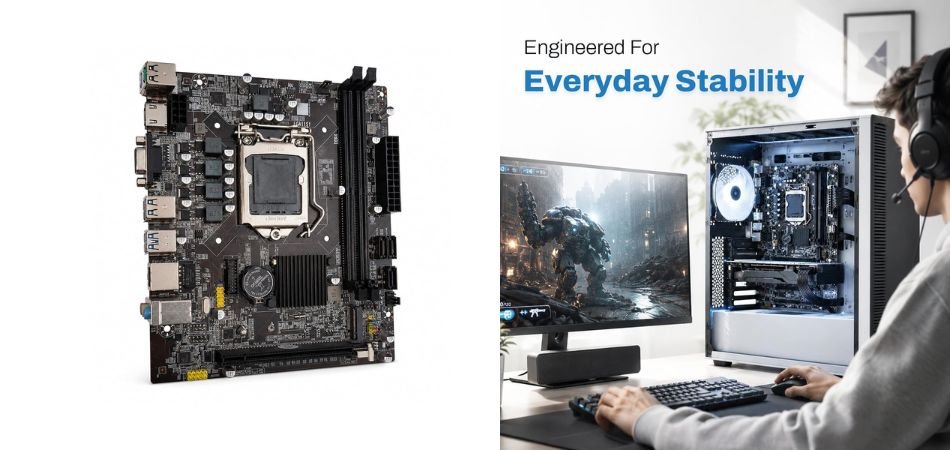
The EVM H110 DDR4 is a budget-friendly Micro-ATX motherboard for Intel 6th and 7th Gen processors, suitable for basic computing and entry-level PC builds.
Key Specifications
| Feature | Details |
|---|---|
| Socket | LGA1151 |
| Chipset | Intel H110 |
| Memory | DDR4 |
| Storage | M.2 NVMe, 4 SATA |
| Expansion | PCIe x16 |
| Connectivity | USB 3.0, LAN, Audio |
| Form Factor | Micro-ATX |
| Warranty | 3 years |
Pros and Cons
✓ Pros
- Budget-friendly option
- Supports Intel 6th/7th Gen CPUs
- DDR4 memory compatibility
- M.2 storage support
- Four SATA connections
- Three-year warranty
× Cons
- Older CPU platform
- Limited upgrade options
- No built-in Wi-Fi listed
Best For
1.5: H81 Motherboard Combo with Intel Core i3 4th Gen
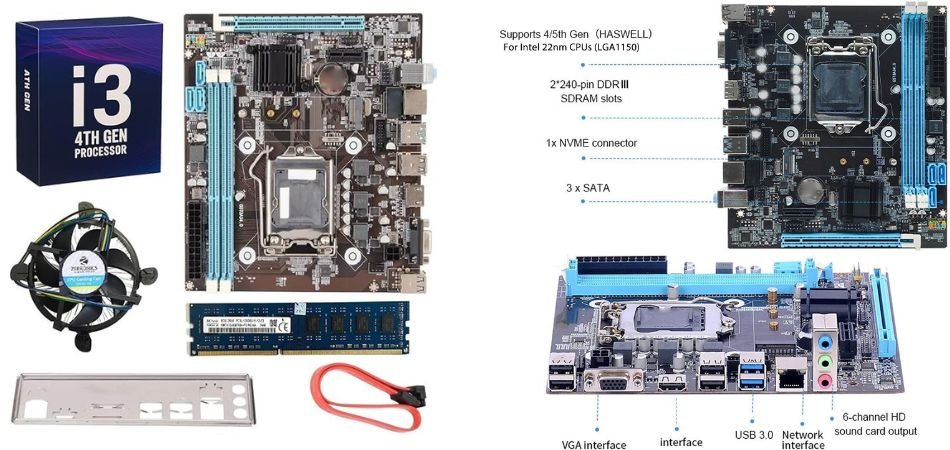
This H81 motherboard combo includes an Intel Core i3 4th Gen processor, 8GB DDR3 RAM, and a CPU fan. It suits basic computing, office work, and budget PC builds.
Key Specifications
| Feature | Details |
|---|---|
| Chipset | Intel H81 |
| Processor | Core i3 4th Gen |
| Clock Speed | 3.40–3.70GHz+ (as listed) |
| Memory | 8GB DDR3 1600MHz |
| Cooling | CPU fan included |
| Connectivity | USB 3.0, VGA, HDMI |
| Warranty | 2-year replacement |
Pros and Cons
✓ Pros
- Complete budget combo
- 8GB RAM included
- CPU fan included
- VGA and HDMI outputs
- USB 3.0 support
- Replacement warranty
× Cons
- Older processor platform
- Limited gaming performance
- Restricted upgrade options
Best For
2: Comparison Table
| Motherboard | Socket | Memory | Best For |
|---|---|---|---|
| Gigabyte H610M H V2 | LGA1700 | DDR5, up to 5600MHz | Budget Intel 12th–14th Gen builds |
| ASRock A520M-HVS | AM4 | DDR4, up to 4733+MHz OC | Affordable AMD Ryzen PCs |
| EVM H510 DDR4 | LGA1200 | DDR4, up to 3200MHz | Entry-level Intel 10th/11th Gen builds |
| EVM H110 DDR4 | LGA1151 | DDR4 | Basic office and older PC builds |
| H81 Motherboard Combo | LGA1150 | 8GB DDR3 1600MHz included | Very low-cost computing |
3: Which Gaming Motherboard Under 5000 Should You Choose?
- EVM H510 DDR4: Best for Intel 10th/11th Gen builds.
- Gigabyte H610M H V2: Best for newer Intel builds if priced under 5000.
- EVM H110 DDR4: Best for older Intel 6th/7th Gen PCs.
- ASRock A520M-HVS: Best for budget AMD Ryzen builds.
- H81 Motherboard Combo: Best for low-cost PCs with included CPU and RAM.
4: Can You Build a Gaming PC with a Motherboard Under 5000?
Yes, you can build an entry-level gaming PC with a motherboard under 5000. However, allocate your budget carefully across the CPU, GPU, 16GB RAM if affordable, SSD, reliable power supply, and case. Integrated graphics can handle lighter games at lower settings, while a dedicated graphics card generally delivers better FPS in demanding titles.
- CPU: 25% — Choose a compatible processor with sufficient gaming performance.
- GPU: 30% — Prioritise a dedicated graphics card for better FPS.
- RAM: 15% — Aim for 16GB where affordable.
- SSD: 10% — Choose an SSD for faster boot times and loading.
- Power supply: 12% — Buy a reliable unit with adequate capacity.
- Case: 8% — Select an affordable case with decent airflow.
Spending more on a motherboard does not automatically improve gaming performance; the CPU and GPU matter more. Upgrading an older platform can save money, but a newer system may offer better performance and future upgrade options. Before buying, compare total system costs and ensure every component is compatible.
5: Frequently Asked Questions (FAQs)
Q1: Which is the best gaming motherboard under 5000 in India?
The Gigabyte H610M H V2 is worth considering for compatible Intel processors and DDR5 support if available within your budget. For AMD builds, consider the ASRock A520M-HVS.
Q2: Can I build a gaming PC with a motherboard under 5000?
Yes. Pair it with a compatible CPU, sufficient RAM, SSD, reliable power supply, and suitable graphics solution. Your overall budget determines gaming performance.
Q3: Is DDR4 better than DDR3 for budget gaming?
Generally, yes. DDR4 offers better bandwidth and supports newer platforms. However, performance also depends on the processor, memory configuration, and game.
Q4: Does a motherboard affect gaming FPS?
Usually, the GPU and CPU have a greater impact on FPS. A motherboard mainly affects compatibility, expansion, connectivity, and power delivery.
Q5: Which motherboard is best for Intel 10th Gen processors under 5000?
The EVM H510 DDR4 is an option for compatible Intel 10th Gen processors. Check the supported CPU list, BIOS requirements, and current price before purchasing.
Q6: Can I use an NVMe SSD on a budget motherboard?
Yes, if the motherboard has a compatible M.2 slot supporting NVMe PCIe storage. Check the specifications carefully, as some M.2 slots support SATA SSDs only.
6: Conclusion
Choosing the Best Gaming Motherboards Under 5000 depends on your processor, upgrade plans, and overall PC budget. Each option suits a different type of budget build.
The EVM H510 DDR4 is a practical choice for compatible Intel 10th and 11th Gen processors. The EVM H110 DDR4 suits older Intel 6th and 7th Gen systems, while the ASRock A520M-HVS is worth considering for compatible AMD Ryzen builds if its price fits your budget. The H81 Motherboard Combo is best reserved for basic computing and legacy systems rather than modern gaming. Meanwhile, the Gigabyte H610M H V2 offers DDR5 support and a newer Intel platform, but consider it only if its current price falls below 5000.
Before buying, verify processor compatibility, RAM type, storage support, warranty, and available expansion slots. Remember that gaming performance also depends heavily on your CPU and graphics card. Choose a motherboard that meets your needs without compromising your budget for other essential components.