
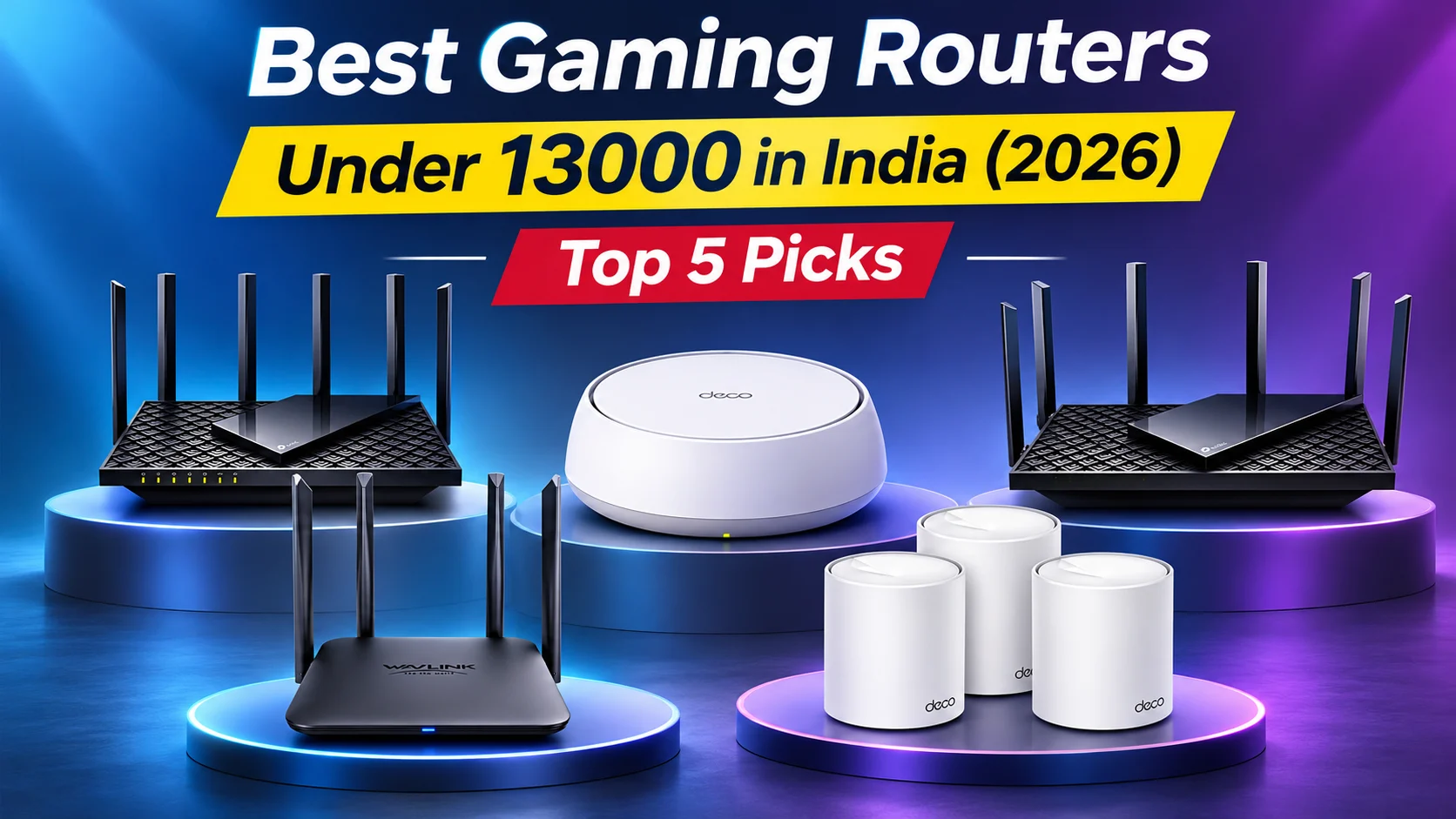

Choosing the Best Gaming Routers Under 13000 in India (2026) can help improve online multiplayer matches, competitive gaming, cloud gaming, and large game downloads. A reliable router offers stable connectivity, low latency, reduced network congestion, and consistent Wi-Fi coverage. Wi-Fi 6 and Wi-Fi 7 technologies provide improved wireless efficiency and better multi-device handling, while features such as MU-MIMO, OFDMA, QoS, and multi-gigabit ports can benefit busy households.
This guide compares five options: TP-Link Archer AX72 Pro, TP-Link Archer AX73, WAVLINK BE3600, TP-Link Deco BE25, and TP-Link Deco X10 (3-Pack). These include traditional routers and mesh Wi-Fi systems for different budgets and coverage needs. However, actual gaming performance also depends on your internet connection, server distance, network congestion, router placement, and gaming device. Compare specifications, compatibility, warranty, and current prices before choosing the right router for your setup.
Table of Contents
1: Top 5 Best Gaming Routers Under 13000 in India
1.1: TP-Link Deco BE25 Wi-Fi 7 Mesh Router
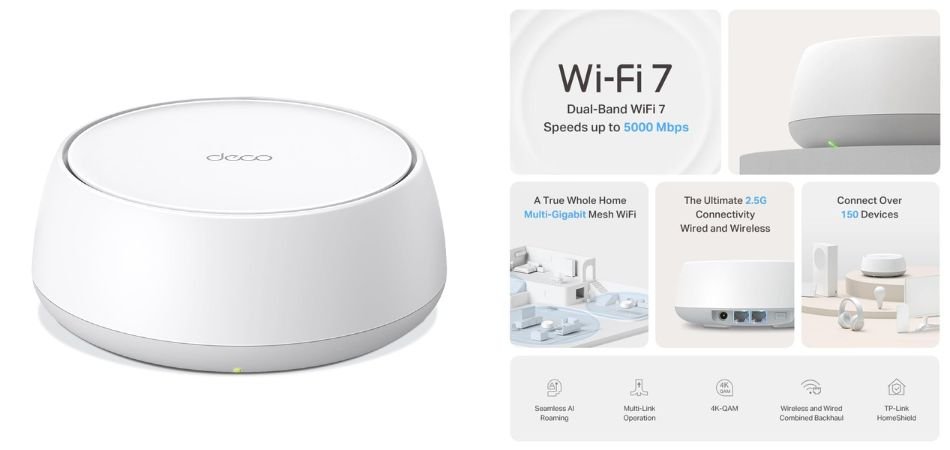
The TP-Link Deco BE25 delivers Wi-Fi 7 speeds up to 5 Gbps, dual 2.5 Gbps ports, and expandable mesh coverage. It is ideal for streaming, gaming, and smart homes.
Key Specifications
| Feature | Details |
|---|---|
| Wi-Fi | Wi-Fi 7, BE5000 |
| Bands | Dual-band |
| Ports | 2 × 2.5Gbps |
| Antennas | 4 internal |
| Features | MU-MIMO, VPN, 4K-QAM |
| Voice Assistants | Alexa, Google Assistant |
Pros and Cons
✓ Pros
- Fast Wi-Fi 7 connectivity
- Dual 2.5Gbps ports
- Supports 8K streaming
- MU-MIMO support
- Expandable mesh coverage
- Smart assistant compatibility
× Cons
- No 6GHz band
- One unit may not cover large homes
- Full Wi-Fi 7 benefits require compatible devices
Best For
1.2: TP-Link Archer AX72 Pro AX5400 Wi-Fi 6 Router
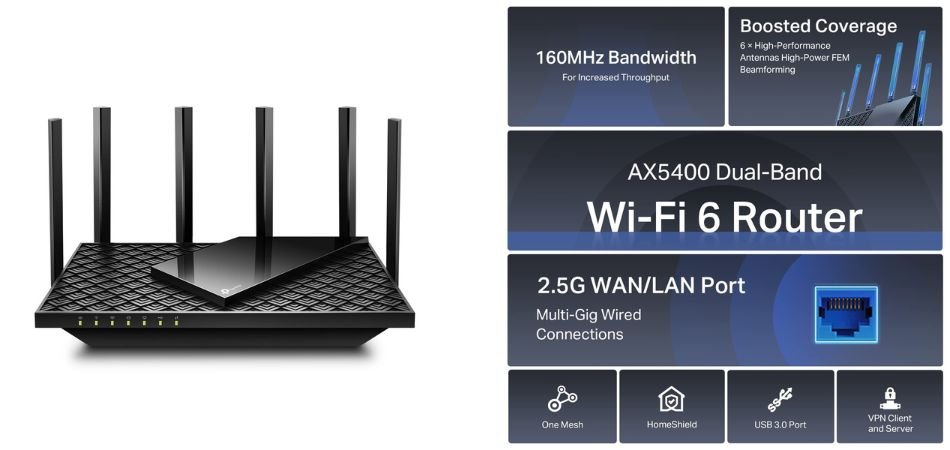
The TP-Link Archer AX72 Pro is a powerful dual-band Wi-Fi 6 router designed for gaming, 4K streaming, and busy households. It offers AX5400 speeds, a 2.5Gbps port, USB 3.0, and advanced security features.
Key Specifications
| Feature | Details |
|---|---|
| Wi-Fi Standard | Wi-Fi 6 |
| Speed | Up to 5400 Mbps |
| Bands | Dual-band |
| Ethernet | 1 × 2.5Gbps port |
| USB | USB 3.0 |
| Security | WPA3 |
| Features | MU-MIMO, VPN, Guest Network |
| Voice Control | Amazon Alexa |
Pros and Cons
✓ Pros
- Fast AX5400 wireless speeds
- 2.5Gbps multi-gigabit connectivity
- USB 3.0 port
- Supports MU-MIMO
- VPN and guest network features
- WPA3 security and Alexa compatibility
× Cons
- No Wi-Fi 7 support
- Only one 2.5Gbps port
- Performance depends on device compatibility
Best For
1.3: TP-Link Archer AX73 AX5400 Wi-Fi 6 Router
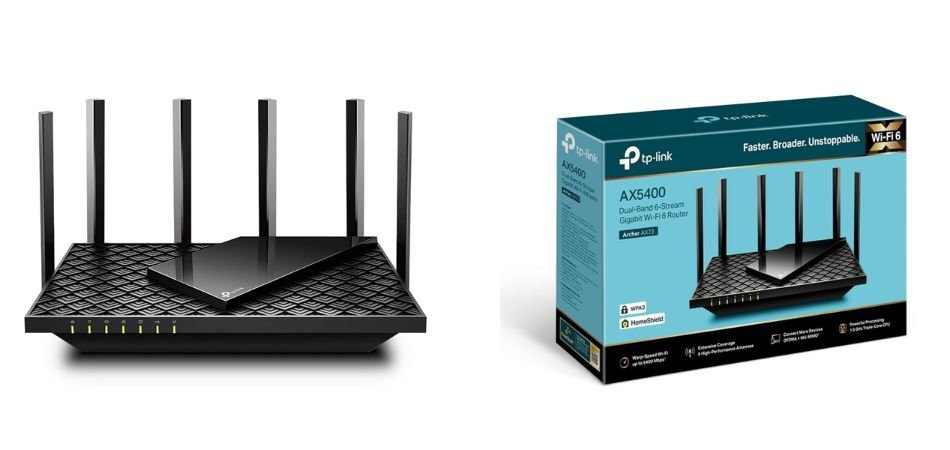
The TP-Link Archer AX73 is a dual-band Wi-Fi 6 router built for 8K streaming, online gaming, and busy smart homes. Its AX5400 speeds, triple-core processor, OFDMA, and MU-MIMO support deliver efficient connectivity.
Key Specifications
| Feature | Details |
|---|---|
| Wi-Fi Standard | Wi-Fi 6 |
| Wireless Speed | Up to 5400 Mbps |
| Bands | Dual-band |
| Processor | 1.5GHz triple-core CPU |
| Technology | OFDMA, MU-MIMO |
| USB | USB sharing |
| Coverage | Beamforming |
| Device Capacity | Up to 200+ devices |
Pros and Cons
✓ Pros
- Fast AX5400 Wi-Fi speeds
- Supports 8K streaming
- Efficient OFDMA technology
- MU-MIMO for multiple devices
- USB file sharing
- Beamforming for improved coverage
× Cons
- No Wi-Fi 7 support
- No dedicated 6GHz band
- Actual speeds vary by environment
Best For
1.4:WAVLINK BE3600 Wi-Fi 7 Router
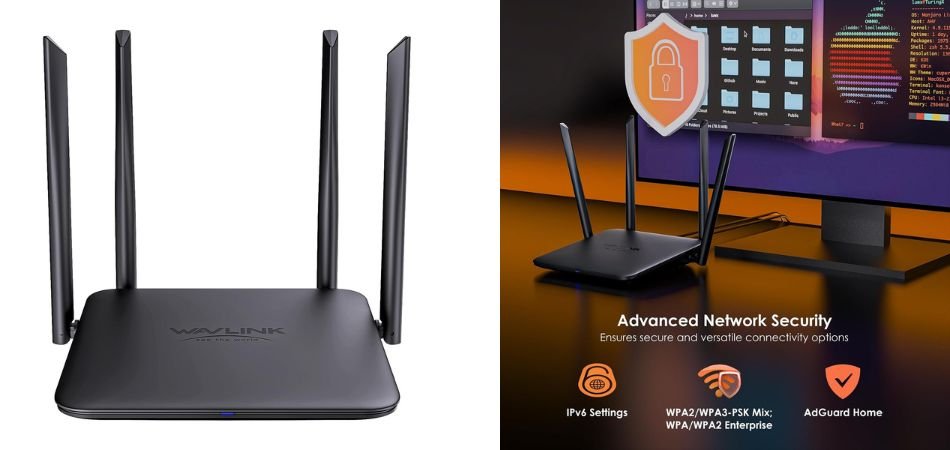
The WAVLINK BE3600 Wi-Fi 7 Router offers modern wireless connectivity with MLO, 4096-QAM, QoS, and flexible networking modes. It suits gamers, streamers, and connected homes that want affordable Wi-Fi 7 performance.
Key Specifications
| Feature | Details |
|---|---|
| Wi-Fi Standard | Wi-Fi 7 |
| Speed Class | BE3600 |
| Bands | Dual-band |
| Technology | MLO, 4096-QAM, Multi-RU |
| Ports | Gigabit Ethernet |
| Modes | Router, AP, Repeater, Mesh |
| Security | Guest Wi-Fi, VPN |
| Networking | QoS, IPv6 |
Pros and Cons
✓ Pros
- Wi-Fi 7 connectivity
- Supports Multi-Link Operation
- 4096-QAM technology
- Multiple operating modes
- QoS for traffic prioritisation
- Guest Wi-Fi and VPN support
× Cons
- No dedicated 6GHz band
- Gigabit ports limit wired throughput
- Performance depends on device compatibility
Best For
1.5: TP-Link Deco X10 (3-Pack) AX1500 Whole Home Mesh Wi-Fi 6 System
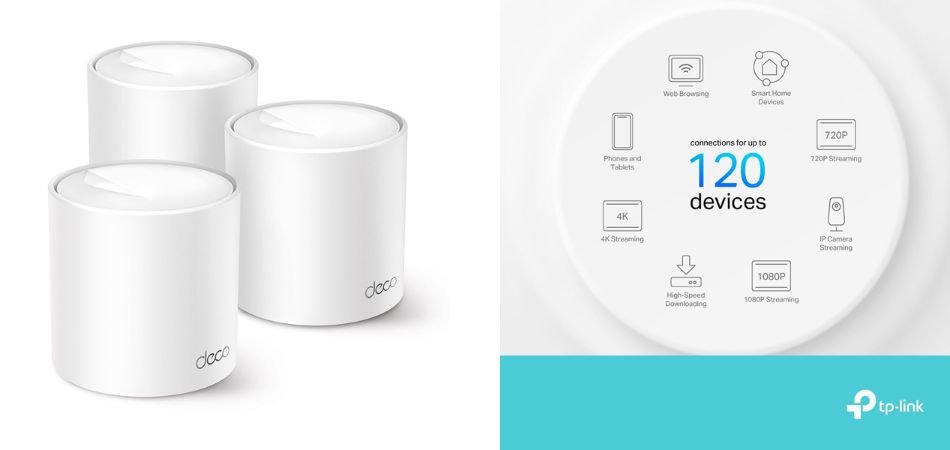
The TP-Link Deco X10 (3-Pack) delivers seamless Wi-Fi 6 coverage across homes up to 5,600 sq. ft. Its AI-driven mesh technology supports 4K streaming, gaming, and reliable connectivity throughout multiple rooms.
Key Specifications
| Feature | Details |
|---|---|
| Wi-Fi Standard | Wi-Fi 6 |
| Speed | AX1500 Mbps |
| Coverage | Up to 5,600 sq. ft. |
| Package | 3 mesh units |
| Technology | AI-driven mesh |
| Setup | Deco mobile app |
| Smart Home | Alexa, Google Home |
| Use Cases | Gaming, 4K streaming |
Pros and Cons
✓ Pros
- Wide whole-home coverage
- Three-unit mesh system
- Wi-Fi 6 connectivity
- AI-driven network optimisation
- Easy app-based setup
- Alexa and Google Home support
× Cons
- No Wi-Fi 7 support
- AX1500 speeds are entry-level
- Wired port speeds may limit faster connections
Best For
2: Comparison Table
| Router | Wi-Fi Standard | Key Feature | Best For |
|---|---|---|---|
| TP-Link Deco BE25 | Wi-Fi 7 | BE5000 speeds, mesh support, dual 2.5Gbps ports | Modern gaming and multi-device homes |
| TP-Link Archer AX72 Pro | Wi-Fi 6 | AX5400 speeds, 2.5Gbps port, USB 3.0 | Gaming and 4K streaming |
| TP-Link Archer AX73 | Wi-Fi 6 | AX5400 speeds, OFDMA, MU-MIMO | Busy households and online gaming |
| WAVLINK BE3600 | Wi-Fi 7 | MLO, 4096-QAM, multiple operating modes | Budget-conscious Wi-Fi 7 upgrades |
| TP-Link Deco X10 (3-Pack) | Wi-Fi 6 | Three-unit mesh coverage up to 5,600 sq. ft. | Large homes and Wi-Fi dead zones |
3: Which Gaming Router Should You Choose?
- Multi-gigabit Ethernet and Wi-Fi 6: TP-Link Archer AX72 Pro — ideal for fast wired connections and gaming.
- Budget Wi-Fi 7 upgrade: WAVLINK BE3600 — suitable for users seeking modern Wi-Fi 7 features.
- Powerful all-round Wi-Fi 6 performance: TP-Link Archer AX73 — great for gaming, streaming, and multiple connected devices.
- Wi-Fi 7 mesh with 2.5Gbps ports: TP-Link Deco BE25 — best for modern devices and expandable mesh networking.
- Coverage across a large home: TP-Link Deco X10 (3-Pack) — helps reduce Wi-Fi dead zones across multiple rooms.
4: Key Features to Consider Before Buying a Gaming Router
Wi-Fi 6 vs Wi-Fi 7: Wi-Fi 7 offers higher potential speeds and improved wireless efficiency, but compatible devices are needed to benefit fully. It does not automatically guarantee lower ping. Check ping, latency, jitter, and packet loss, as network congestion and weak signals can affect competitive gaming. QoS features help prioritise gaming traffic for smoother gameplay.
Connectivity, Coverage, and Security: Ethernet generally provides more stable gaming than Wi-Fi. Gigabit ports suit most users, while 2.5Gbps ports benefit multi-gigabit connections. Consider mesh networking, beamforming, router placement, and wired backhaul for better coverage. WPA3, guest networks, firmware updates, parental controls, VPN support, USB sharing, and app management add useful security and convenience features.
5: Frequently Asked Questions (FAQs)
Q1: Which is the best gaming router under 13000 in India in 2026?
The TP-Link Archer AX72 Pro is a strong choice for Wi-Fi 6 performance and multi-gigabit connectivity. For Wi-Fi 7, consider the TP-Link Deco BE25.
Q2: Is Wi-Fi 7 worth buying over Wi-Fi 6 for gaming?
Wi-Fi 7 offers higher potential speeds and improved efficiency, but Wi-Fi 6 remains excellent for most gamers. Choose Wi-Fi 7 if your devices support it.
Q3: Does a gaming router reduce ping?
A good router can reduce local network congestion, but ping also depends on your ISP, server distance, and network conditions.
Q4: Is a wired Ethernet connection better than Wi-Fi for gaming?
Yes. Ethernet generally offers more stable latency, fewer interruptions, and less wireless interference.
Q5: What internet speed do I need for online gaming?
Around 25–100 Mbps is sufficient for many gaming setups, depending on other household usage. Low latency and connection stability matter more than raw speed.
Q6: Is the TP-Link Archer AX72 Pro better than the Archer AX73?
The AX72 Pro offers a 2.5Gbps port and USB 3.0. The AX73 provides AX5400 Wi-Fi 6 performance and USB sharing. Choose based on your port requirements, pricing, and connectivity needs.
6: Conclusion
Choosing the Best Gaming Routers Under 13000 depends on your gaming needs and home network. The TP-Link Archer AX72 Pro is ideal for buyers who need a 2.5Gbps port and versatile networking features, while the Archer AX73 suits users seeking powerful Wi-Fi 6 performance. For Wi-Fi 7, consider the WAVLINK BE3600 or TP-Link Deco BE25, depending on pricing and local support.
For larger homes with Wi-Fi dead zones, the TP-Link Deco X10 three-pack offers convenient mesh coverage for gaming and streaming. Before buying, compare current prices, warranty terms, device compatibility, and Ethernet port specifications. Choose the router that best matches your internet plan, coverage requirements, and budget for a reliable gaming experience.