
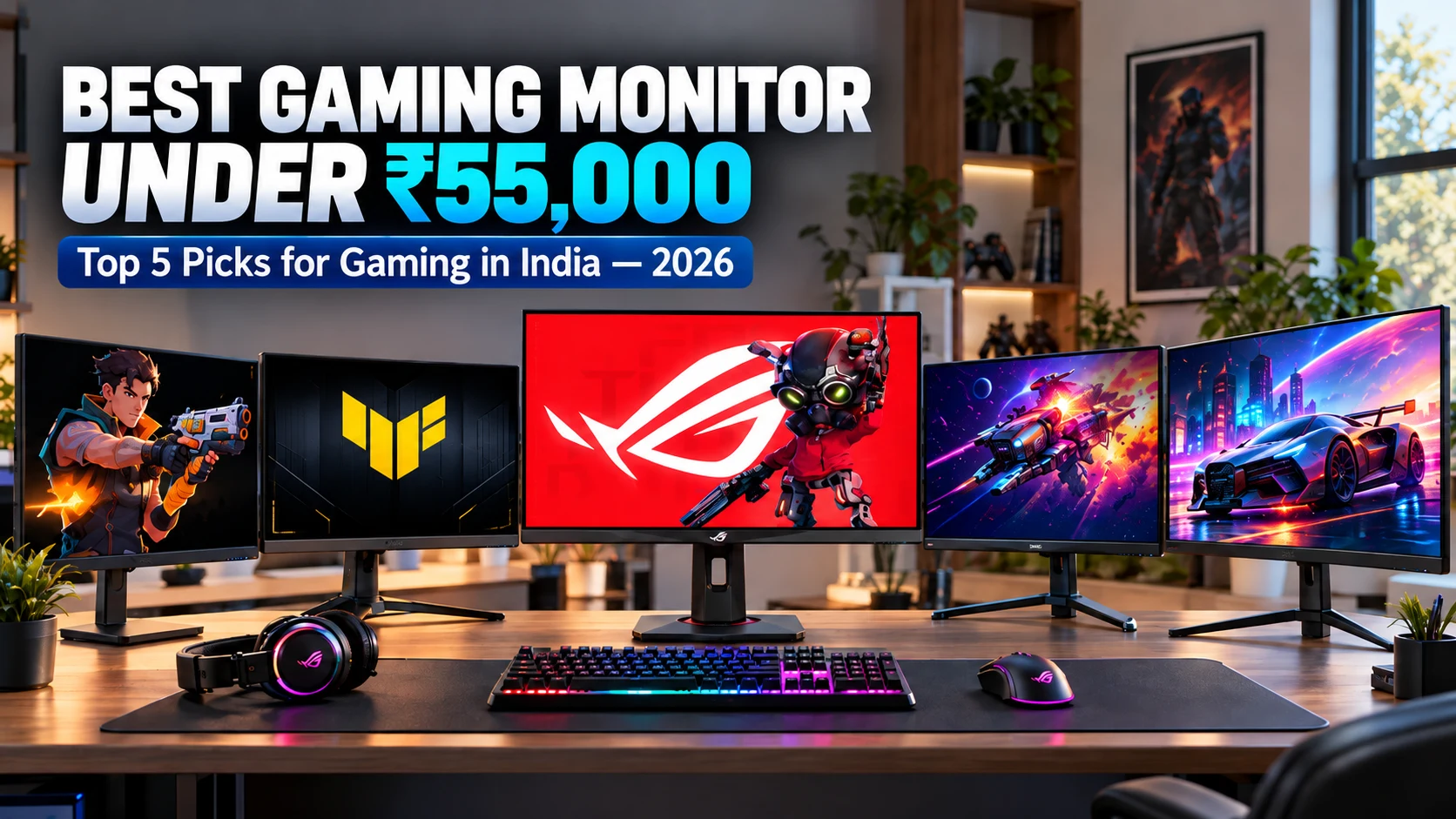

The best gaming monitor under 55000 can now offer premium features for competitive FPS, AAA, and immersive gaming. At this price, you can find monitors with high refresh rates, 1440p or 4K resolution, fast response times, Fast IPS panels, adaptive sync, HDR, accurate colours, modern connectivity, and ergonomic stands. However, choosing only by refresh rate or resolution can be misleading. Overall gaming performance depends on how these features work together and how well they match your GPU and gaming requirements.
For this list, we selected five monitors for different needs: ASUS ROG Strix XG27UCS as the best overall 4K option, KTC H25X7 for ultra-high-refresh competitive gaming, ASUS TUF Gaming VG249QML5A for 240Hz esports, Pixio PX24Q PRO for QHD gaming, and the ZZA 32-inch Curved Gaming Monitor for a larger immersive experience.
Table of Contents
1: Top 5 Best Gaming Monitor Under 55000 in India (2026)
1.1:ASUS ROG Strix 27” 4K HDR400 Gaming Monitor (XG27UCS)
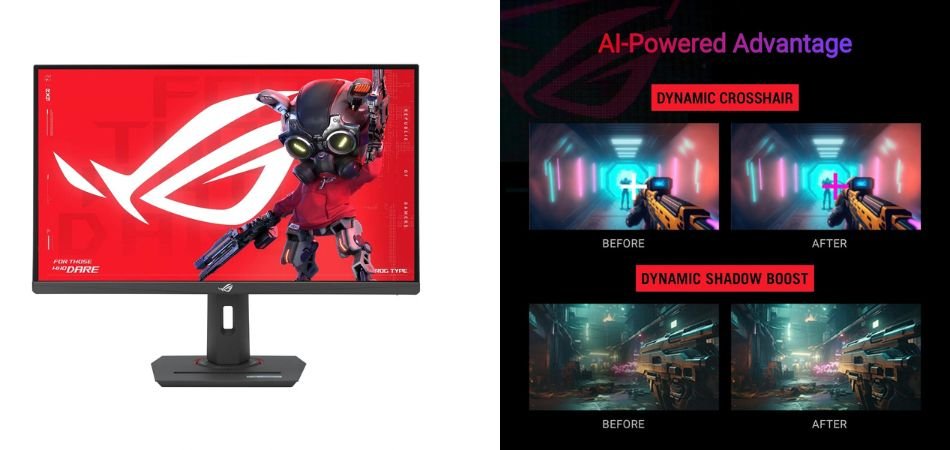
The ASUS ROG Strix XG27UCS is a premium 27-inch 4K gaming monitor featuring a Fast IPS panel, 160Hz refresh rate, 1ms response time, and HDR400 support. Its 130% sRGB coverage delivers vibrant colours, while USB-C, G-SYNC compatibility, and ELMB Sync make it versatile for gaming and productivity.
Key Specifications
| Specification | Details |
|---|---|
| Resolution | 3840 × 2160 4K |
| Panel | Fast IPS |
| Refresh Rate | 160Hz |
| Response Time | 1ms |
| HDR | DisplayHDR 400 |
| Colour | 130% sRGB |
| Sync | G-SYNC Compatible |
Gaming Performance
It offers sharp 4K visuals with smooth 160Hz gameplay and responsive 1ms performance. ELMB Sync and G-SYNC compatibility help reduce motion blur and screen tearing.
Pros and Cons
✓ Pros
- 4K UHD resolution
- 160Hz refresh rate
- 1ms response time
- Fast IPS panel
- HDR400 support
- G-SYNC Compatible
× Cons
- Requires a powerful GPU
- HDR is limited
- Premium price
Best For
1.2:KTC 24.5-Inch 400Hz Gaming Monitor (H25X7)
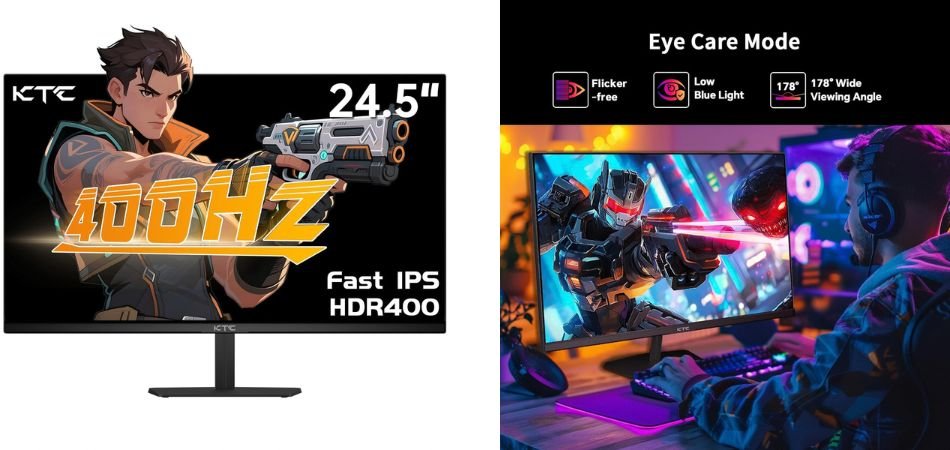
The KTC H25X7 is a performance-focused 24.5-inch FHD gaming monitor built for competitive players. Its high refresh rate, fast response performance, and adaptive-sync support are designed to deliver smooth visuals and responsive gameplay, making it a strong option for esports gaming.
Key Specifications
| Specification | Details |
|---|---|
| Screen Size | 24.5-inch |
| Resolution | 1920 × 1080 FHD |
| Refresh Rate | Up to 400Hz |
| Panel | Fast Gaming Panel |
| Response Time | 1ms-class |
| Adaptive Sync | Supported |
| Connectivity | HDMI, DisplayPort |
| Stand | Adjustable |
Gaming Performance
The KTC H25X7 focuses on competitive gaming, where high refresh rates and low latency matter most. FHD resolution allows compatible GPUs to push very high frame rates, while the fast panel helps keep motion clear and gameplay responsive.
Pros and Cons
✓ Pros
- Extremely high refresh rate
- Fast response performance
- Sharp FHD gaming resolution
- Excellent for esports
- Adaptive-sync support
- Adjustable ergonomic design
× Cons
- FHD is less detailed than 1440p
- Requires a powerful GPU to utilise high refresh rates
- Limited appeal for productivity-focused users
Best For
1.3:ASUS TUF Gaming Series 5 23.8” 1080P Monitor (VG249QML5A)
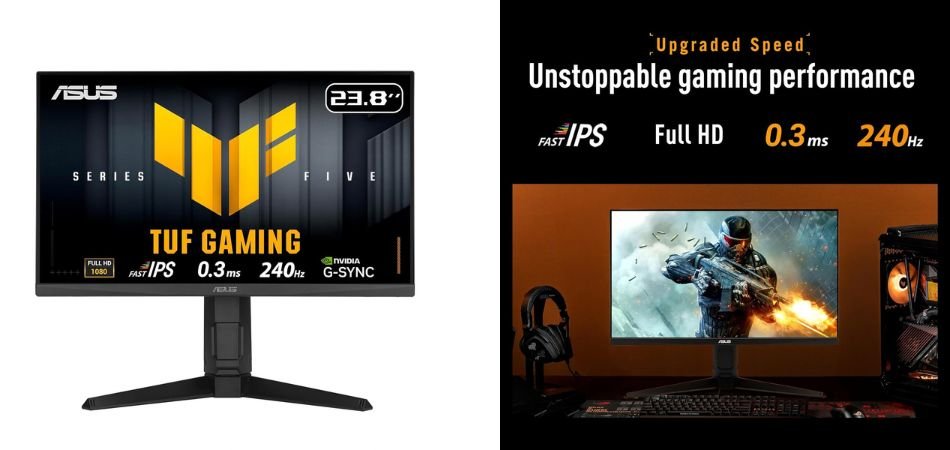
The ASUS TUF VG249QML5A is a fast 23.8-inch gaming monitor featuring a Fast IPS panel, Full HD resolution, and a 240Hz refresh rate. It is designed for smooth, responsive gameplay while maintaining vibrant visuals and wide viewing angles.
Key Specifications
| Specification | Details |
|---|---|
| Screen Size | 23.8-inch |
| Resolution | 1920 × 1080 |
| Panel | Fast IPS |
| Refresh Rate | 240Hz |
| Response Time | 0.3ms |
| Adaptive Sync | Supported |
| Design | Ergonomic Stand |
Gaming Performance
The 240Hz refresh rate and ultra-fast response make the VG249QML5A particularly suitable for competitive FPS and esports titles. Its Fast IPS panel also delivers smoother motion while maintaining good colour quality.
Pros and Cons
✓ Pros
- 240Hz refresh rate
- Fast IPS panel
- Excellent motion clarity
- Low response time
- Full HD resolution
- Ergonomic gaming design
× Cons
- No 1440p resolution
- 23.8-inch screen may feel small for some users
- HDR performance is limited
Best For
1.4:Pixio PX24Q PRO 24” QHD Gaming Monitor
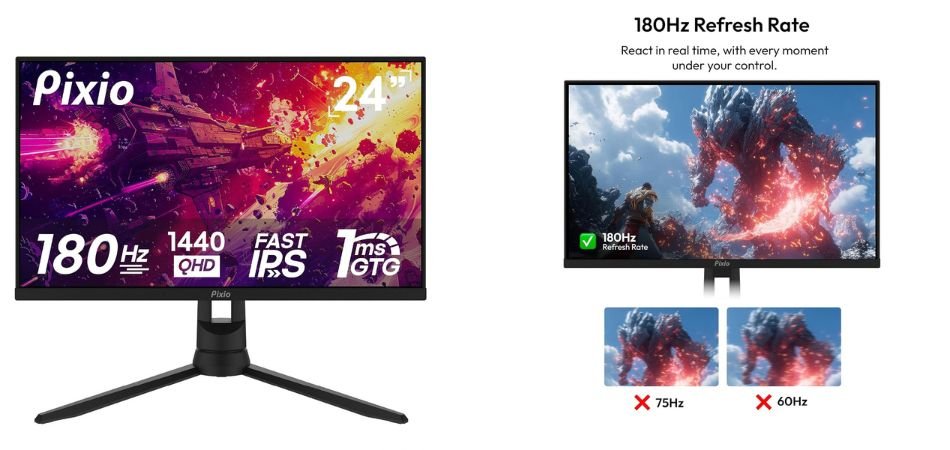
The Pixio PX24Q PRO combines a compact 24-inch display with sharp QHD 1440p resolution, a Fast IPS panel, and a 180Hz refresh rate. Its 1ms GTG response time makes it a strong option for gamers seeking both image detail and responsive gameplay.
Key Specifications
| Specification | Details |
|---|---|
| Screen Size | 24-inch |
| Resolution | 2560 × 1440 QHD |
| Panel | Fast IPS |
| Refresh Rate | 180Hz |
| Response Time | 1ms GTG |
| Adaptive Sync | Supported |
| Design | Gaming Monitor |
Gaming Performance
The PX24Q PRO delivers a strong balance of sharp visuals and smooth motion. QHD resolution provides noticeably more detail than 1080p, while the 180Hz refresh rate and 1ms response time help keep fast-paced games responsive and fluid.
Pros and Cons
✓ Pros
- Sharp QHD 1440p resolution
- Fast 180Hz refresh rate
- 1ms GTG response time
- IPS panel with good viewing angles
- Compact 24-inch design
- Excellent balance of clarity and speed
× Cons
- Smaller screen than 27-inch QHD monitors
- Requires a capable GPU for high-refresh QHD gaming
- Limited premium HDR capabilities
Best For
1.5:ZZA 32-Inch Curved Gaming Monitor
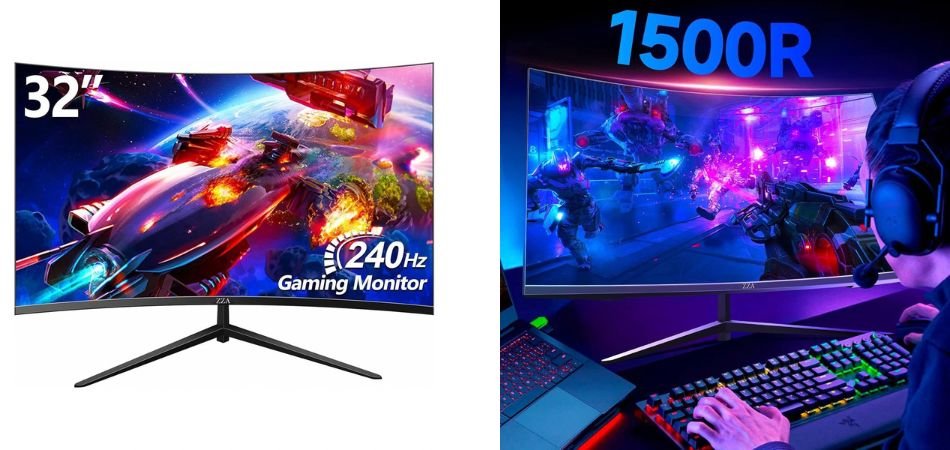
The ZZA 32-inch curved gaming monitor combines a large 1500R curved display with a 240Hz refresh rate, 1ms GTG response time, and 1080p resolution. Its 122% sRGB coverage and HDR600 support aim to deliver vibrant visuals for both gaming and everyday office use.
Key Specifications
| Specification | Details |
|---|---|
| Screen Size | 32-inch |
| Resolution | 1920 × 1080 |
| Refresh Rate | 240Hz |
| Curvature | 1500R |
| Response Time | 1ms GTG |
| HDR | HDR600 |
| Colour Gamut | 122% sRGB |
| Sync | FreeSync & G-SYNC |
| Mounting | VESA |
Gaming Performance
The 240Hz refresh rate and 1ms response time provide smooth, responsive gameplay, while FreeSync and G-SYNC compatibility help reduce tearing. The curved screen adds immersion, particularly in racing and action games.
Pros and Cons
✓ Pros
- Smooth 240Hz refresh rate
- Fast 1ms GTG response
- Immersive 1500R curvature
- HDR600 support
- 122% sRGB coverage
- FreeSync and G-SYNC support
× Cons
- 1080p resolution is low for a 32-inch screen
- Requires high frame rates to benefit from 240Hz
- Brand support may be less established
Best For
2: Comparison Table
| Rank | Gaming Monitor | Resolution | Refresh Rate | Panel | Best For |
|---|---|---|---|---|---|
| 1 | ASUS ROG Strix XG27UCS | 4K UHD (3840 × 2160) | 160Hz | Fast IPS | Best Overall 4K Gaming |
| 2 | Pixio PX24Q PRO | QHD (2560 × 1440) | 180Hz | Fast IPS | QHD Gaming |
| 3 | KTC H25X7 | Full HD (1920 × 1080) | 400Hz | Fast IPS | Competitive Esports |
| 4 | ASUS TUF VG249QML5A | Full HD (1920 × 1080) | 240Hz | Fast IPS | FPS & Competitive Gaming |
| 5 | ZZA 32-Inch Curved | Full HD (1920 × 1080) | 240Hz | Curved Panel | Immersive Gaming |
3: Which Gaming Monitor Under 55000 Is Best for You?
Choosing the best gaming monitor under 55000 depends on your gaming style and whether you prioritise resolution, refresh rate, screen size, or responsiveness. The ASUS ROG Strix XG27UCS is the best overall choice, offering 4K resolution, a 160Hz refresh rate, Fast IPS technology, and a 1ms response time for a strong balance of image quality and smooth gameplay.
If you prefer a larger, more immersive display, the ZZA 32-inch curved monitor is a strong option for racing and cinematic games. For competitive FPS gaming, the KTC H25X7 stands out with its extremely high 400Hz refresh rate. The Pixio PX24Q PRO is the best QHD option, pairing 1440p resolution with 180Hz performance, while the ASUS TUF VG249QML5A is an excellent 240Hz esports monitor for players who prioritise fast, responsive Full HD gaming.
4: What to Look for in a Gaming Monitor Under 55000
When choosing the best gaming monitor under 55000, focus on resolution, refresh rate, response time, and panel technology. A 4K monitor delivers sharper visuals, QHD offers a great balance between quality and performance, while Full HD is ideal for high-FPS competitive gaming. Look for at least 144Hz–180Hz for smooth gameplay, while 240Hz or higher is better for esports. A 1ms-class response time and Fast IPS panel can provide excellent motion clarity, colours, and viewing angles.
Also consider Adaptive Sync, HDR, colour gamut, connectivity, ergonomics, and screen size. FreeSync or G-SYNC Compatible support helps reduce screen tearing, while HDR and wide sRGB/DCI-P3 coverage improve visual quality. DisplayPort, HDMI, and USB-C provide flexible connectivity, and height, tilt, swivel, pivot, and VESA support improve comfort. Finally, choose the screen size and aspect ratio according to your gaming style, GPU, desk space, and preferred viewing experience.
5: Frequently Asked Questions (FAQs)
Q1: What is the best gaming monitor under 55000 in India?
The ASUS ROG Strix XG27UCS is the best overall gaming monitor under 55000 for gamers who want a combination of 4K resolution, 160Hz refresh rate, Fast IPS technology, and fast response times. For competitive FPS gaming, higher-refresh-rate options such as the KTC H25X7 can be more suitable.
Q2: Is a 4K 160Hz monitor better than a 1080p 240Hz monitor for gaming?
It depends on your gaming priorities. A 4K 160Hz monitor provides sharper visuals and is better suited to AAA games and immersive gaming, while a 1080p 240Hz monitor offers smoother motion and easier high frame rates for competitive FPS titles. Your GPU and preferred games should determine the better choice.
Q3: Is 240Hz worth it for competitive gaming?
Yes, 240Hz can be worthwhile for competitive gaming, especially in fast-paced FPS titles where every millisecond matters. However, you need a powerful PC capable of producing high frame rates to take full advantage of the higher refresh rate.
Q4: Is 1440p better than 1080p for gaming?
Generally, 1440p provides sharper and more detailed visuals than 1080p, particularly on 27-inch displays. However, 1080p requires less GPU power and can deliver higher frame rates, making it a practical choice for esports and competitive gaming.
Q5: What refresh rate should a gaming monitor have in 2026?
For most gamers in 2026, 144Hz to 180Hz is an excellent starting point. Competitive players can benefit from 240Hz or higher, while 4K 144Hz–160Hz monitors offer a strong balance between visual quality and smooth gameplay for AAA titles.
Q6: Which gaming monitor under 55000 is best for FPS games?
For competitive FPS gaming, the KTC H25X7 is a strong choice because of its very high 400Hz refresh rate. The ASUS TUF Gaming VG249QML5A is another excellent option with a 240Hz refresh rate and a Fast IPS panel, making it well suited to fast-paced esports gaming.
6: Conclusion
The ASUS ROG Strix XG27UCS is the strongest all-round choice among these gaming monitors, offering 4K resolution, a 160Hz refresh rate, Fast IPS, HDR400, 1ms response time, and useful gaming features. The KTC H25X7 and ASUS TUF VG249QML5A are better suited for competitive FPS gaming, while the Pixio PX24Q PRO is a strong QHD option and the ZZA 32-inch curved monitor suits immersive gaming.
Ultimately, choose based on your GPU capability, gaming style, and preferred resolution, rather than specifications alone. For AAA and mixed-use gaming, choose ASUS ROG Strix XG27UCS; for competitive FPS, consider KTC H25X7 or ASUS TUF VG249QML5A.