

Choosing the best gaming power supply under 10000 is essential for stable and reliable PC performance. A quality PSU helps protect components, improve efficiency, and provide enough power for future upgrades.
In this price range, look for the right wattage, 80 PLUS efficiency, ATX standards, PCIe GPU support, modular cabling, protection features, and a solid warranty.
This list includes traditional PSUs for different PC builds, along with a UPS. A UPS serves a different purpose by providing battery backup during power interruptions, while a PSU supplies power to the PC components.
Table of Contents
1: Top 5 Best Gaming Power Supplies Under 10000 in India (2026)
1.1: MSI MAG A750GL PCIE5 750W Power Supply
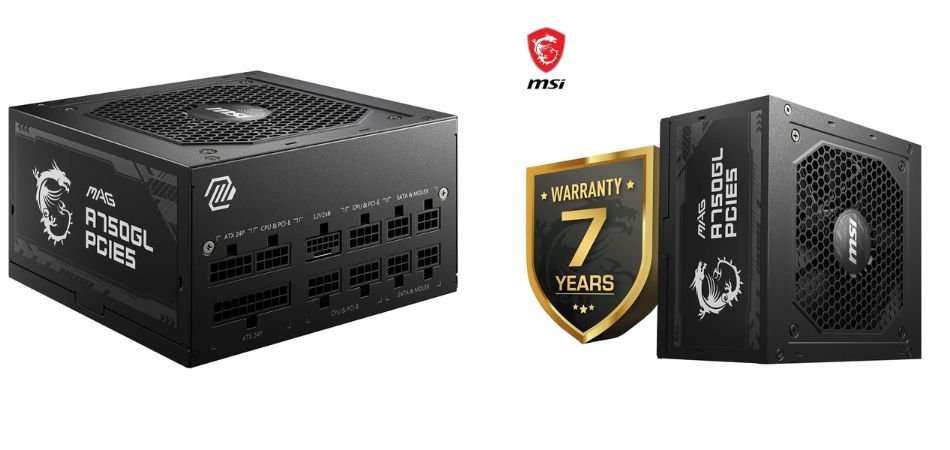
The MSI MAG A750GL PCIE5 is a 750W 80 Plus Gold fully modular PSU designed for modern gaming PCs. ATX 3.1 compliance and PCIe 5.1 support make it suitable for newer GPUs, while the 120mm FDB fan and Full-Bridge LLC design target efficient, stable operation.
Key Specifications
| Specification | Details |
|---|---|
| Power | 750W |
| Efficiency | 80 Plus Gold |
| Standard | ATX 3.1 |
| GPU Support | PCIe 5.1 |
| Cabling | Fully Modular |
| Fan | 120mm FDB |
| Warranty | 7 Years |
Gaming Performance
For gaming, its 750W capacity offers dependable headroom for performance-focused builds.
Pros and Cons
✓ Pros
- Efficient, modular, modern GPU support, long warranty.
× Cons
- Premium pricing.
Best For
1.2: Cooler Master G800 Gold 800W Power Supply
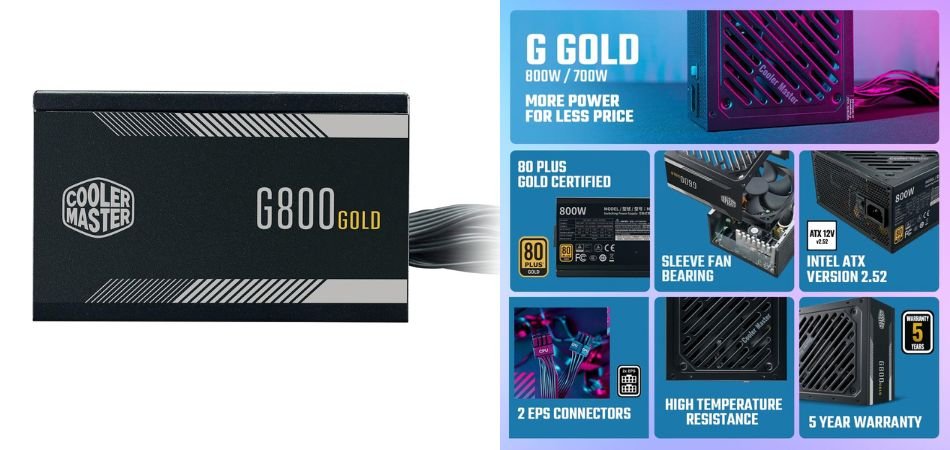
The Cooler Master G800 Gold is an 800W non-modular gaming PSU built for performance-oriented PCs. Its 80 Plus Gold efficiency, ATX 2.52 design, 120mm HDB fan, and DC-to-DC circuitry provide a practical balance of power delivery, efficiency, and thermal management.
Key Specifications
| Specification | Details |
|---|---|
| Power Output | 800W |
| Efficiency | 80 Plus Gold |
| Form Factor | ATX |
| ATX Version | ATX 2.52 |
| Fan | 120mm HDB |
| Circuit Design | DC-to-DC |
| Cabling | Non-Modular |
Gaming Performance
With 800W of capacity, the G800 Gold offers ample power for demanding gaming configurations and performance-focused GPUs. Its DC-to-DC design helps maintain stable power delivery, while the HDB fan is designed for reliable cooling during extended gaming sessions.
Pros and Cons
✓ Pros
- 800W power capacity
- 80 Plus Gold efficiency
- DC-to-DC circuit design
- 120mm HDB cooling fan
× Cons
- Non-modular cables
- ATX 2.52 rather than the newer ATX 3.x standard
Best For
1.3: Apevia ATX-JP600W Jupiter 600W Power Supply
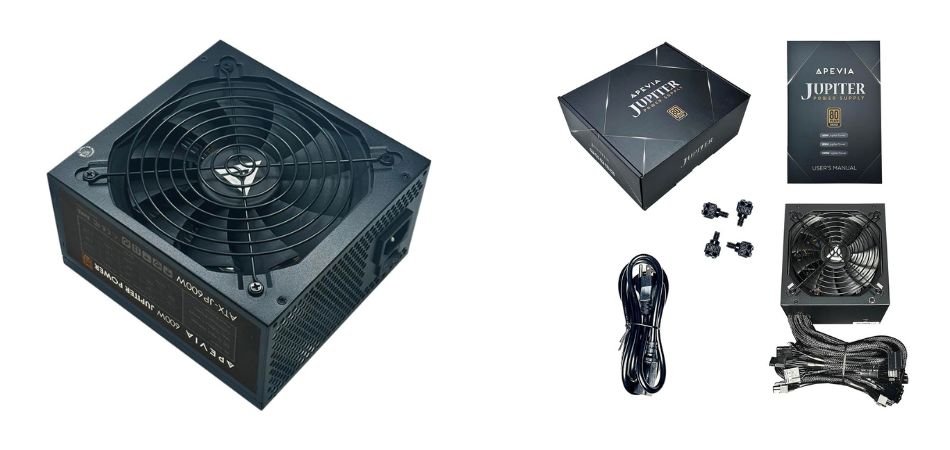
The Apevia ATX-JP600W Jupiter is a 600W gaming PSU designed for budget-conscious PC builds. Its 80 Plus Bronze certification, active PFC, and ATX compatibility provide a practical foundation for everyday gaming and desktop workloads.
Key Specifications
| Specification | Details |
|---|---|
| Power Output | 600W |
| Efficiency | 80 Plus Bronze |
| PFC | Active PFC |
| Form Factor | ATX |
| GPU Support | SLI/CrossFire |
| CPU Support | Dual/Quad Core |
| Cabling | Non-Modular |
Gaming Performance
The 600W capacity is suitable for entry-level and moderately powered gaming PCs. It can handle compatible GPUs and mainstream components while maintaining dependable power delivery for everyday gaming.
Pros and Cons
✓ Pros
- 600W capacity
- 80 Plus Bronze efficiency
- Active PFC
- Supports SLI/CrossFire
× Cons
- Non-modular design
- Older platform and feature set
Best For
1.4: S-Union 942332-001 400W Power Supply
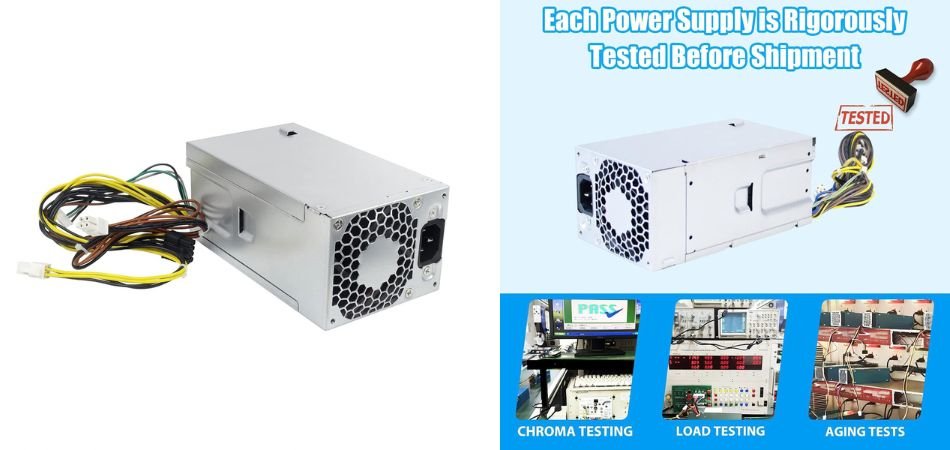
The S-Union 942332-001 is a 400W replacement PSU designed for select HP desktop systems. Its compatibility with models such as the HP 280, 288, 285, 480, 600, 680, and 800 G3/G4 makes it more suitable as a replacement component than a conventional gaming PSU.
Key Specifications
| Specification | Details |
|---|---|
| Power Output | 400W |
| Type | Desktop Replacement PSU |
| Compatible Models | HP 280, 288, 285, 480, 600, 680, 800 G3/G4 |
| Compatible Part Numbers | 942332-001, L04618-400, PA-3401-1HA |
| Form Factor | OEM Replacement |
Gaming Performance
The 400W capacity is appropriate for compatible HP systems using modest hardware. It is not intended for high-end gaming GPUs or modern enthusiast builds.
Pros & Cons
✓ Pros
- 400W output
- Broad HP compatibility
- Useful replacement option
- Multiple compatible part numbers
× Cons
- Larger footprint
- Actual backup time varies with connected load
Best For
1.5: Artis 2000VA Line Interactive UPS
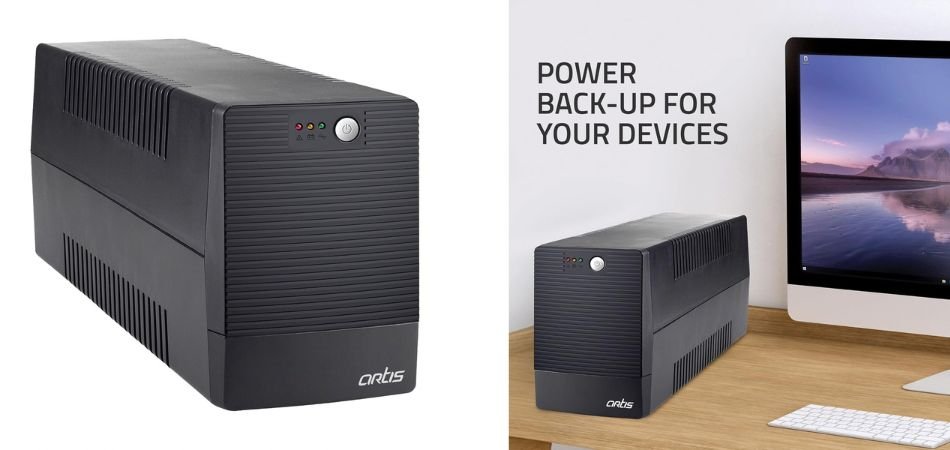
The Artis 2000VA Line Interactive UPS is designed to provide backup power and voltage protection for gaming PCs, desktops, laptops, routers, networking equipment, and consoles. Its 2000VA capacity and 16A heavy-duty input plug make it suitable for higher-power setups requiring reliable backup during power interruptions.
Key Specifications
| Specification | Details |
|---|---|
| Capacity | 2000VA |
| UPS Type | Line Interactive |
| Input Plug | 16A Heavy-Duty |
| Intended Use | PC, Gaming, Networking, Consoles |
| Protection | Voltage Regulation & Backup |
| Design | Desktop/Tower |
Gaming Performance
For gaming, the Artis 2000VA UPS provides useful backup during sudden outages, helping prevent abrupt shutdowns and potential data loss. Its higher capacity makes it suitable for gaming PCs and connected peripherals.
Pros & Cons
✓ Pros
- High 2000VA capacity
- Line-interactive operation
- 16A input plug
- Suitable for gaming and networking devices
- Multiple-device support
× Cons
- Larger footprint
- Actual backup time varies with connected load
Best For
2: Comparison Table
| Rank | Product | Wattage / Capacity | Efficiency | Modularity | Best For |
|---|---|---|---|---|---|
| 1 | MSI MAG A750GL PCIE5 | 750W | 80 Plus Gold | Fully Modular | Modern gaming PCs and high-performance GPUs |
| 2 | Cooler Master G800 Gold | 800W | 80 Plus Gold | Non-Modular | High-power gaming PCs |
| 3 | Apevia ATX-JP600W Jupiter | 600W | 80 Plus Bronze | Non-Modular | Budget gaming builds |
| 4 | S-Union 942332-001 | 400W | Not specified | Non-Modular | Compatible HP desktop replacements |
| 5 | Artis 2000VA Line Interactive UPS | 2000VA | UPS backup system | Not Applicable | Gaming PCs and devices needing backup power |
3: PSU vs UPS – What’s the Difference?
A PSU powers your PC components, while a UPS provides battery backup during power interruptions.
| Feature | PSU | UPS |
|---|---|---|
| Powers PC components | Yes | No, indirectly |
| Converts AC to DC | Yes | No |
| Battery backup | No | Yes |
| Power interruption protection | Limited | Yes |
| Main purpose | Power delivery | Backup & protection |
For a gaming PC, the PSU is essential, while a UPS is recommended if your area experiences frequent power cuts or voltage fluctuations.
4: Which Gaming PSU Under 10000 Should You Choose?
Choose based on your PC’s power needs and intended use:
- Modern gaming PC: MSI MAG A750GL PCIE5 – 750W, Gold, fully modular.
- 800W gaming build: Cooler Master G800 Gold – 800W, Gold efficiency.
- Budget gaming PC: Apevia ATX-JP600W Jupiter – 600W, Bronze efficiency.
- Compatible HP desktop: S-Union 400W – replacement PSU for supported HP systems.
- Backup power: Artis 2000VA UPS – battery backup and power protection.
For a new gaming PC, prioritize adequate wattage, efficiency, connectors, and GPU compatibility.
5: Frequently Asked Questions (FAQs)
1. Which is the best gaming power supply under 10000?
The MSI MAG A750GL PCIE5 is a strong choice for modern gaming PCs.
2. Is a 750W PSU enough for a gaming PC?
Yes, 750W is enough for many mid-range and high-performance builds.
3. Is 80 PLUS Gold worth it for gaming?
Yes, it offers better energy efficiency and can reduce wasted power.
4. What PSU wattage do I need for an RTX gaming PC?
It depends on the specific RTX GPU and overall system power requirements.
5. Is a modular PSU better than a non-modular PSU?
Modular PSUs make cable management and installation easier.
6. What is the difference between a PSU and UPS?
A PSU powers PC components, while a UPS provides battery backup.
7. Can I use a 400W PSU for gaming?
Yes, but only for low-power gaming systems with suitable components.
6: Conclusion
The best gaming power supply under 10000 depends on your PC’s wattage, GPU, connectors, and upgrade plans. Match the PSU’s capacity and connectors to your components for reliable performance.
Remember, a UPS is different from a PSU and provides battery backup rather than powering PC components.
Before purchasing, always verify the current price, specifications, compatibility, and warranty.
Also Read :