
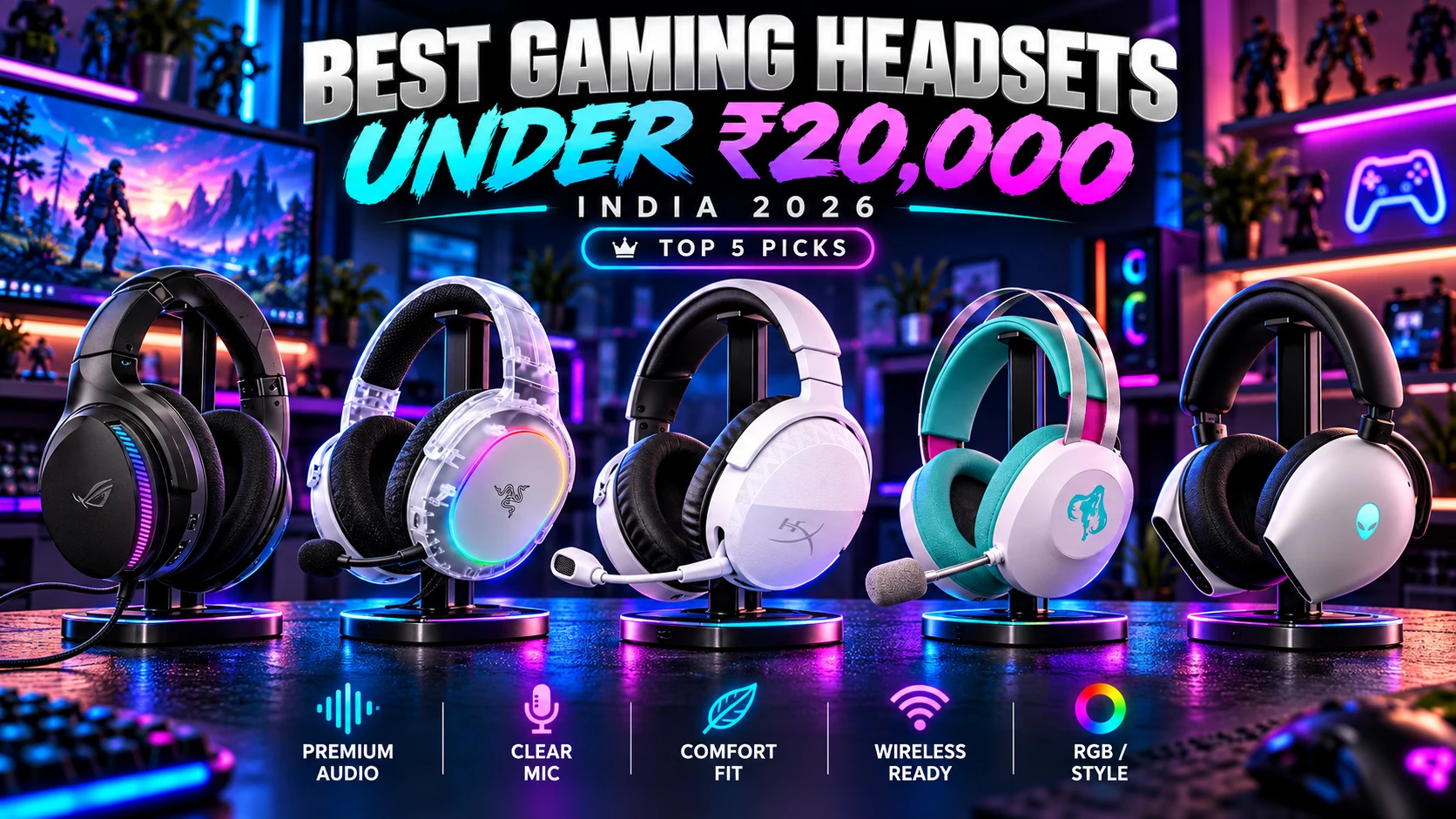

Finding the Best Gaming Headset Under 20000 in India (2026): Top 5 Picks means looking beyond loud sound and flashy design. A good gaming headset can improve positional awareness in competitive shooters, make story-driven games more immersive, and provide clearer communication with teammates.
In this price range, gamers can expect premium features such as 2.4GHz low-latency wireless, Bluetooth, virtual surround sound, noise cancellation, AI-powered microphones, RGB lighting, long battery life, and high-quality 40mm or 50mm drivers.
This guide covers the ASUS ROG Fusion II 300, Razer Barracuda X Chroma, HyperX Cloud Stinger 3 Wireless, ASUS TUF Gaming H1 Gen II Hatsune Miku Edition, and Alienware AW920H. Prices, specifications, and availability can change, so check the latest details before purchasing.
Table of Contents
1: Top 5 Gaming Headsets Under 20000 in India (2026)
1.1: ASUS ROG Fusion II 300 Gaming Headset
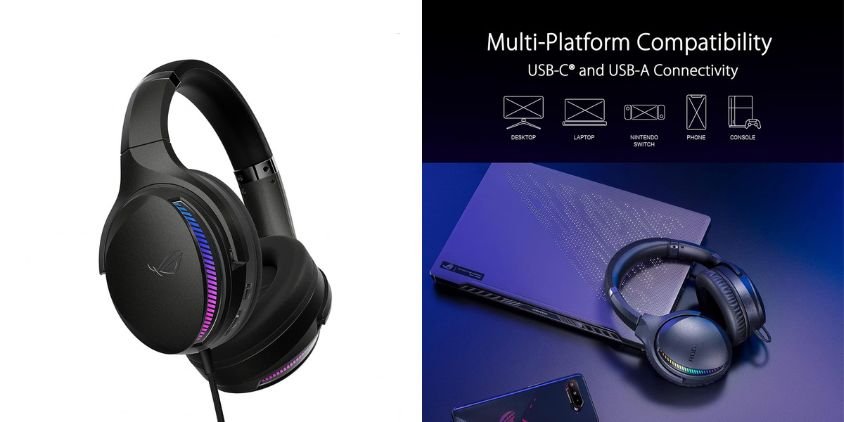
The ASUS ROG Fusion II 300 is a premium wired gaming headset built for immersive PC and console gaming. Its ESS 9280 Quad DAC, AI beamforming microphones, and virtual 7.1 surround sound make it especially appealing for players who want detailed audio and clear team communication.
Key Specifications
| Specification | Details |
|---|---|
| Drivers | 50mm ASUS Essence |
| Audio | Virtual 7.1 Surround |
| DAC | ESS 9280 Quad DAC |
| Microphone | AI Beamforming with Noise Cancellation |
| Connectivity | USB-C, USB-A adapter |
| Compatibility | PC, Mac, PS4, PS5, Nintendo Switch |
| Design | Over-Ear, Wired |
Audio Performance
The 50mm drivers deliver powerful, detailed sound, while the Quad DAC improves separation across bass, mids, and highs. Virtual 7.1 surround helps make footsteps, gunfire, and directional effects easier to locate during competitive games.
Pros and Cons
✓ Pros
- Detailed Hi-Res gaming audio
- Effective AI noise-cancelling microphone
- Immersive 7.1 surround sound
- Broad multi-platform compatibility
× Cons
- Wired connectivity only
- Premium features may be unnecessary for casual gamers
Who Should Buy It?
1.2: Razer Barracuda X Chroma Wireless Gaming Headset
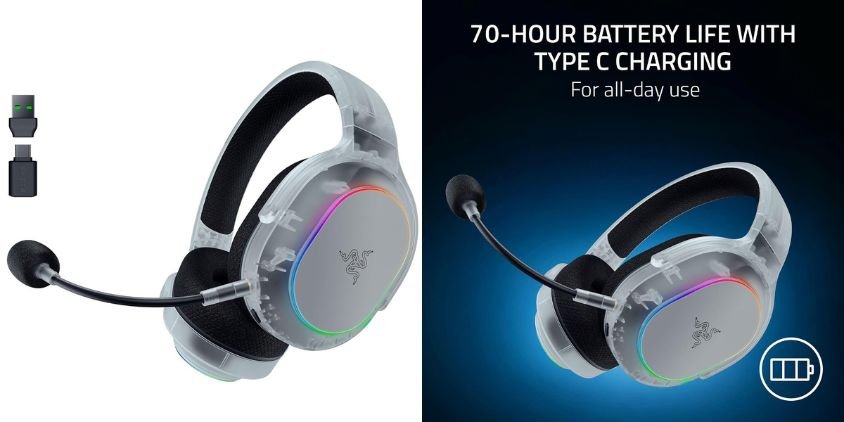
The Razer Barracuda X Chroma Wireless Gaming Headset is a stylish, lightweight headset designed for gamers who want flexibility across devices. With 2.4GHz wireless and Bluetooth, RGB lighting, a cardioid mic, and up to 70 hours of battery life, it balances everyday convenience with gaming-focused features for PC, Mac, PS5, Switch 2, and smartphones.
Key Specifications
| Specification | Details |
|---|---|
| Connectivity | 2.4GHz Wireless, Bluetooth |
| Drivers | 40mm |
| Microphone | Cardioid Mic |
| Battery Life | Up to 70 Hours |
| Design | Lightweight, Over-Ear |
| Lighting | Chroma RGB |
| Compatibility | PC, Mac, PS5, Switch 2, Smartphone |
| Color | Phantom White |
Audio Performance
The 40mm drivers deliver clear, balanced sound for gaming, music, and daily use. Wireless connectivity helps keep gameplay convenient, while the mic supports clearer voice chat during multiplayer sessions.
Pros and Cons
✓ Pros
- Dual wireless connectivity
- Long battery life
- Lightweight and comfortable design
- Attractive Chroma RGB styling
× Cons
- 40mm drivers may feel modest for audio enthusiasts
- RGB lighting may not matter to every buyer
Who Should Buy It?
1.3: HyperX Cloud Stinger 3 Wireless Gaming Headset
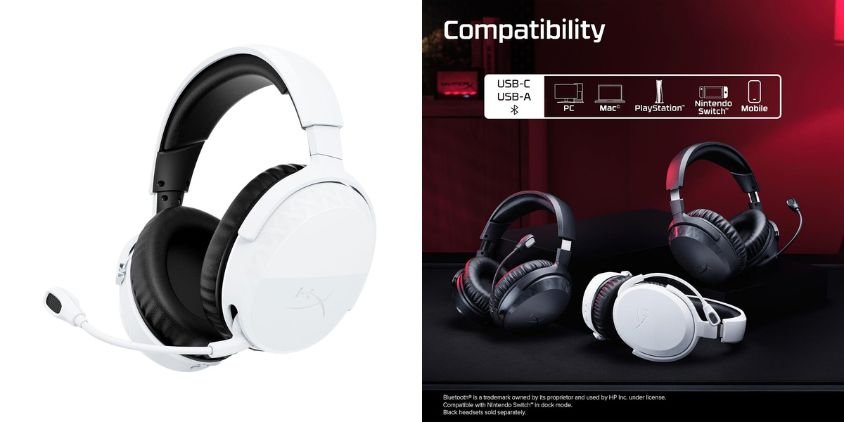
The HyperX Cloud Stinger 3 Wireless is a lightweight PC gaming headset focused on comfort, simple wireless connectivity, and everyday gaming use. Its adjustable headband and HyperX Signature Comfort design make it suitable for longer sessions, while the clean white finish gives it a modern look.
Key Specifications
| Specification | Details |
|---|---|
| Connectivity | Wireless |
| Platform | PC |
| Fit | Over-Ear |
| Headband | Adjustable |
| Comfort | HyperX Signature Comfort |
| Microphone | Integrated gaming microphone |
| Color | White |
| Model Year | 2026 |
Audio Performance
The Cloud Stinger 3 Wireless is designed to deliver clear gaming audio with good separation between dialogue, effects, and background sound. Its wireless design also reduces cable clutter, making it convenient for desktop gaming setups.
Pros and Cons
✓ Pros
- Comfortable lightweight design
- Wireless freedom for PC gaming
- Adjustable headband
- Clean, modern styling
× Cons
- Primarily aimed at PC users
- Fewer premium audio features than higher-end headsets
Who Should Buy It?
1.4: ASUS TUF Gaming H1 Gen II Hatsune Miku Edition Gaming Headset

The ASUS TUF Gaming H1 Gen II Hatsune Miku Edition combines distinctive themed styling with gaming-focused audio features. Its lightweight design, 40mm ASUS Essence drivers, virtual 7.1 surround sound, and TeamSpeak-certified microphone make it suitable for multiplayer gaming, voice chat, and long sessions.
Key Specifications
| Specification | Details |
|---|---|
| Drivers | 40mm ASUS Essence |
| Audio | Virtual 7.1 Surround Sound |
| Microphone | TeamSpeak-Certified |
| Connection | Wired |
| Fit | Over-Ear |
| Design | Lightweight |
| Edition | Hatsune Miku Edition |
| Use | Gaming and Voice Chat |
Audio Performance
The 40mm Essence drivers produce clear, energetic gaming audio with strong positional detail. Virtual 7.1 surround sound can improve immersion in shooters, action titles, and open-world games, while the certified microphone is designed for clear team communication.
Pros and Cons
✓ Pros
- Immersive virtual 7.1 surround sound
- Clear TeamSpeak-certified microphone
- Lightweight construction
- Unique Hatsune Miku styling
× Cons
- Wired design limits mobility
- The themed appearance may not suit every setup
Who Should Buy It?
1.5: Alienware AW920H Tri-Mode Wireless Gaming Headset
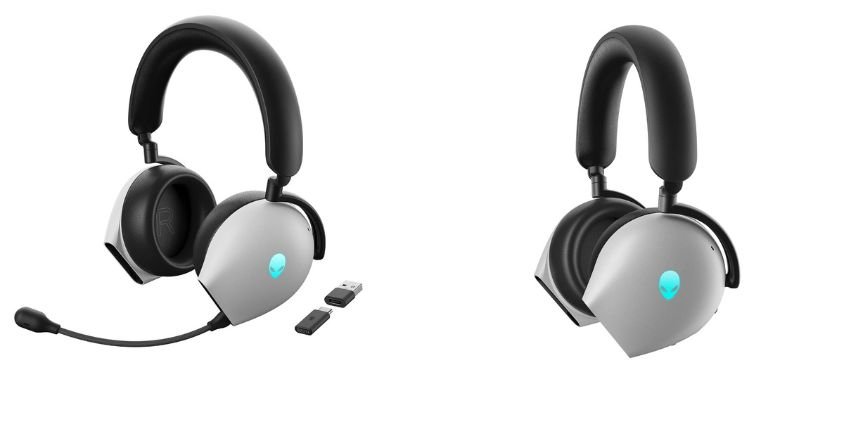
The Alienware AW920H Tri-Mode Wireless Gaming Headset is a premium over-ear headset built for immersive gaming and flexible connectivity. It combines Dolby Atmos virtual surround sound, active noise cancellation, an AI-powered noise-cancelling microphone, and tri-mode connectivity in Alienware’s distinctive Lunar Light design.
Key Specifications
| Specification | Details |
|---|---|
| Connectivity | Tri-Mode Wireless |
| Wireless Dongle | USB-C |
| Surround Sound | Dolby Atmos Virtual Surround |
| Noise Cancellation | Active Noise Cancelling |
| Microphone | AI-Driven Noise-Cancelling Mic |
| Fit | Over-Ear |
| Lighting | Multicolor |
| Color | Lunar Light |
Audio Performance
Dolby Atmos creates a spacious soundstage that helps improve immersion and positional awareness in games. Active noise cancellation reduces surrounding distractions, while the AI-driven microphone focuses on clearer voice communication during multiplayer sessions and calls.
Pros and Cons
✓ Pros
- Immersive Dolby Atmos audio
- Effective active noise cancellation
- Flexible tri-mode connectivity
- AI noise-cancelling microphone
- Premium Alienware design
× Cons
- Premium pricing compared with basic gaming headsets
- Feature set may be excessive for casual users
Who Should Buy It?
2: Comparison Table
| Gaming Headset | Connectivity | Key Feature | Best For |
|---|---|---|---|
| ASUS ROG Fusion II 300 | USB-C Wired | Hi-Res ESS 9280 Quad DAC, 7.1 Surround | PC & Console Gaming |
| Razer Barracuda X Chroma | 2.4GHz + Bluetooth | RGB, 70-Hour Battery | Wireless Gaming |
| HyperX Cloud Stinger 3 Wireless | Wireless | Signature Comfort | Comfortable Long Sessions |
| ASUS TUF Gaming H1 Gen II Miku Edition | Wired | Virtual 7.1 Surround | Budget-Conscious Gamers |
| Alienware AW920H | Tri-Mode Wireless | ANC + Dolby Atmos + AI Mic | Premium Gaming |
3: Which Gaming Headset Under 20000 Is Right for You?
The right gaming headset under 20000 depends on your priorities. Choose the ASUS ROG Fusion II 300 for competitive FPS gaming and positional audio, the Razer Barracuda X Chroma for wireless connectivity, long battery life, multi-platform support, and RGB, the HyperX Cloud Stinger 3 Wireless for lightweight comfort during long sessions, and the Alienware AW920H for immersive Dolby Atmos audio and active noise cancellation.
For most buyers, factors such as comfort, microphone quality, connectivity, platform compatibility, and surrounding noise should matter just as much as sound quality.
4: Are Gaming Headsets Under 20000 Worth It in 2026?
Yes, gaming headsets under 20000 can offer excellent value in 2026, especially for players who want better audio quality, stronger microphones, wireless connectivity, surround sound, ANC, and improved comfort.
Around 5000, expect solid basics; near 10000, you generally gain better drivers, wireless options, and build quality; while 20000 models often add premium features such as Dolby Atmos, advanced noise cancellation, longer battery life, and multi-platform support.
Spending more makes sense for competitive gaming, frequent voice chat, or long sessions. Prioritize audio clarity, comfort, microphone quality, and reliable connectivity before paying extra for RGB or other cosmetic features.
5: Frequently Asked Questions (FAQs)
Q1. Which is the best gaming headset under ₹20,000 in India in 2026?
The best option depends on your priorities. The ASUS ROG Fusion II 300 suits competitive players, while the Alienware AW920H offers premium immersive features, and the Razer Barracuda X Chroma is a strong wireless choice.
Q2. Which gaming headset under ₹20,000 is best for FPS games?
For FPS gaming, prioritize accurate directional audio, footstep clarity, low latency, and a clear microphone. The ASUS ROG Fusion II 300 is particularly well suited to these requirements.
Q3. Are wireless gaming headsets good for competitive gaming?
Yes. Modern 2.4GHz wireless headsets can provide sufficiently low latency for competitive gaming when paired with a reliable USB dongle.
Q4. Which gaming headset has the best battery life?
Among the options covered here, the Razer Barracuda X Chroma offers up to 70 hours of battery life, making it ideal for extended wireless use.
Q5. Is Dolby Atmos better than 7.1 surround sound for gaming?
Neither is automatically better. Dolby Atmos can provide a more spacious, object-based sound experience, while virtual 7.1 surround can still offer useful positional cues in games.
Q6. Should I buy a wired or wireless gaming headset?
Choose wired for consistent connectivity and no charging concerns. Choose wireless if you value freedom of movement, cleaner desk setups, and multi-device convenience.
6: Conclusion
The best gaming headset under 20000 in India in 2026 depends on how you play. The ASUS ROG Fusion II 300 focuses on detailed positional audio for competitive gamers, while the Razer Barracuda X Chroma combines wireless freedom, long battery life, RGB, and multi-platform support.
The HyperX Cloud Stinger 3 Wireless is suited to players who value lightweight comfort, and the ASUS TUF Gaming H1 Gen II Hatsune Miku Edition blends surround sound with distinctive styling. The Alienware AW920H targets gamers seeking Dolby Atmos, ANC, and premium wireless features.
Specifications, prices, and availability may change, so always confirm the latest configuration and device compatibility before buying.
Looking for a gaming headset under 20000 in India? Check the latest prices and availability of the models above, then choose the headset that best matches your gaming platform, connectivity preference, comfort requirements, and audio needs.